连接 WhatsApp
连接 WhatsApp 后,你可以在 Chatty 里直接查看 WhatsApp 消息。
把 WhatsApp 接到 Chatty 之前,请确认你有:
- Facebook Business Manager 的访问权限
- 一个用于 WhatsApp 的电话号码
- 企业的法定地址和详细信息
你可以把多个 WhatsApp 号码连到 Chatty。
如何把 WhatsApp 接到 Chatty
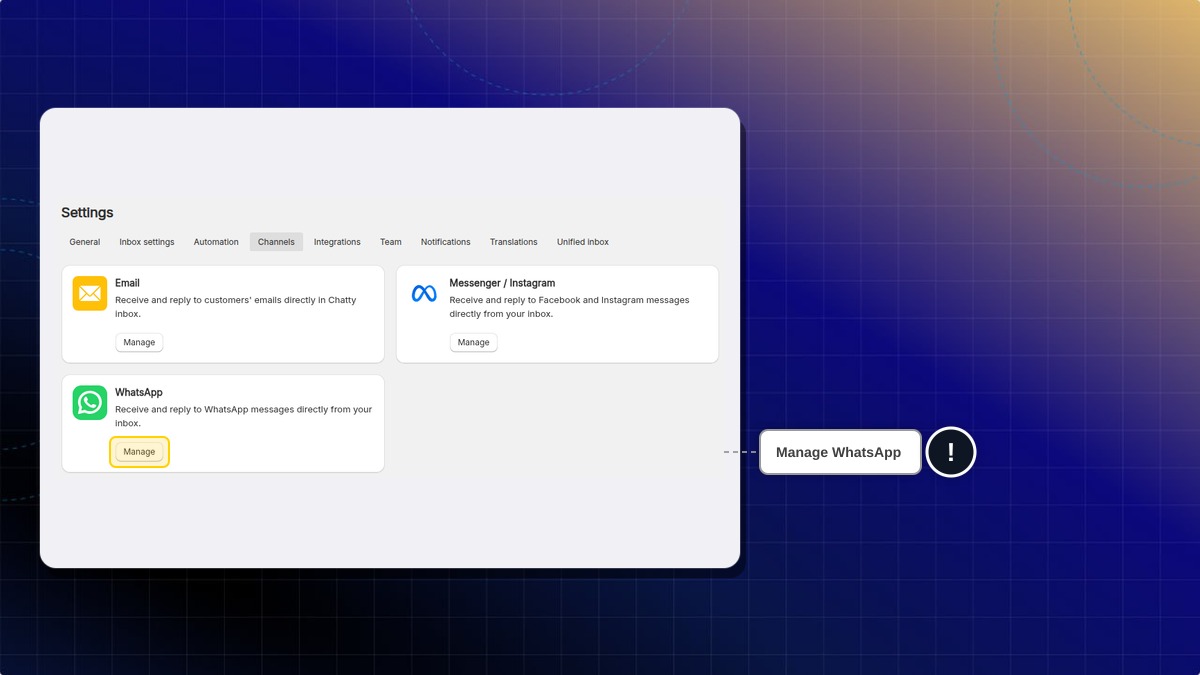
前往渠道设置
- 前往 Settings → Channels
- 找到 WhatsApp 卡片
- 点击 Manage
打开 Meta 窗口
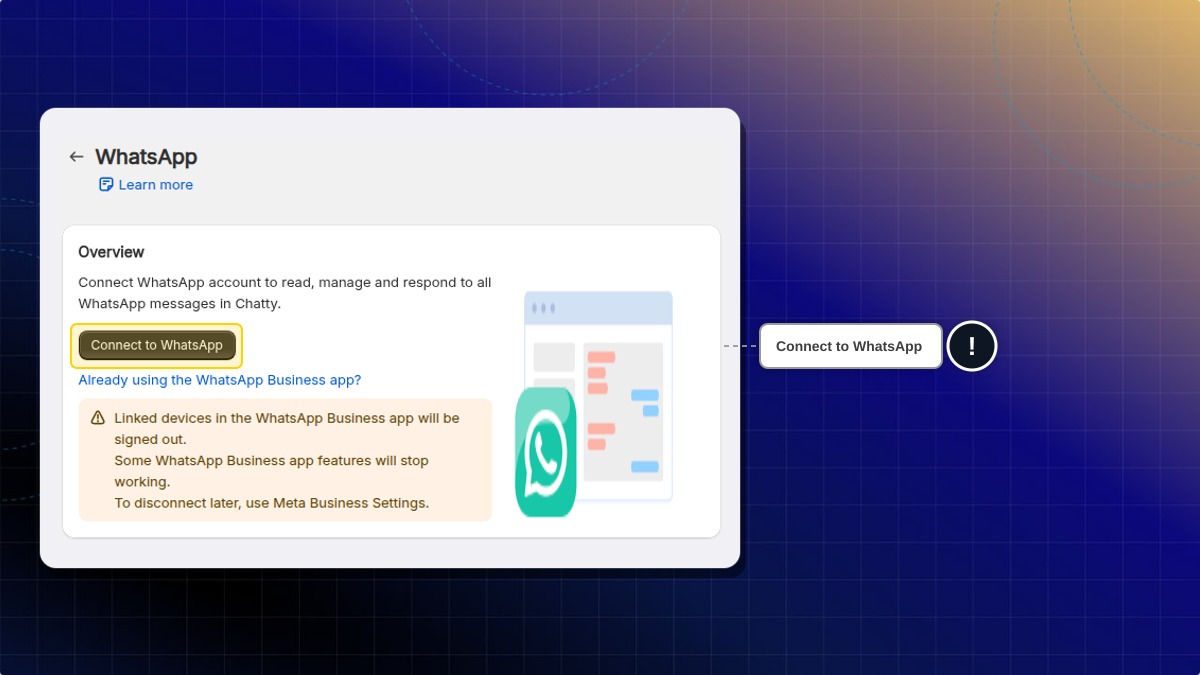
- 点击 Connect to WhatsApp。如果已经连接了一个号码,点击页面顶部的 Add number。
- Meta 窗口打开。在那里登录 Facebook。
选择 WhatsApp 账户和号码
按 Meta 窗口中的步骤操作,直到窗口关闭。Meta 会询问你的企业信息和要使用的号码。
📸 截图: WhatsApp 注册过程中的 Meta 窗口
确认连接
- Chatty 在设置号码时会显示 Finishing WhatsApp connection…。
- 号码出现在表格中,先带有 Finishing setup 徽章,然后显示 Meta 报告的状态。
- WhatsApp 对话现在会出现在 Inbox 的 Channels → WhatsApp 下。
- 向你的 WhatsApp Business 号码发一条消息,测试连接。
📸 截图: 已连接号码表格,含 Status 和 Catalog orders 列
如果 10 分钟内没有完成设置,徽章会变成 Setup did not finish。点击该号码上的 ... 菜单,然后点击 Sync status 再试一次。
WhatsApp 模板
WhatsApp 模板是预先批准的消息格式,用来主动开始与顾客的对话。以下顾客只能通过模板接收 WhatsApp 消息:
- 以前没有给你发过消息
- 最近 24 小时内没有给你发过消息
模板有三种:
- Marketing:促销优惠、商品公告、销售活动
- Utility:订单更新、发货通知、预约提醒
- Authentication (not supported):验证码、安全消息
要创建模板,在 WhatsApp template 卡片中点击 Manage templates。它会在 Meta 上打开 WhatsApp Manager。在 Inbox 中,你可以发送任何已批准的模板,并为正文里的每个变量填一个值。页眉、媒体或按钮中带变量的模板暂不支持。
要在订单变化时自动发送模板,例如订单已履约,请在 Shopify Flow 中使用 Send WhatsApp template 动作。
顾客回复你的模板消息后,接下来 24 小时内可以正常对话,不必再用模板。
📸 截图: WhatsApp template 卡片,含 Manage templates 按钮
如何连接你在 WhatsApp Business 应用中使用的号码
号码仍留在手机上的 WhatsApp Business 应用里。你可以从手机或从 Chatty 回复。
-
前往 Settings → Channels → WhatsApp。
-
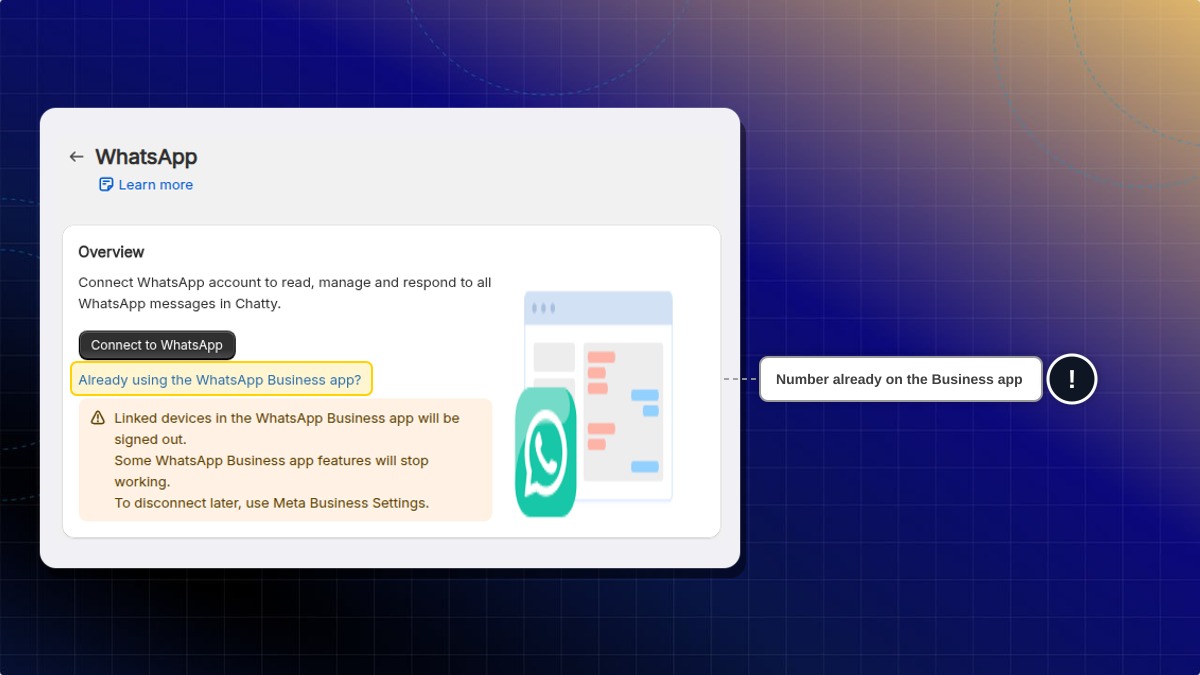
点击 Already using the WhatsApp Business app?。如果已经连接了一个号码,点击 Add existing number。
-
在打开的窗口中登录 Facebook,然后点击 Continue。
-
在 Add your WhatsApp phone number 页面,选择 Enter a new phone number,并输入你在 WhatsApp Business 应用中使用的号码。保留默认的验证选项,然后点击 Next。
Meta 会先要号码,你点击 Next 之后才会切到 WhatsApp Business 应用的步骤。即使号码已经出现在列表里,也要输入它。
-
确认下一页显示的是应用里的企业资料,然后选择你的业务组合。
-
用手机上的 WhatsApp Business 应用扫描二维码,然后点 Connect to the Business Platform → Confirm。Meta 也会把二维码链接通过 WhatsApp 消息发到该号码。
-
继续完成步骤,直到窗口关闭。
预期结果: 该号码会出现,并带有 On business app 徽章。
📸 截图: 带有 On business app 徽章的号码行
如果点击 Next 之后 Meta 要求输入 6 位验证码,请停下来,不要输入。Meta 已经开始标准连接,这会把号码移出 WhatsApp Business 应用。关闭窗口,并附上截图联系我们。
要连接第二个号码,用 Add existing number 重复这些步骤。
连接之前,页面会警告你:
- “Linked devices in the WhatsApp Business app will be signed out.”
- “Some WhatsApp Business app features will stop working.”
- “To disconnect later, use Meta Business Settings.”
一家店铺只能使用一种连接方式。使用这种方式之前,请先断开用 Connect to WhatsApp 连接的号码。
你从 WhatsApp Business 应用发出的消息,也会在 Inbox 中显示为团队回复。这些号码上,AI 会等 90 秒再回复,这样你可以先回答。如果团队有人在这段时间内回复,AI 就不会再回复。
如何打开目录订单
当顾客从你的 WhatsApp 目录发送购物车时,AI 可以用 Shopify 结账链接回复。你可以在 Inbox 里看到这个购物车。
- 前往 Settings → Channels。
- 在 WhatsApp 卡片上点击 Manage。
- 在该号码上打开 Catalog orders。
更改会立即保存。
预期结果: 之后发到该号码的购物车会得到结账链接。在 Inbox 中,对话会显示一张 Cart from WhatsApp catalog 卡片,包含每件商品、价格和合计。
新号码默认打开 Catalog orders。你较早连接的号码默认是关闭的。结账回复需要 Pro 或 Plus,并且 AI 必须设置为在 WhatsApp 上回答。如果购物车里没有任何商品与店铺商品匹配,AI 不会回复,对话会等待你的团队。
📸 截图: 已连接号码表格上的 Catalog orders 开关,以及 Inbox 中的购物车卡片
常见问题
我在 Meta 窗口里无法完成连接。该怎么办?
Chatty 会显示 Meta 发来的错误,或 “WhatsApp connection failed.”。如果窗口被关掉,你会看到 “WhatsApp connection was cancelled.”。请核对连接之前列出的条件,然后再次点击 Connect to WhatsApp。
可以连接个人 WhatsApp 号码吗?
不可以。你只能连接 WhatsApp Business 账户。个人 WhatsApp 账户无法接入 Chatty 这类商业工具。
如果我没有 WhatsApp Business 账户呢?
Chatty 只能使用已有的 WhatsApp Business 账户。请先创建一个,再回到 Chatty 连接。
为什么我的 WhatsApp Business 号码显示为 “Pending”?
Status 列显示 Meta 为该号码报告的状态。“Pending” 表示 Meta 尚未批准该号码,即使你已经完成了连接流程。
要刷新,点击该号码上的 ... 菜单,然后点击 Sync status。
如果一直是待处理,请在 Meta 的 WhatsApp Manager 中查看该号码。进一步了解 WhatsApp Business 显示名称 (opens in a new tab)。
可以使用已经连到另一家店铺的号码吗?
不可以。Chatty 会显示 “Phone number is already connected to another store”。请先从另一家店铺断开它。
以后可以断开 WhatsApp 吗?
可以。你可以随时断开一个号码:
- 前往 Settings → Channels → WhatsApp → Manage
- 点击该号码上的 ... 菜单,然后点击 Disconnect
- 在 Disconnect WhatsApp phone number? 对话框中点击 Disconnect
已有的对话记录会留在 Chatty 中,但新消息不会再同步。对于 WhatsApp Business 应用上的号码,还要在 Meta Business Settings 中移除它。
顾客会知道我在用 Chatty 回复吗?
不会。顾客看到的回复会直接来自你的 WhatsApp Business 账户。这个接入对顾客是不可见的。
 Chatty Help Center