Real-time translation
Who can use this feature?
- This feature is available on paid plans.
- Each plan has a monthly translation quota: Basic 50, Pro 300, Plus 700. The Free plan has no quota. When you run out, the bar shows an upgrade link instead of the Translate button.
Real-time translation detects the customer’s language and lets you translate messages in Inbox.
Translate the customer message
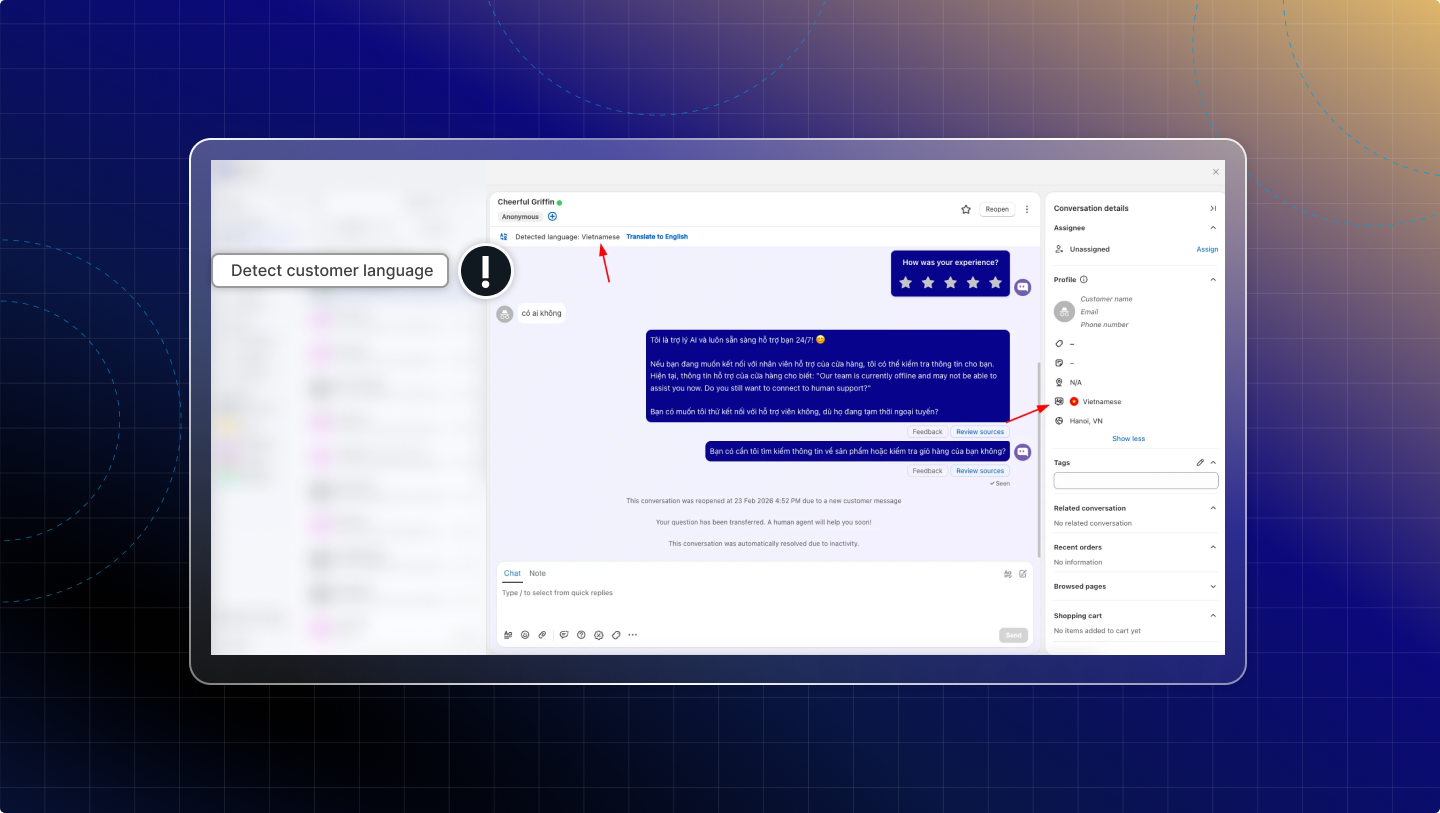
Detect customer language
Chatty automatically detects the customer’s language and shows it in the conversation and in the customer profile.
You can see the detected language while viewing the conversation.
Auto-translate new messages
When Translate is turned on, Chatty automatically translates any new customer message that comes in.
Chatty translates all customer messages to your default language (set in Settings → Translation).
You always see the latest customer message in your selected language.
If you want to stop translating, click Stop. Messages show in the original language again.
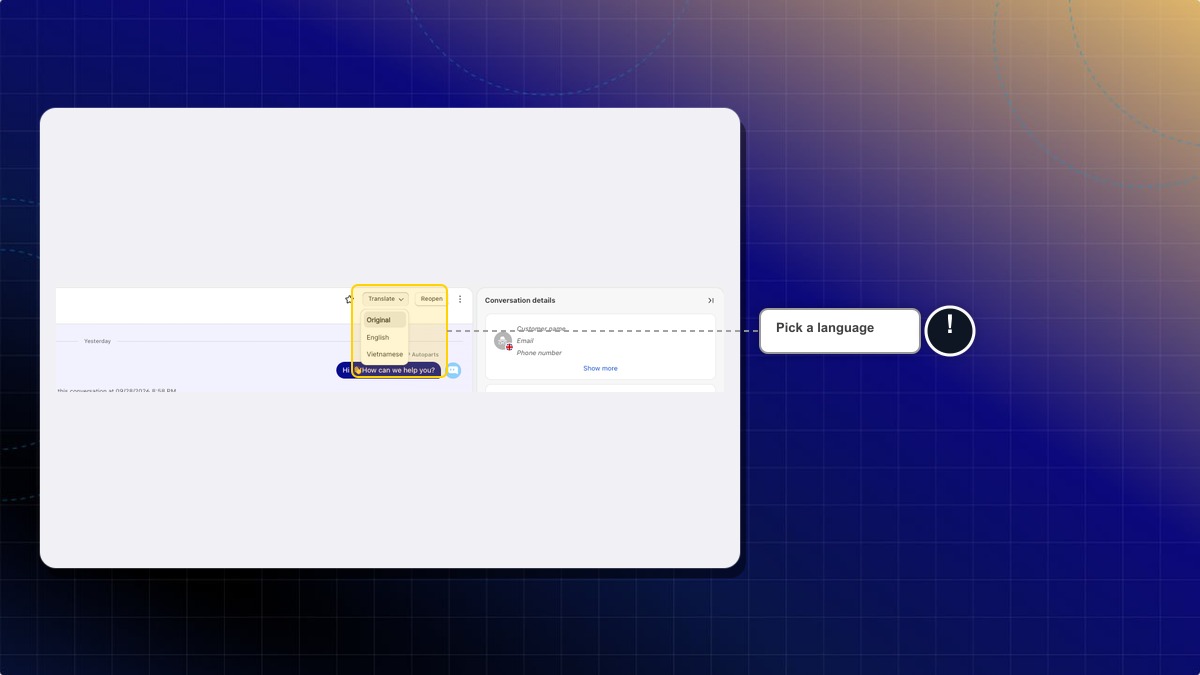
You can translate into any language your store has published, not only your default language.
- Open a conversation in Inbox.
- Click the arrow next to Translate to [your language].
- Under Published, pick a language. Example: French.
Expected result: The bar shows Translating [customer language] to French. Your choice applies only to you, and only to this conversation.
Live Translate
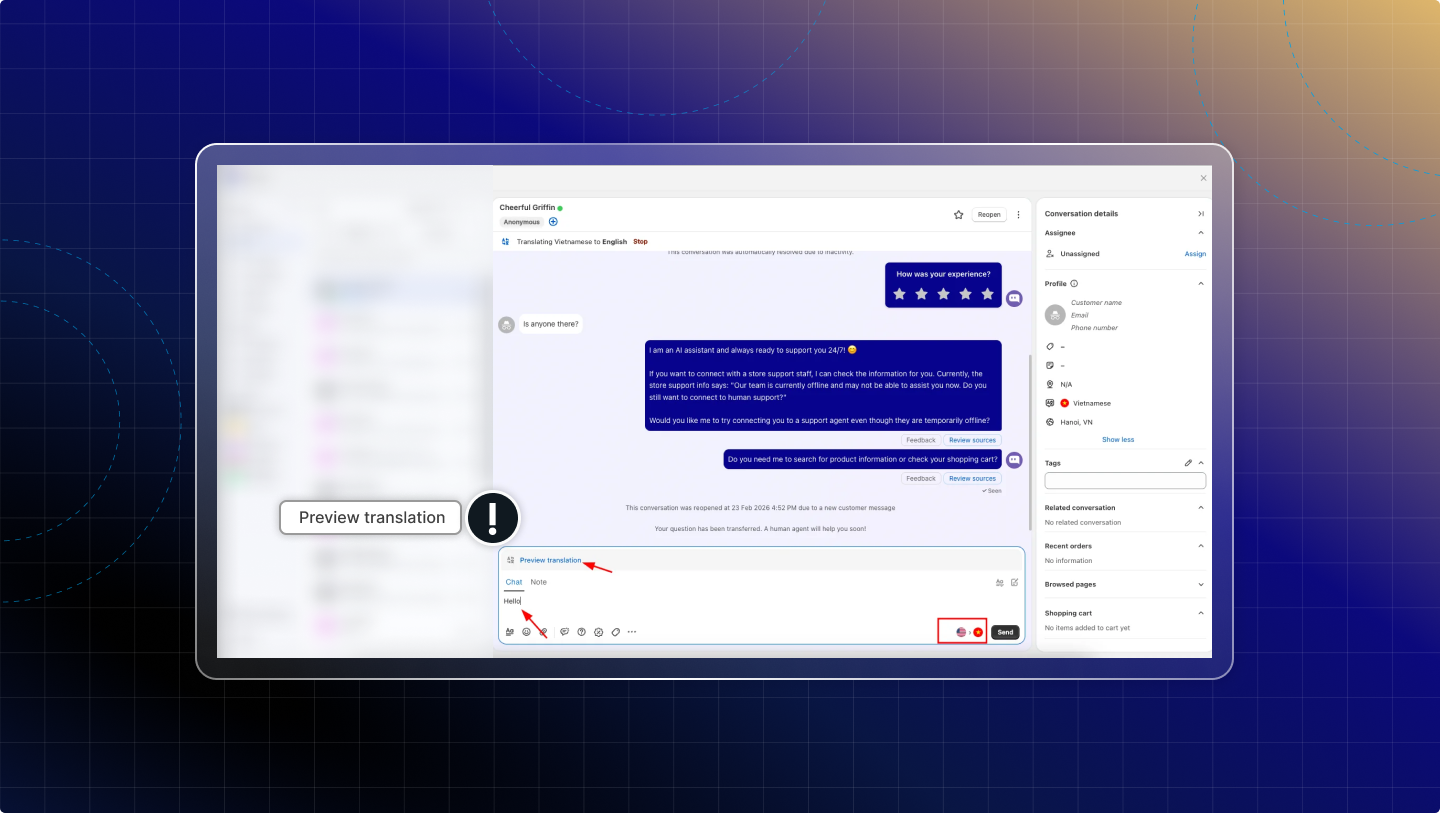
Live Translate helps you write a reply in your language and preview the translated version before sending.
Preview translation
A translated preview displays before you send.
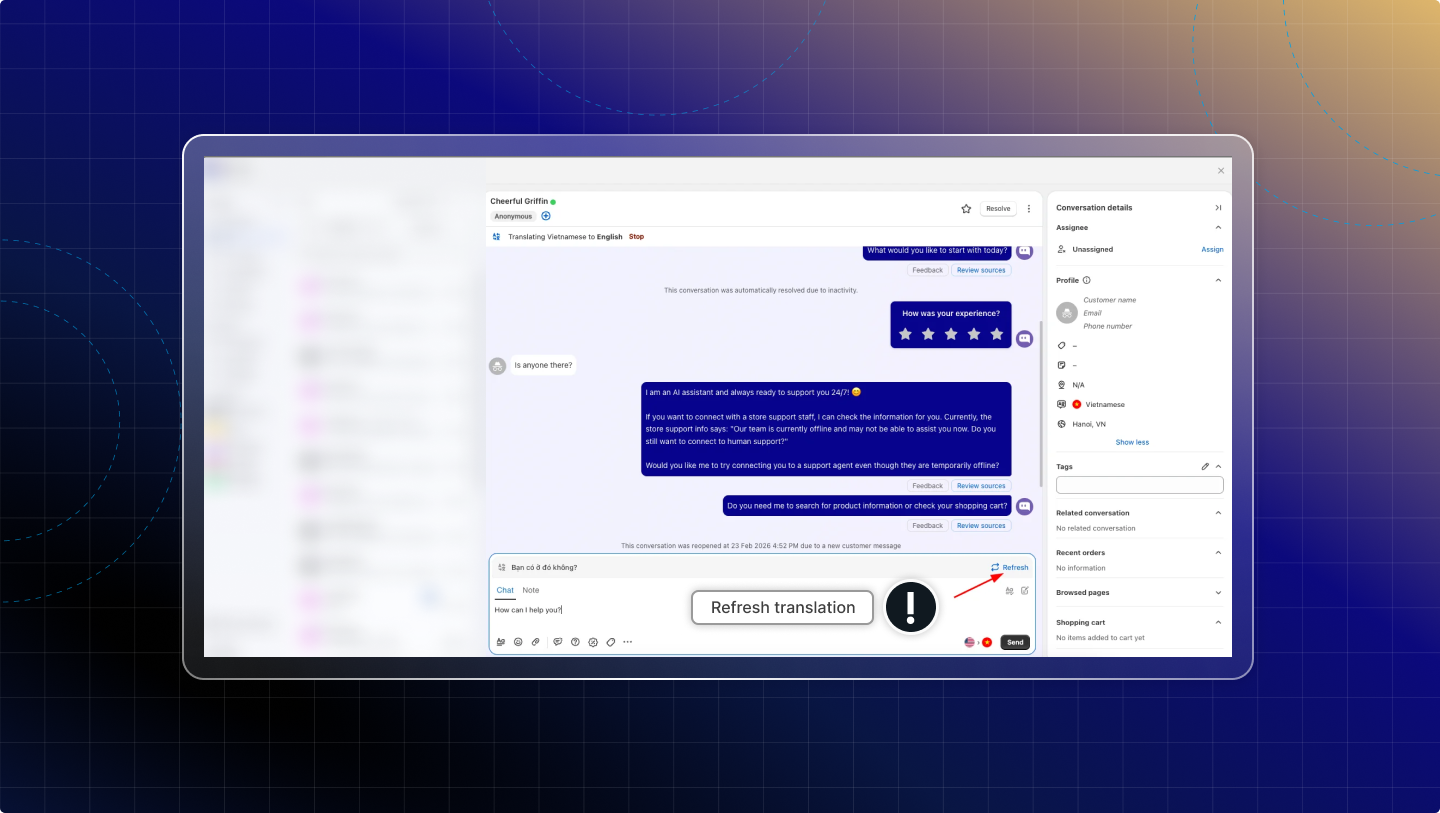
Refresh translation
When you edit the message, click Refresh to update the latest translated preview.
 Chatty Help Center