AI skills
What are AI skills
AI skill is a set of specialized capabilities that help your AI assistant handle specific customer scenarios.
Think of skills as training modules that teach your AI how to respond to different types of customer questions, from product recommendations to support requests.
When you enable AI skills, AI assistant can:
- Recommend products based on customer preferences
- Provide accurate size guidance
- Handle common support scenarios automatically
- Transfer conversations to your team when needed
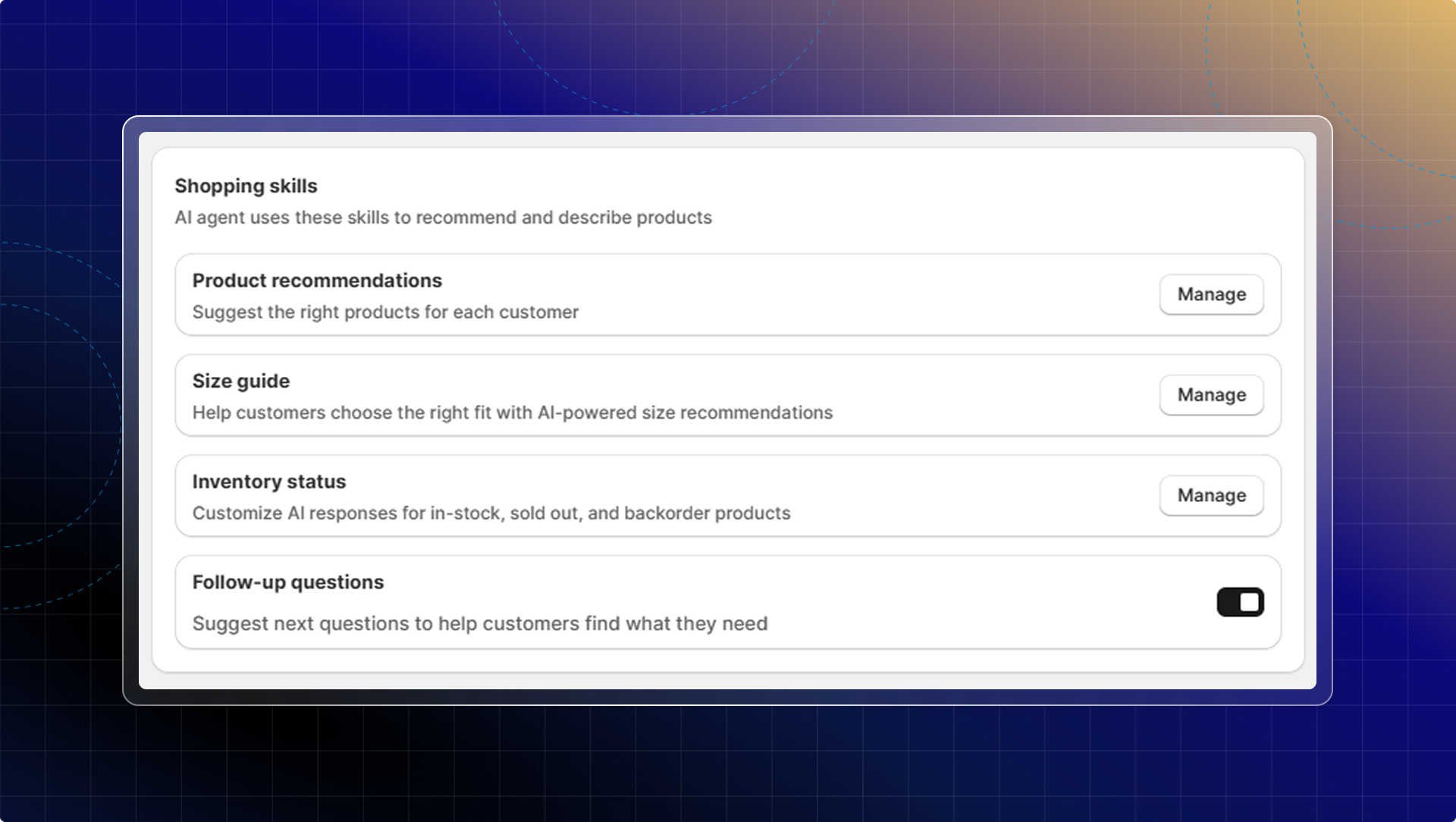
Shopping skills
These skills help your AI become an effective sales assistant:
- Product recommendations
- Product Quiz
- Size guide agent
- Inventory status
- When customers ask product-related questions
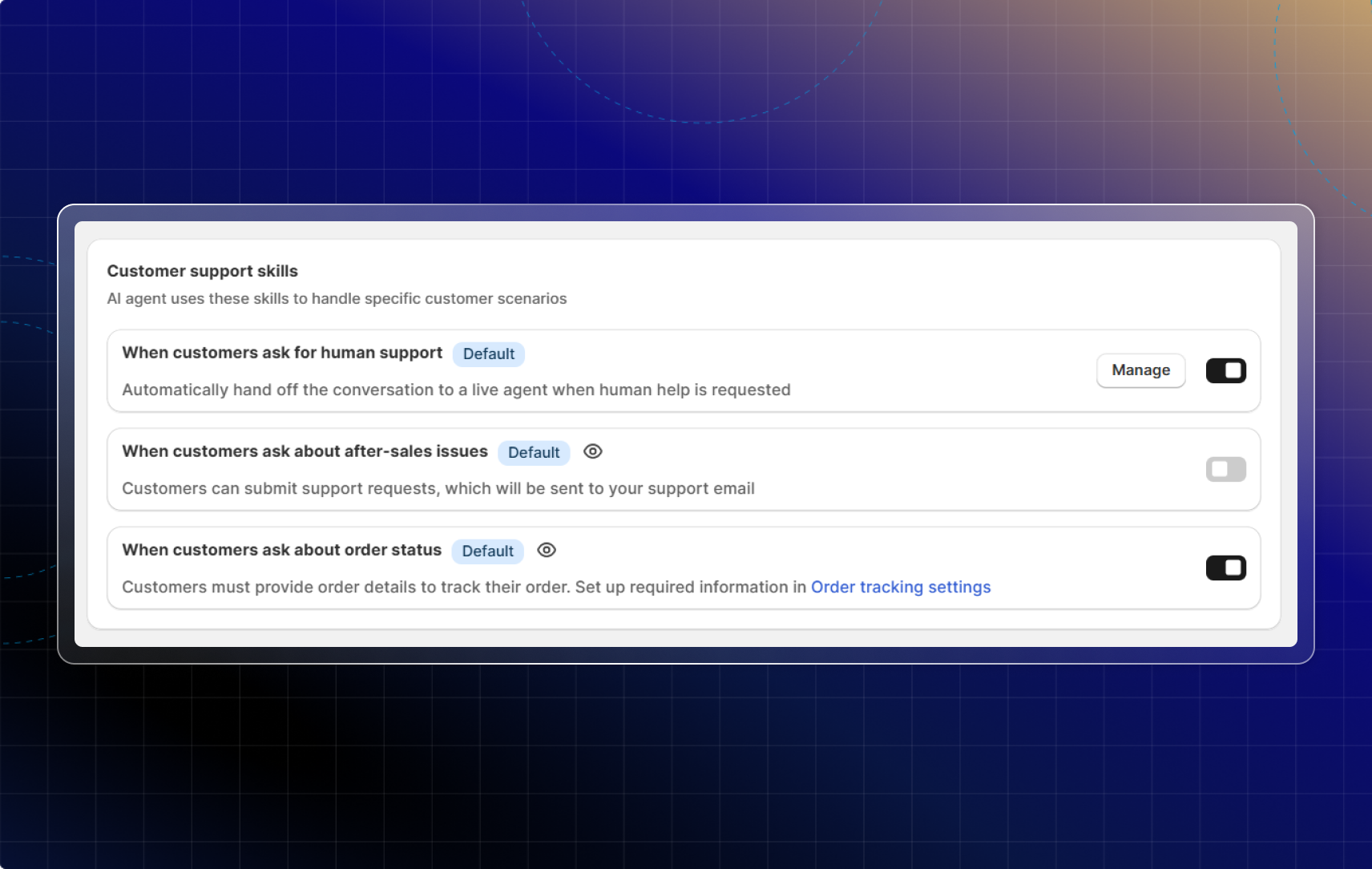
Customer support skills
These skills help your AI handle common support scenarios automatically:
- When customers ask for human support
- When customers ask about after-sales issues
- When customers ask about order status
Why use AI skills
Without AI skills, your AI might recommend irrelevant products or struggle with specific customer questions.
AI skills solve this by giving your AI focused training on your most important customer scenarios.
This helps you:
- Increase sales by showing customers the right products
- Reduce cart abandonment with confident sizing recommendations
- Save time by automating repetitive support questions
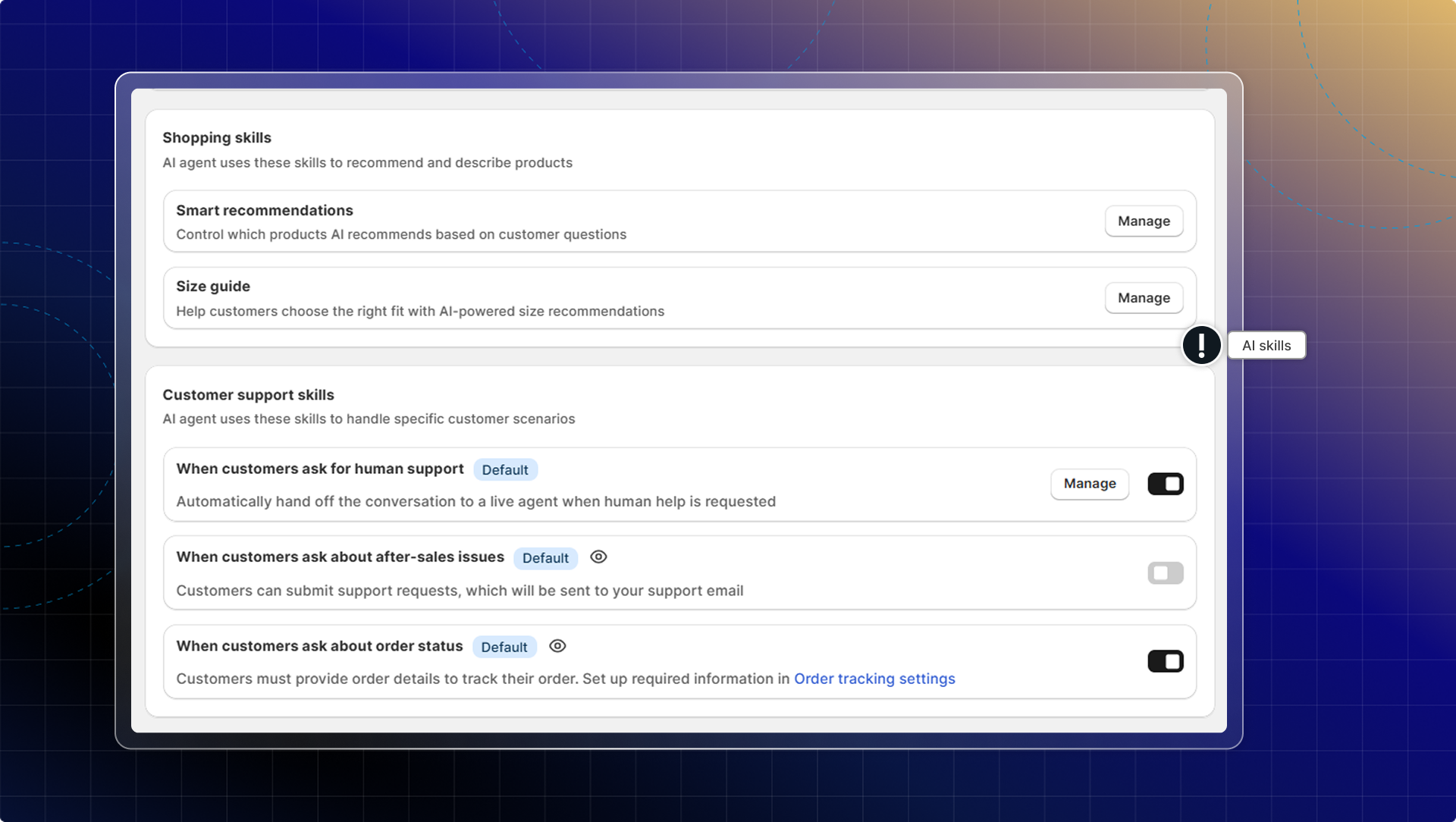
How to set up AI skills
Shopping skills
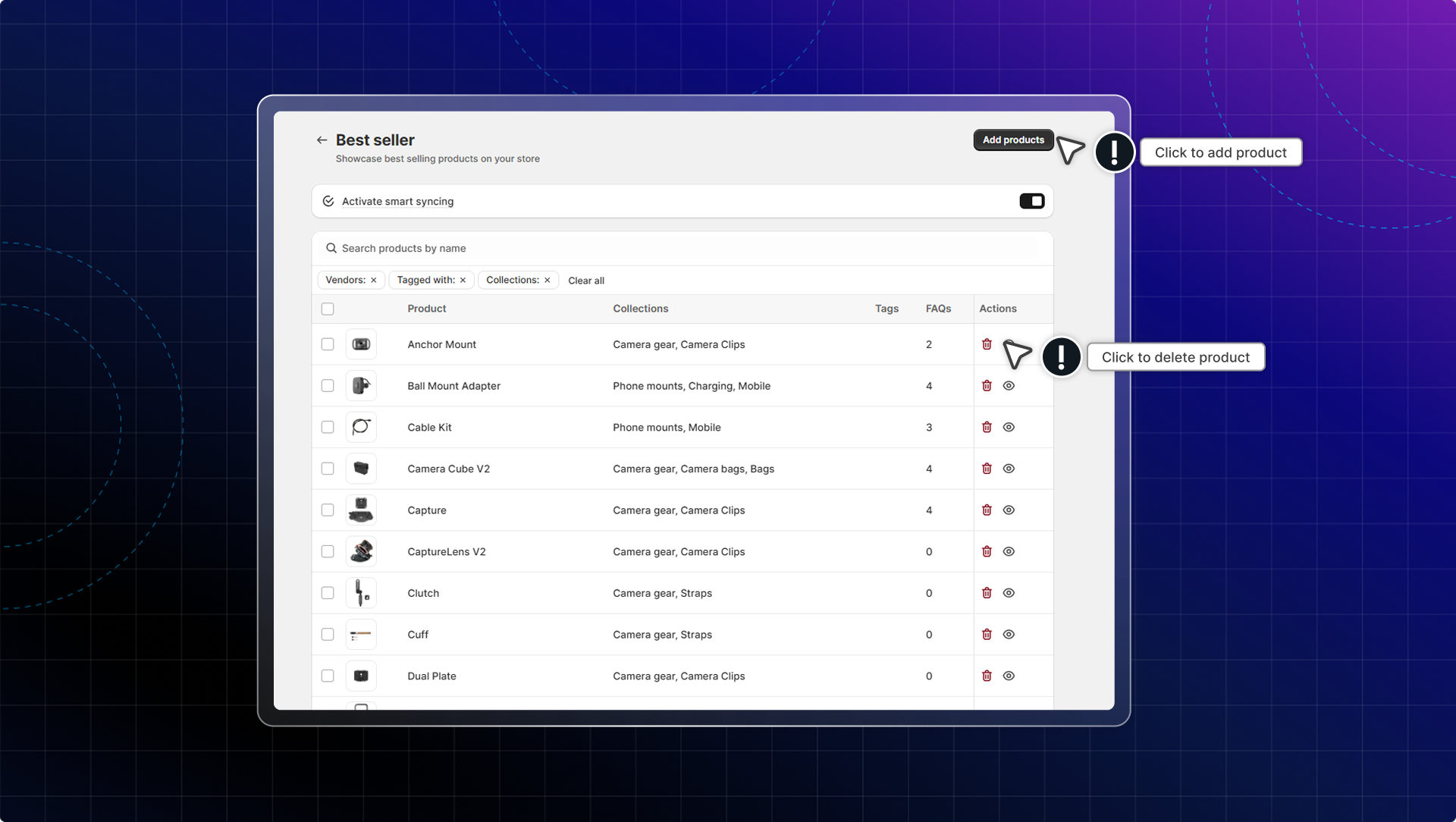
Smart recommendations
Choose which products your AI suggests as best sellers, new arrivals, sale items, or gifts, and add your own rules. See AI product recommendations.
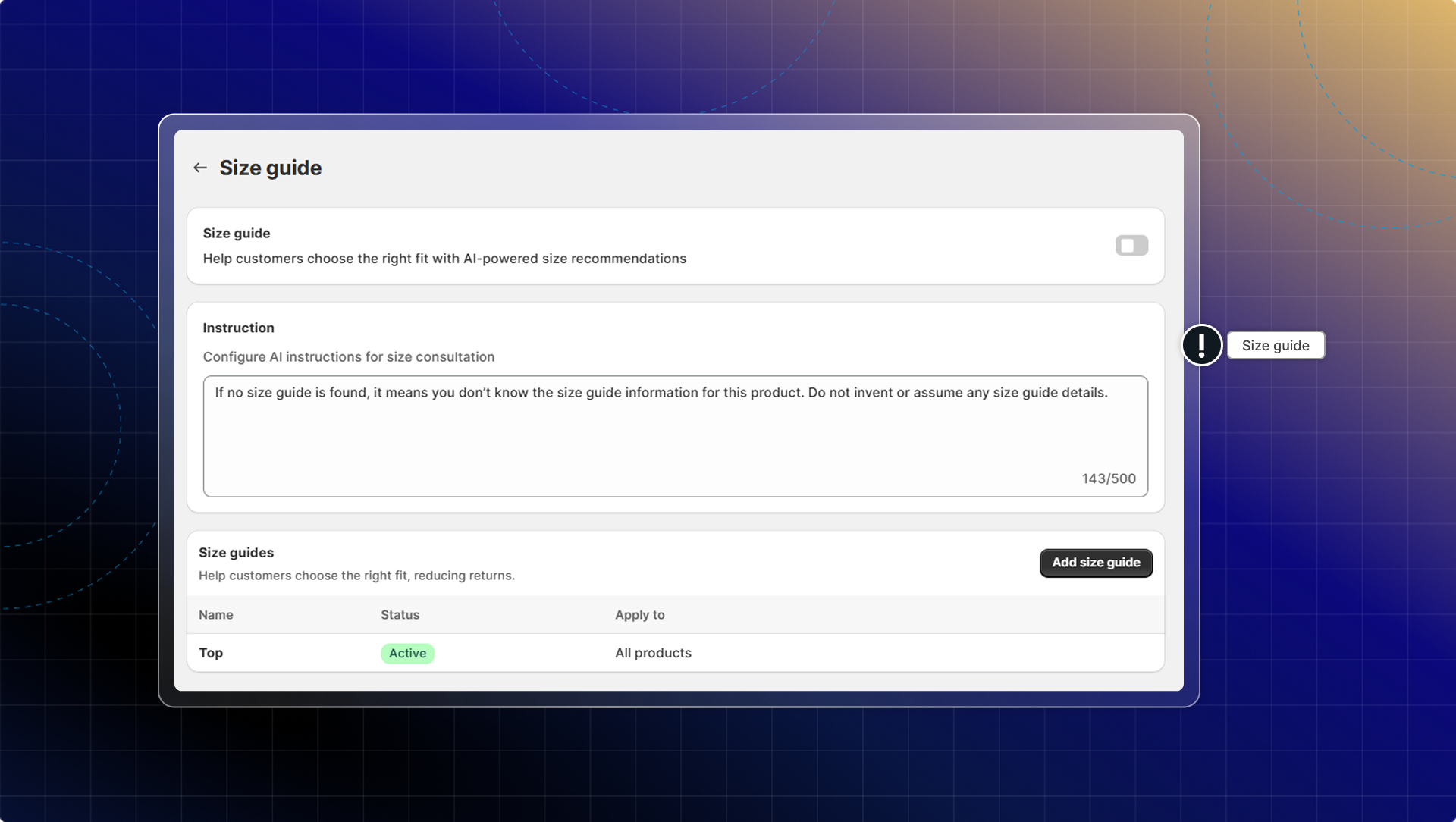
Size guide
Size guide helps customers find the right fit and reduces returns.
Inventory status
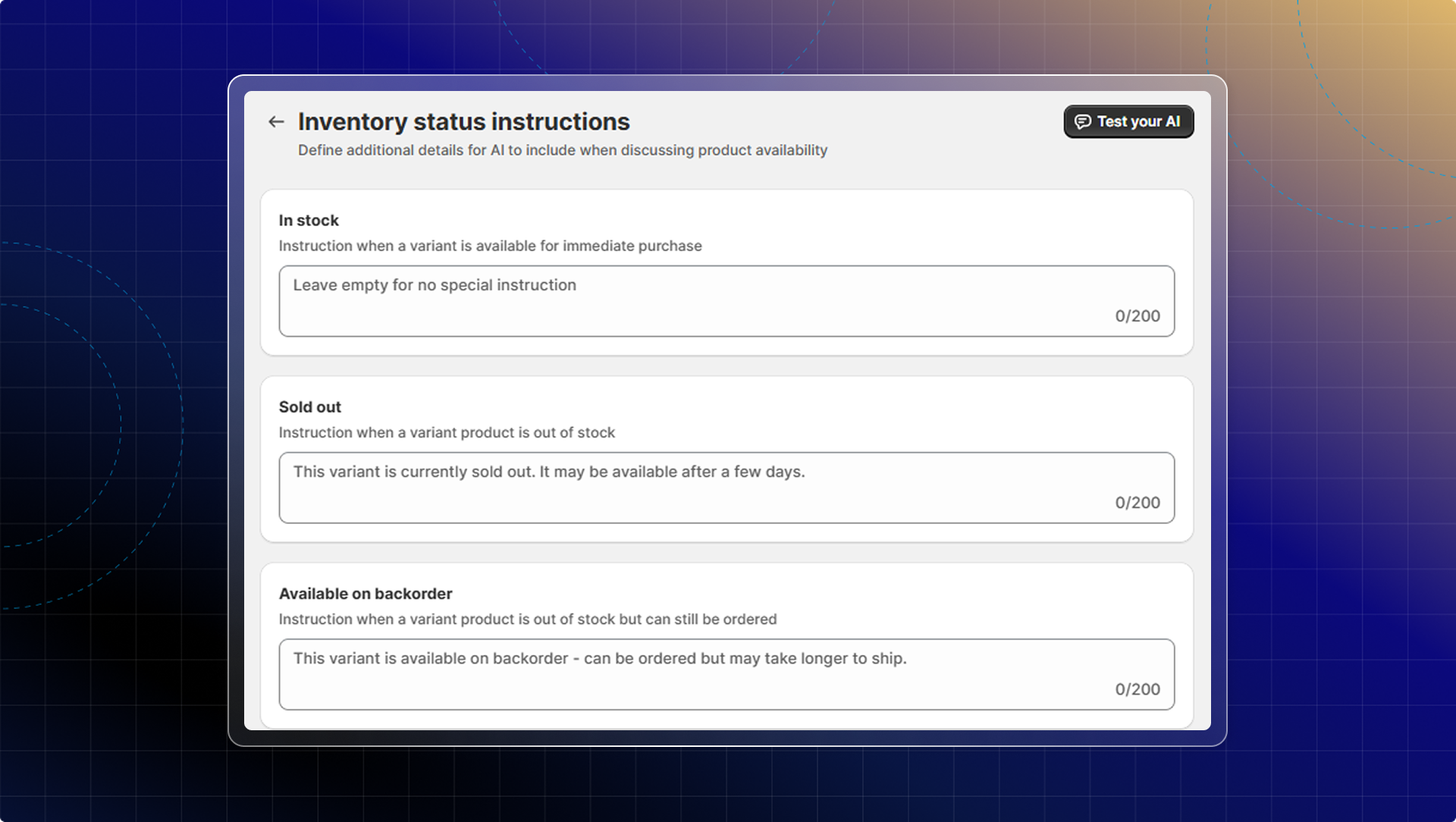
This controls how your AI assistant answers customer questions about product availability and stock status.
By default, inventory status uses smart logic to handle common stock situations.
For stores with specific requirements, you can add custom instructions that override the default logic for these cases:
- In stock
- Out of stock
- Backorder/pre-order
Customer support skills
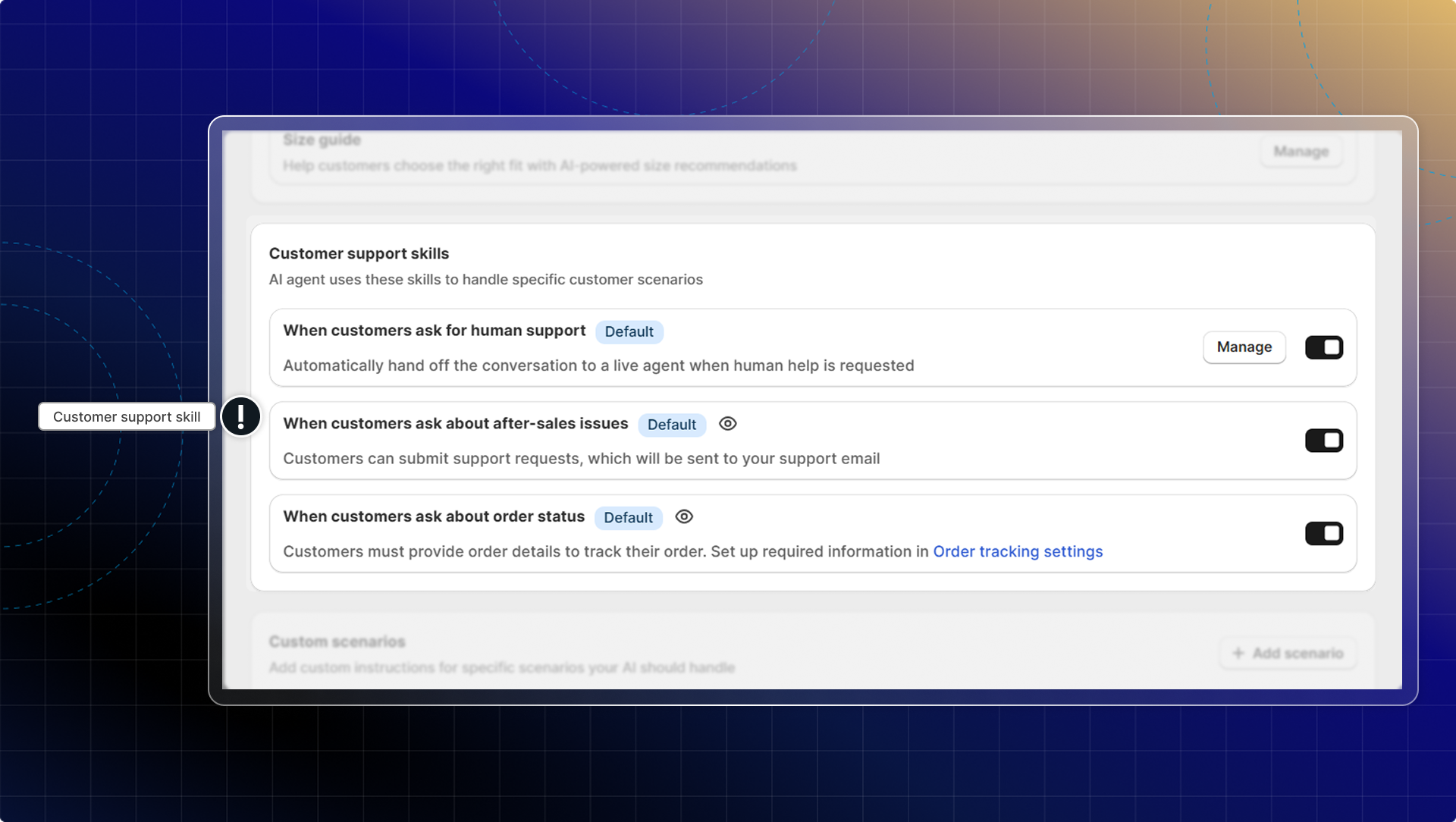
These skills are enabled by default to help AI handle common support scenarios:
-
Transfer: when customers request human support
-
Refund-return: When customers ask about after-sales issues, AI will send a form and ask the customer to submit a request.
-
Order tracking: When customers ask about order status, AI will check customer info and send tracking information right in chat.
Two more support skills sit in the same list, both off until you turn them on. They let AI act on a customer's account instead of only answering:
- Change shipping address: AI updates the delivery address on an order that has not shipped yet, so the customer does not have to wait for your team.
- Update email preferences: AI subscribes or unsubscribes the customer from your marketing emails on request.
Turn either on with the toggle on its row under Customer support skills.
What to do next
After setting up your AI skills:
- Test your AI in the test zone to see how it handles different questions
- Review unresolved questions to identify areas for improvement
- Optimize your product collections based on customer questions
- Update size guides when you add new products
- Monitor transfer patterns to improve your support workflow
 Chatty Help Center