Training data
What is AI training?
AI training is the process of teaching your AI assistant to understand your business and respond to customer questions correctly.
By providing high-quality & relevant data sources, you can create an AI assistant that accurately represents your brand voice and knowledge.
What AI training helps with
A well-trained AI assistant can:
- Answer specific questions about your products
- Explain your store policies
- Represent your brand voice and keep it consistent through conversations
How to train your AI assistant effectively
Before adding data, plan your AI training content. Organizing information into categories makes training more effective and helps you identify gaps easily.
AI training content template:
| Content category | What to include | How to add to Chatty |
|---|---|---|
| Product information | Details, specifications, variants, pricing | Turn on Smart recommendations so your AI can use your products. Add FAQs to a product for extra details |
| Store information | Business hours, contact details, locations | Sync your store pages |
| Shipping & delivery | Shipping methods, costs, delivery times | Sync your FAQs, or add a question in Knowledge base |
| Returns & refunds | Policy details, process steps, timeframes | Sync your FAQs, or add a question in Knowledge base |
| Product-specific topics | Care instructions, usage guides, warranty details | General information: add it in Knowledge base. One product: add a product FAQ |
| Special scenarios | Holiday shipping deadlines, sales and promotions, region-specific taxes | Add a scenario |
Best practices for each data source
What goes in each data source📦 Products
- Product description
- Include detailed specifications
- Mention compatible or complementary products
- List key features and benefits
- Variant organization
- Use consistent naming for variants
- Provide clear variant descriptions
- Price information
- Keep pricing updated
- Maintain consistent price formats
If you want AI to recommend exact products for specific cases, create Smart recommendation.
Turn on Markets & currencies in the Markets tab of Training data. It is off by default and available on Pro and Plus plans. Chatty then syncs product information that varies across Markets, such as prices in local currencies. With Market information, AI can:
- Answer region-specific details like pricing and availability
- Send product links with regional variations
❌ Limitations:
- Cannot identify highly rated items
- Finds bestsellers only from the Best sellers smart recommendation, or from recent sales when best seller ranking is on in AI settings
- Limited ability to suggest seasonal items unless specified in smart recommendations
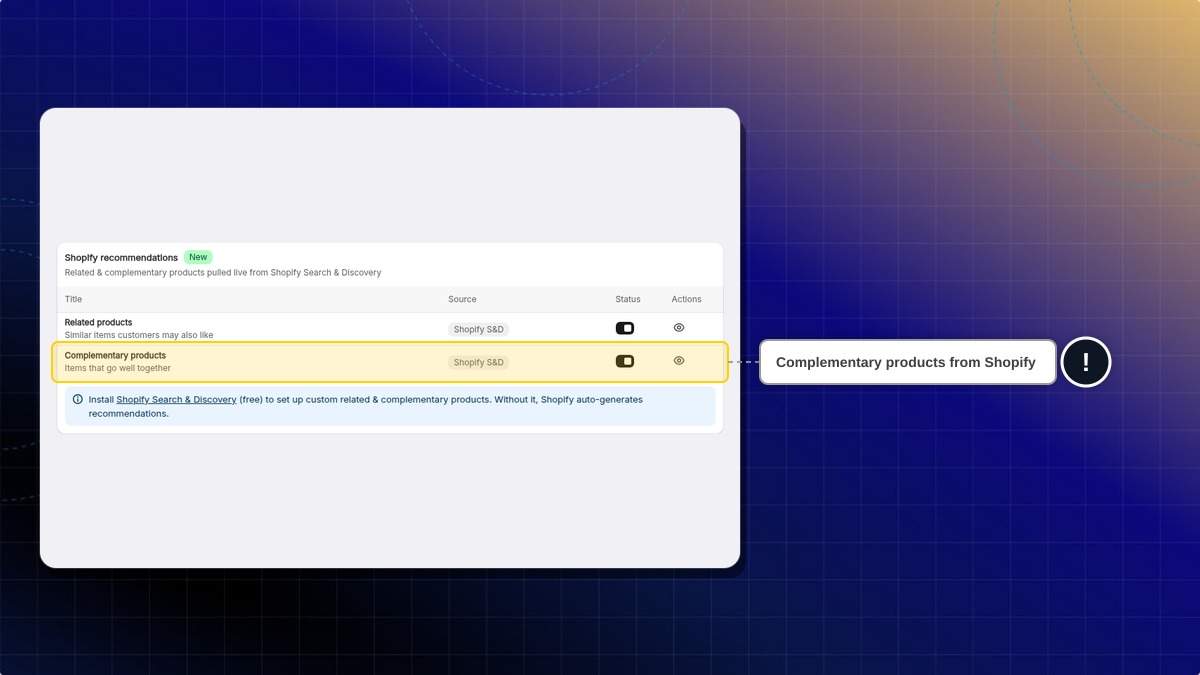
- Complementary products come from Shopify recommendations, not from Chatty. To choose them yourself, set them up in Shopify Search & Discovery.
Let our team train the AI for you
If you would rather not train the AI yourself, our team trains it on your store, writes the instructions, and hands it back ready to switch on.
This is free on every plan, and there is nothing to prepare first. Our team is notified as soon as you send the request.
-
Go to AI agent.
-
Scroll to Want us to set up your AI agent?
-
Click Set it up for me.
-
The support chat opens and sends the request "I need help on setup AI agent" for you. You don't need to type anything.
-
Optional: add a follow-up message about your store and what you want the AI to handle.
Example: "We sell handmade candles. Train the AI to answer shipping questions and recommend gift sets."
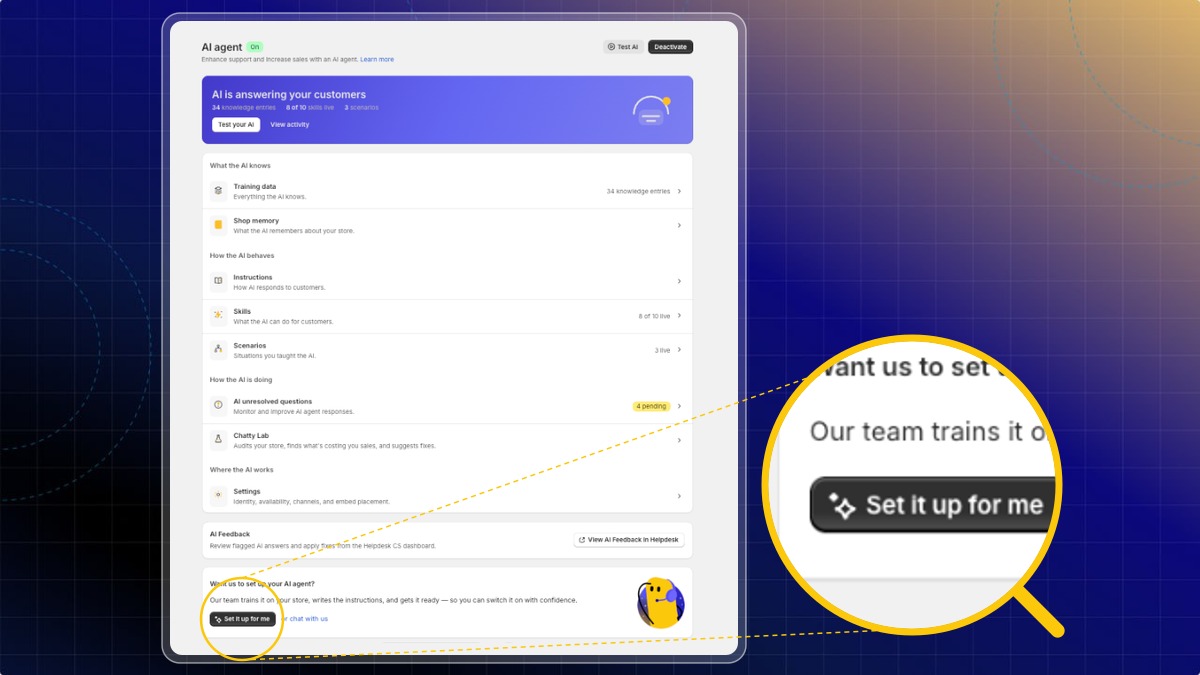
Expected result: A support conversation opens with your request already written. Our team replies in that same chat.
Do I have to stop working on my AI while the team sets it up?
No. You keep full access. Anything you add stays, and our team builds on top of it.
I would rather just ask a question first.
Click or chat with us on the same card. That opens the support chat with no request attached.
 Chatty Help Center