Who can use this feature?
- Helpdesk is in early access. Request early access (opens in a new tab) and we turn it on for your store.
- Once Helpdesk is on for your store, it works on every plan
- You see Helpdesk when your role can view tickets
Needs improvement
This list is where an AI answer fell short. Fix the cause and the next answer can be better.
What this is for
Needs improvement is the list of AI answers that fell short.
This helps you fix the cause, so the next answer can be better.
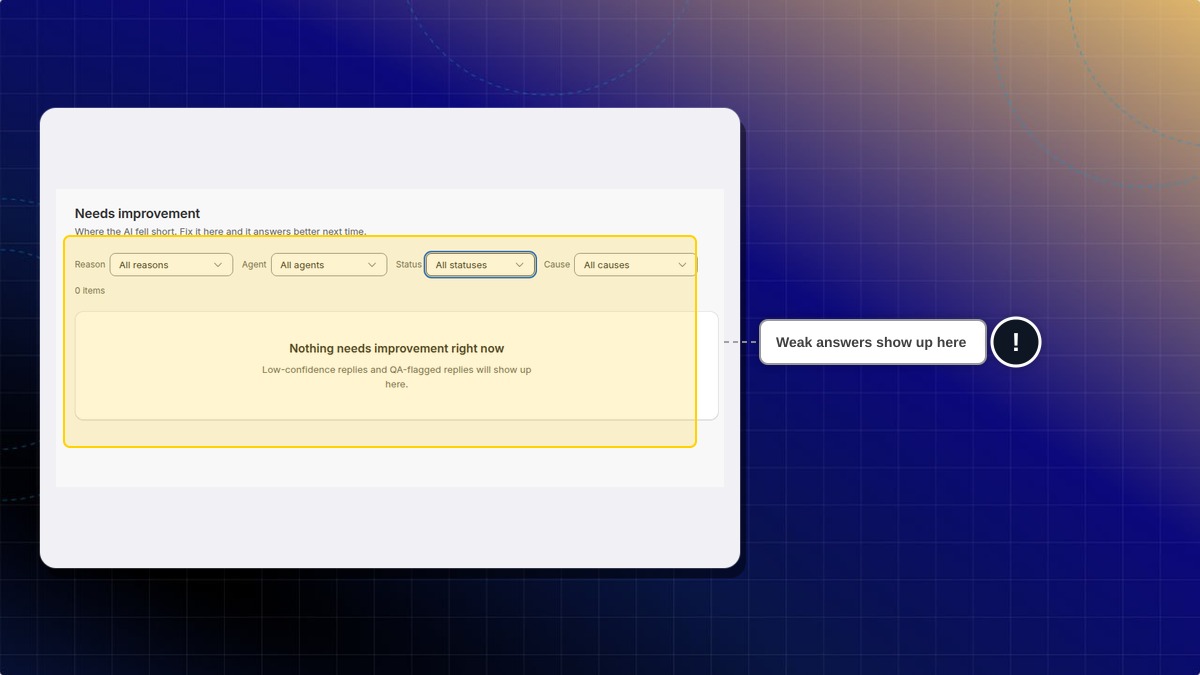
You cannot add a row by hand. Low-confidence replies, and replies a QA agent flags, are what fill the list. If nothing has been flagged, the page says so.
Filters for reason, agent, status, and cause hide rows. All statuses shows every item, not only open ones.
How to review a weak answer
- In Helpdesk, open Needs improvement.
- Use the filters for reason, agent, status, and cause. Choose all statuses when you want every item, not only open ones.
Expected result: You see the items that match. If Helpdesk has not flagged a reply, the page says "Nothing needs improvement right now." Low-confidence replies and QA-flagged replies show up here. There is no button to add an item by hand.
Why is the list empty?
Helpdesk has not flagged an answer yet, or the filters hide the items. Low-confidence replies and replies a QA agent flags are what fill this list.
 Chatty Help Center