💬Get free consultation
Who can use this feature?
- Helpdesk is in early access. Request early access (opens in a new tab) and we turn it on for your store.
- Once Helpdesk is on for your store, it works on every plan
- You see Helpdesk when your role can view tickets
CSAT
Send a customer satisfaction survey after a ticket closes.
What this is for
CSAT is a short survey after a ticket closes.
This helps you learn whether the answer worked, on the channels where you want to ask.
Each switch is one channel: email, contact form, tickets you create, and tickets that came from a chat handoff. Leave a channel off when you do not want to ask there.
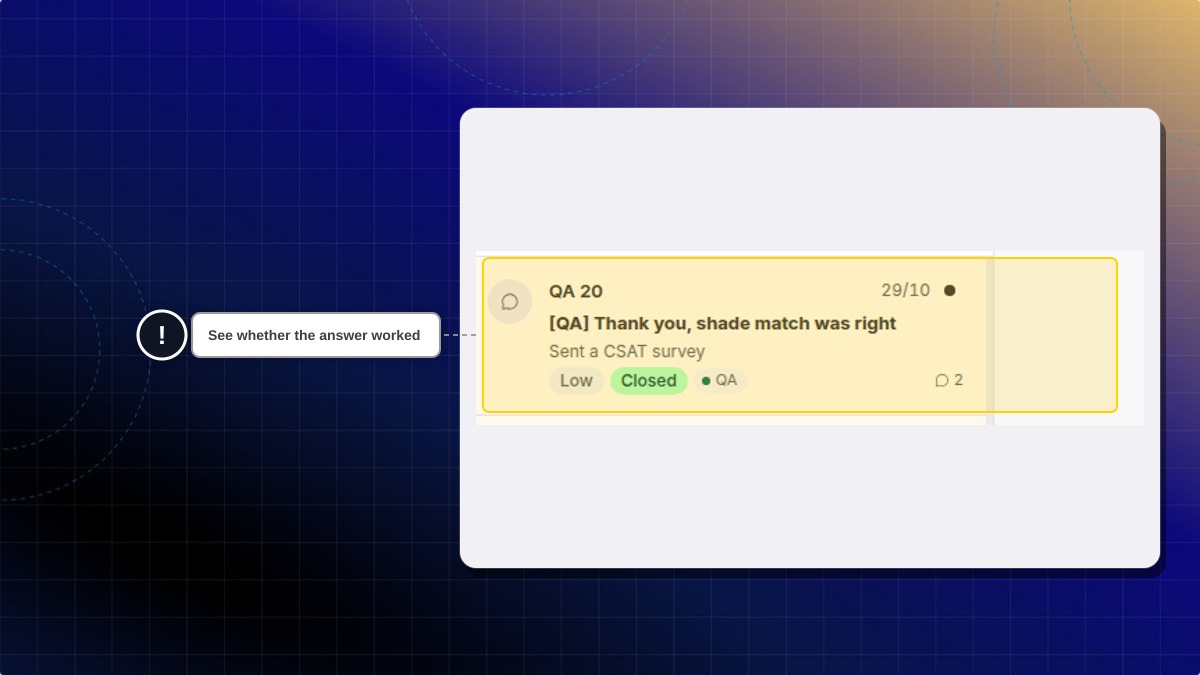
The ticket list can show that a survey was sent. A closed ticket on a channel you left off does not send one.
How to turn surveys on
- In Helpdesk, open settings, then open CSAT.
- Turn on Send CSAT surveys on Email for email tickets.
- Turn on Send CSAT surveys on Contact form for contact form tickets.
- Turn on Send CSAT surveys on Manual for tickets you create.
- Turn on Send CSAT surveys on Chatty escalation for tickets that came from a chat handoff.
- Click Save.
Expected result: Closed tickets on the channels you enabled can send a survey. The ticket list can show Sent a CSAT survey.
Does every closed ticket send a survey?
No. Only the channels you turned on. Leave a channel off to skip it.
 Chatty Help Center