AI homepage
Who can use this feature?
- This feature is available for Pro & Plus plan users.
What is AI homepage
AI homepage is an inline AI assistant that appears directly on your store's homepage. It greets visitors with suggested questions and an instant chat interface, helping them explore your products through conversation.
How to set up AI homepage
Before you start, make sure:
- AI assistant is activated
- Training data is synced (products, collections, store information)
Go to AI agent → Settings
In the Embed homepage AI agent section, turn on AI agent on Homepage
Click Go to theme
In the theme editor, click Add section, open Apps, and pick Embed AI agent
Set up the greeting
This section only works on your homepage.
Under Greeting, you can:
- Turn Show greeting on or off. It is on by default and says "Good morning" or "Good evening" based on the shopper's time of day.
- Change the Greeting subheading, the short line under the greeting. The default is "How can we help you today?"
- Set Greeting alignment to Left or Center.
- Pick a Greeting text color.
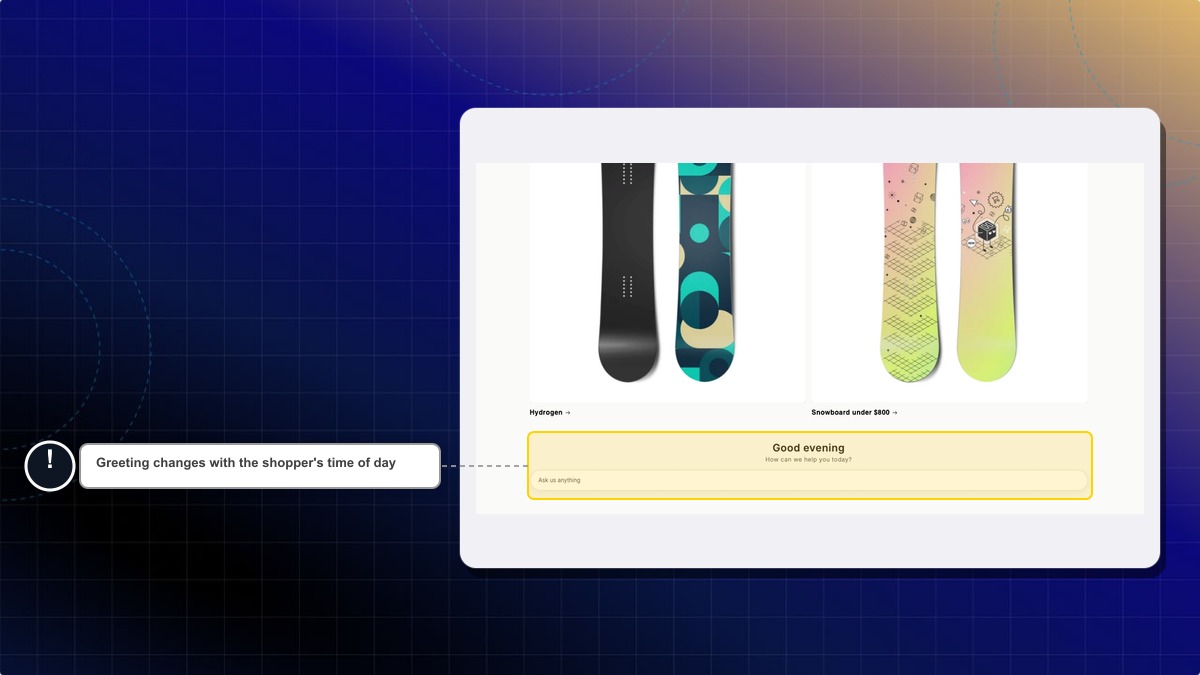
Click Save
Suggested questions don't refresh on their own when your store information changes. Click Refresh AI questions in the same section to have Chatty write a new set, or edit the questions yourself.
Will this work if AI assistant is not activated?
No, you need to activate AI assistant first. The homepage chat is an extension of your AI assistant and uses the same data sources and settings.
Can I customize the suggested questions?
Yes. Once the toggle is on, a Default suggested questions list appears right below it. Write up to 10 questions, 200 characters each. Leave the list empty and Chatty generates the questions from your store data instead.
You can also click Refresh AI questions to have Chatty write a fresh set for you.
Does this replace the main chatbox?
No, this works alongside your main chatbox. Customers can still access the full chatbox through your chat widget button. The homepage AI is focused on helping visitors explore your store.
Does the greeting show in the shopper's language?
Yes. The greeting shows in the storefront language the shopper is browsing in. It covers 11 languages, and falls back to English for the rest. The default subheading is translated too, but your own subheading text stays as you wrote it.
 Chatty Help Center