💬Get free consultation
Tickets
Who can use this feature?
- Helpdesk is available on every plan
- You see Helpdesk when your role can view tickets
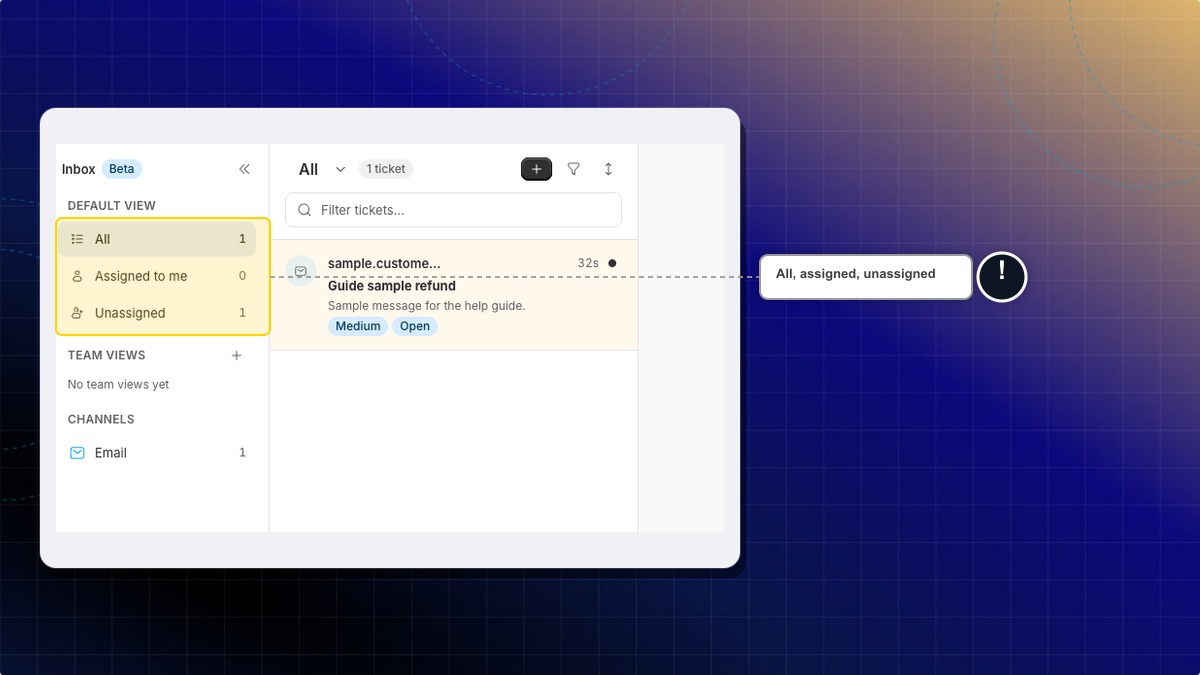
How to find a ticket
- Open Helpdesk.
- Click Inbox.
- Choose All, Assigned to me, or Unassigned.
- Choose a status: All, Open, Pending, Snoozed, Resolved, Spam, or Trash.
Expected result: The list shows tickets in that view and status.
Where are closed tickets?
Open the Resolved status. That is the closed list.
How to create a ticket
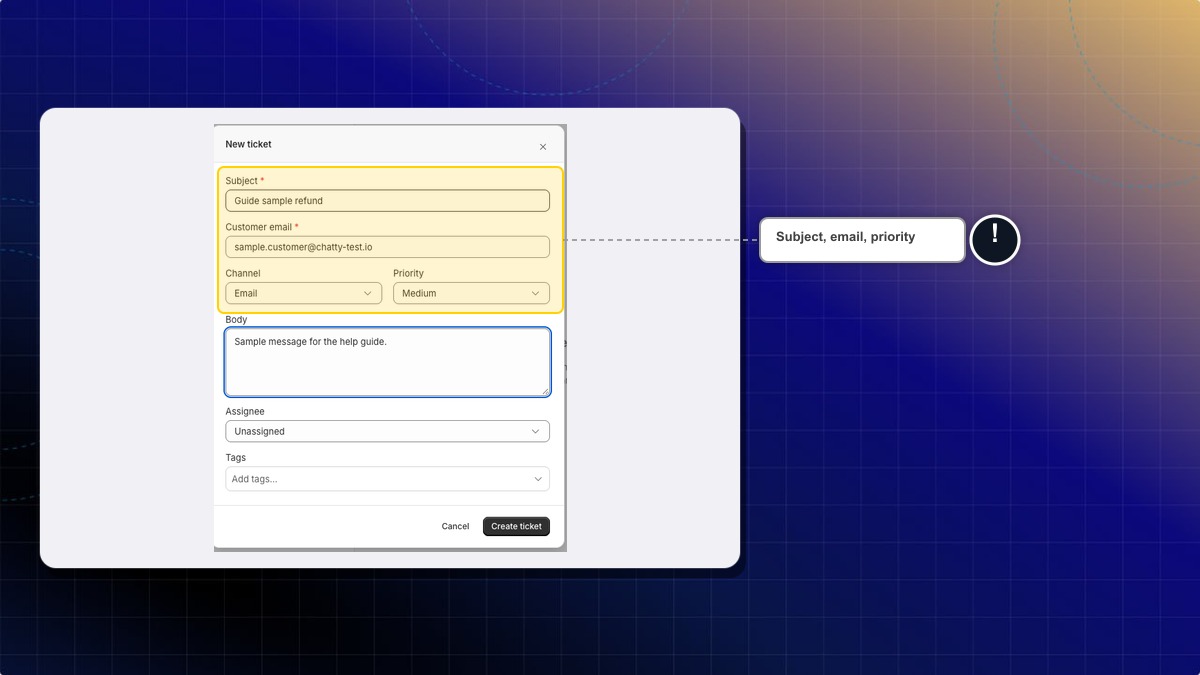
- In Inbox, click New ticket.
- Fill Subject. Example:
Refund request for order 1042. - Fill Customer email. Example:
[email protected]. - Choose Channel: Email or Manual.
- Set Priority. The choices are Low, Medium, High, and Critical.
- Fill Body with the first message. Example:
Customer asked for a refund on order 1042. - Choose Assignee, or leave Unassigned.
- Click Create ticket.
Expected result: Helpdesk confirms "Ticket created." The new ticket opens in Inbox.
 Chatty Help Center