Mobile app
With the Chatty mobile app, you can answer customer questions on the go, right from your phone. The app is available on the App Store for iOS and on Google Play for Android.
How to download the Chatty mobile app
-
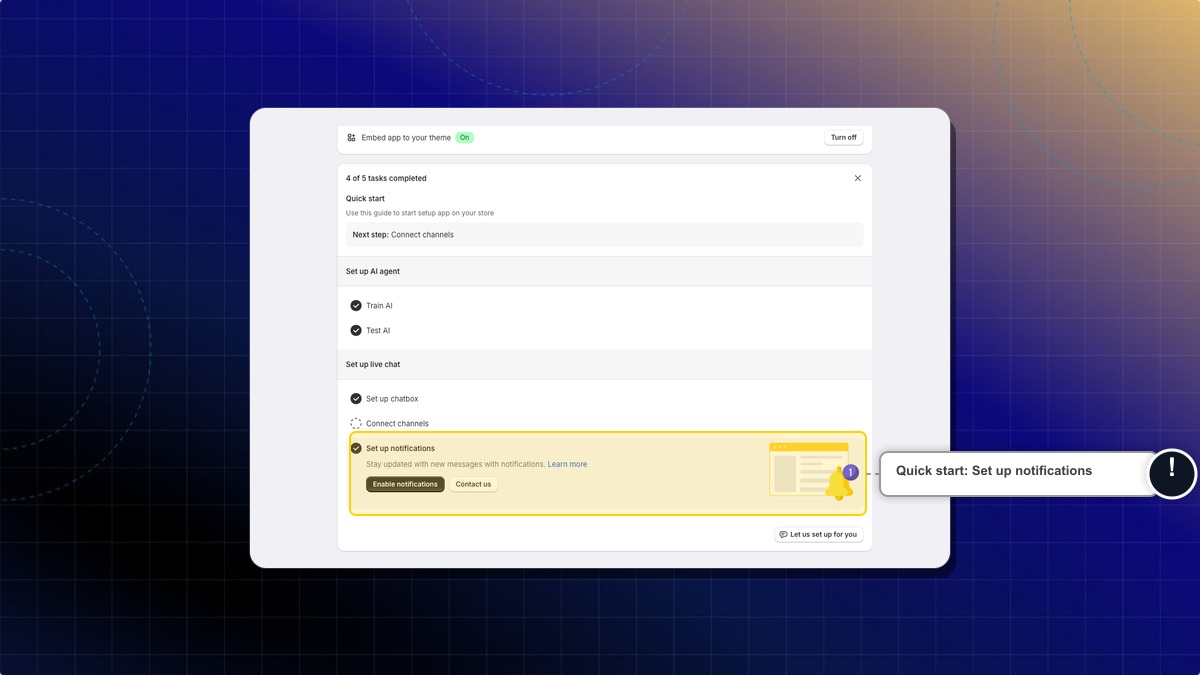
On your dashboard, open Quick start and click Enable notifications under Set up notifications. You can also go straight to Settings → Notifications.
-
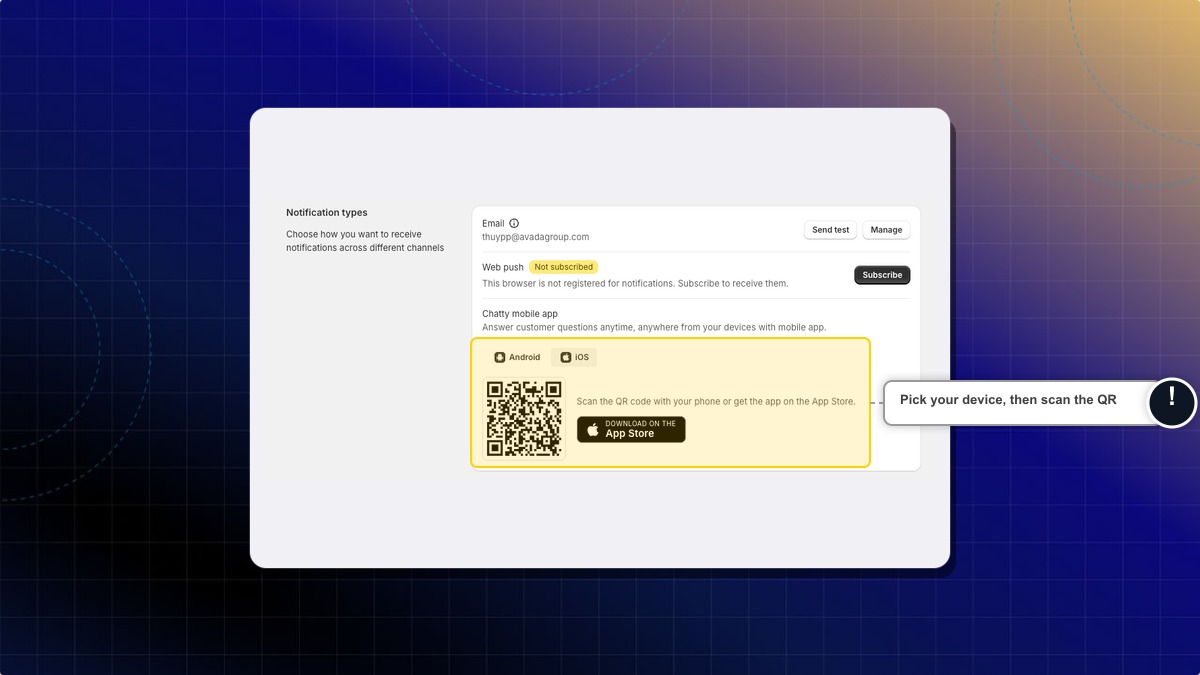
Find the Chatty mobile app section and choose your device tab: iOS or Android.
-
Install the app in one of two ways:
- On a computer: scan the QR code with your phone camera to open the store listing.
- On your phone: tap the App Store or Google Play badge to open the app directly.
-
Install the app, open it, and sign in with your Chatty account.
Expected result: The Chatty app opens on your phone with your conversations, so you can reply to customers anywhere.
What you can do in the app
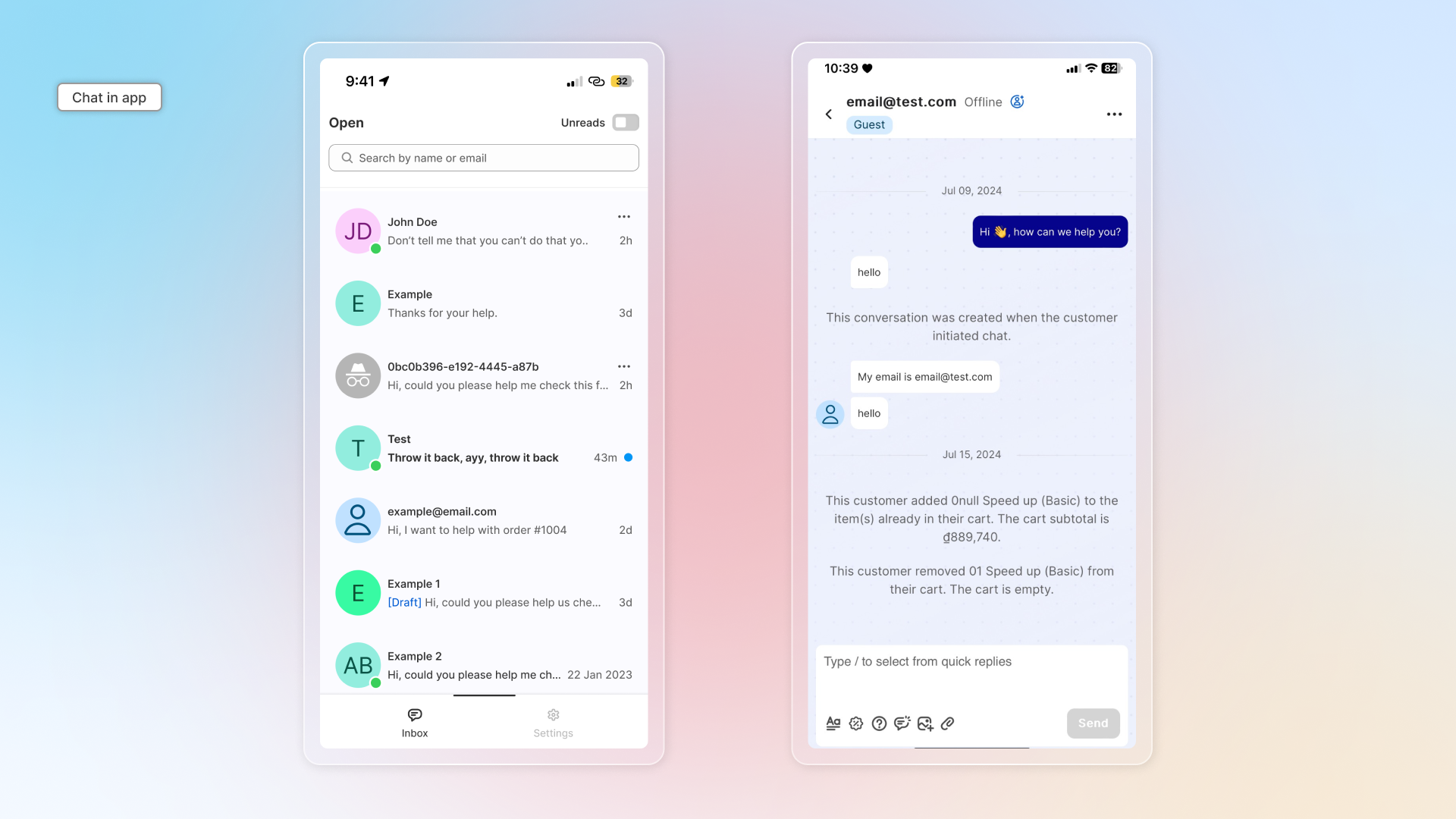
In the conversation list you see every conversation and can reply to all of them, with the same tools you have on desktop: send files, use quick replies, and more.
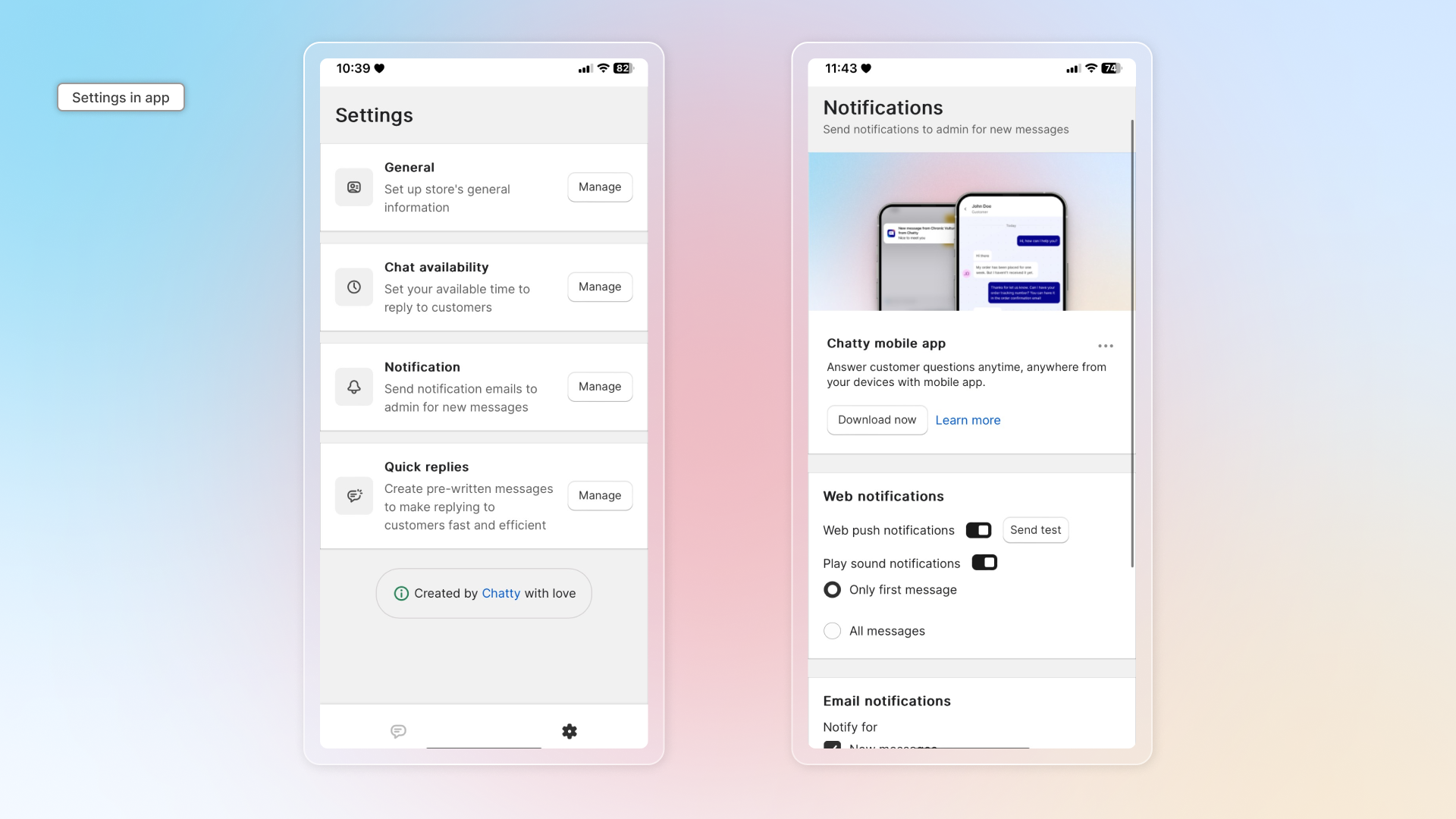
In Settings you can set up general settings, notifications, online hours and quick replies.
Which devices are supported?
The native app runs on iOS (App Store) and Android (Google Play). If you were using the old "add to home screen" web version, download the native app instead.
Do I need a separate account for the app?
No. Sign in with the same Chatty account you use in Shopify admin. Your conversations and settings stay in sync.
 Chatty Help Center