💬Get free consultation
Overview
What is AI assistant?
Al assistant helps you solve customers' questions faster and 24/7. AI assistant is trained on your data, and keeps your brand voice in every conversation.
Turn on live chat to use AI assistant. Go to Chatbox → Turn on Live chat block.
What AI assistant can do
What AI assistant can doHow to get your AI assistant ready?
Train AI assistant
We help you auto-sync all existing data from your store to train AI. Also, you can add more data sources to train your AI.
Customize AI assistant
Customize your AI assistant with your image, brand voice and tone in Settings:
- Appearance: Bot name, avatar
- Custom instructions to guide AI on tone of voice, length of answer, how to response
- AI availability: Select when the AI responds based on your team's availability
- Transfer: Set up how you would like to respond to user who wants human help
Test & optimize
Test and optimize how your AI assistant responds to customer questions. How to test & optimize AI
Activate AI assistant
Go to AI agent and click Activate in the top right to switch AI on. To switch it off later, click Deactivate and confirm.
Keep testing & optimizing while using AI
When using AI assistant
- All conversations will be answered automatically by AI assistant. In conversation detail, you will see AI assistant as an assignee.
- During the conversation handled by AI assistant, you can always join in the conversation to chat by clicking Join conversation.
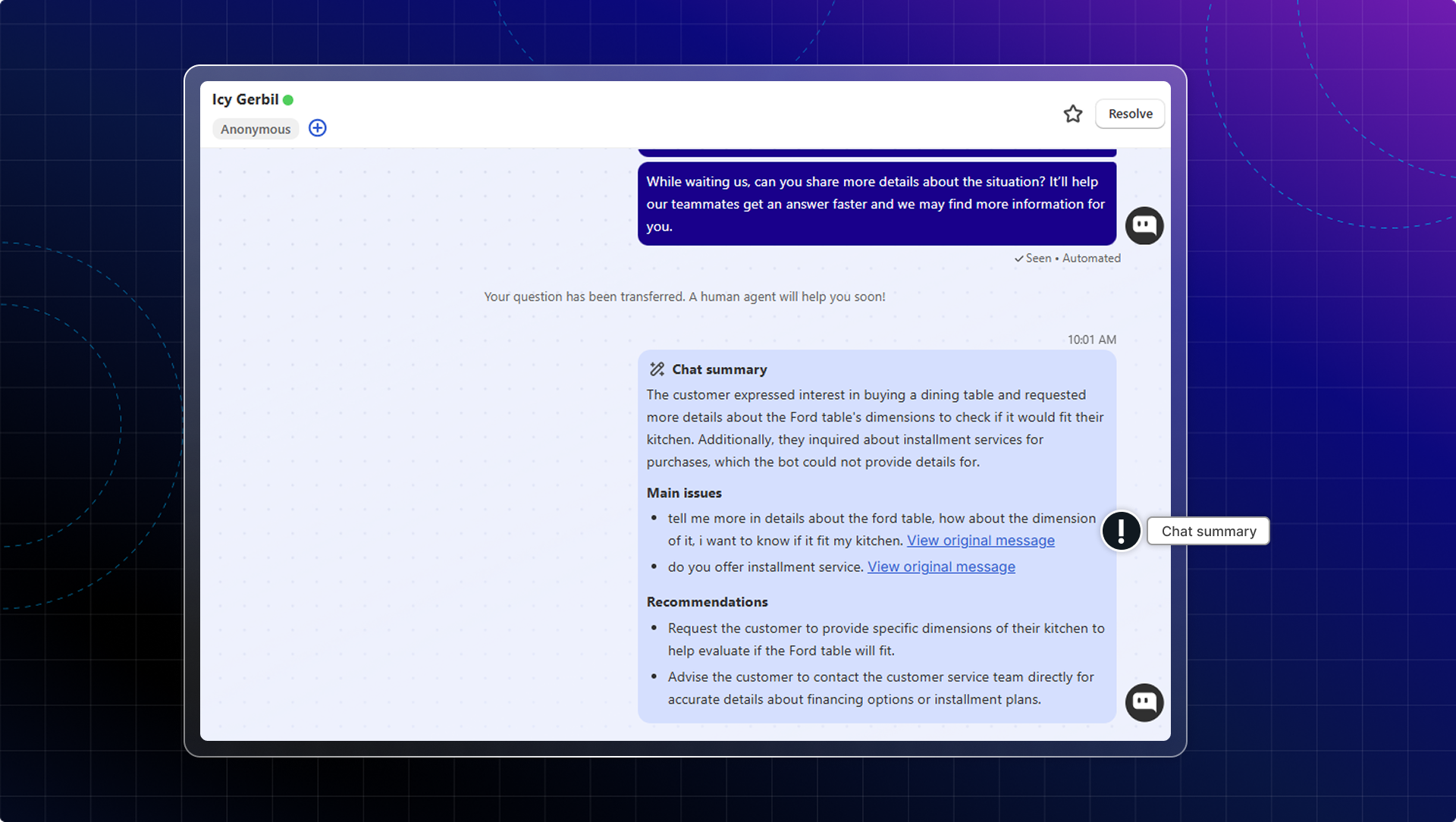
- Chat summary by AI: When the conversation is transferred to your team, AI will summarize the whole conversation.
This helps you quickly get the context and deliver faster customer service without reading the entire chat history.
AI will detect language, highlight main issues, and provide helpful suggestions for your response.
 Chatty Help Center