Discounts
Who can use this feature?
- This feature is available for all users.
What the Discounts tab does
All discounts available in your Shopify store are synced to AI training data. (both active & inactive)
If you don't see you discounts, click Sync now to update the latest discount from your store.
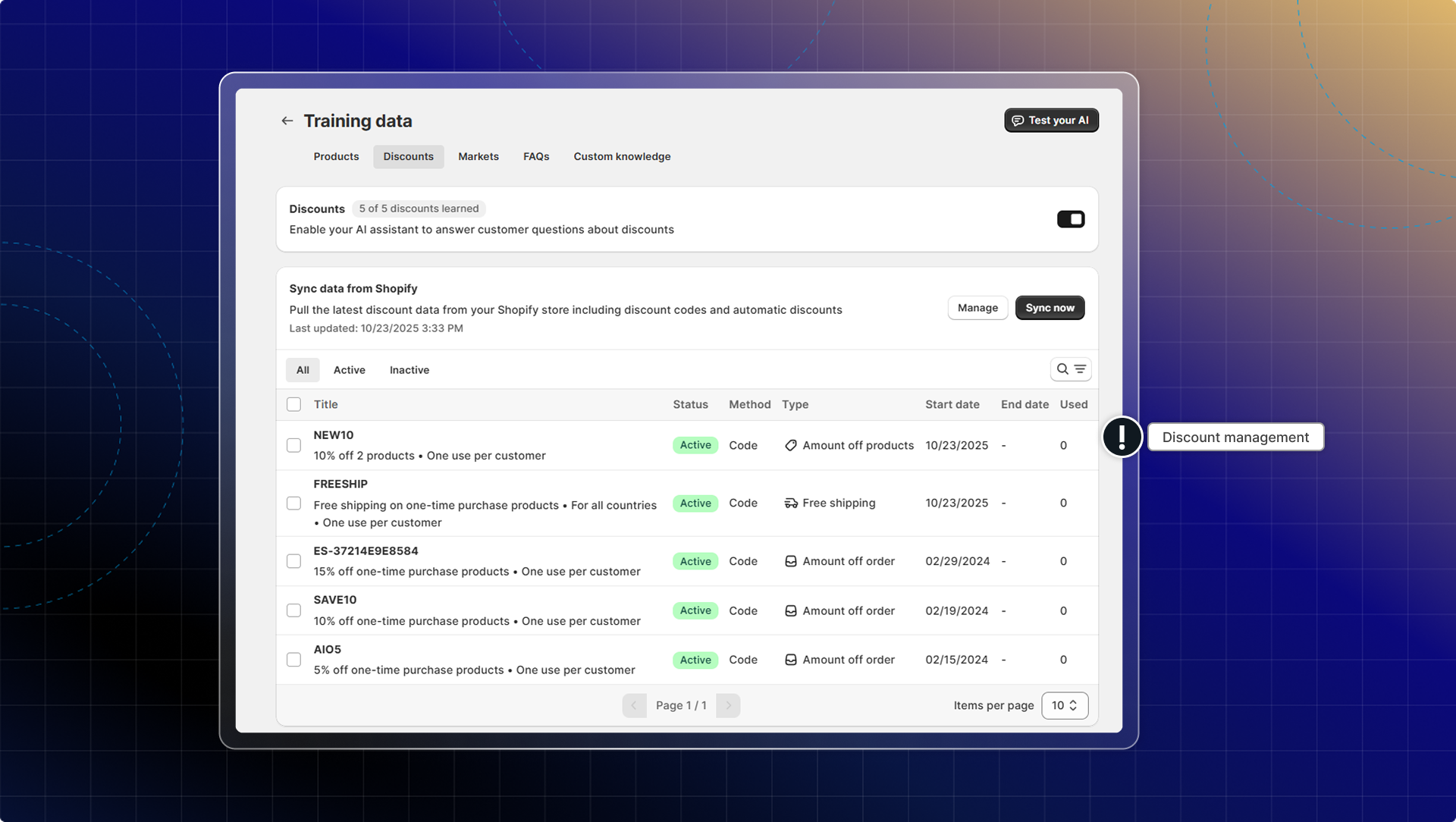
Turn on the Discounts card to let your AI answer questions about discounts. It is off until you switch it on.

Once your discounts are synced, your AI can bring one up in three moments: when a shopper asks about deals, coupons or promo codes, when they add an item to the cart or move to check out, and when they ask a pre-purchase question about a product, such as size, fit, stock, shipping or returns.
Outside a direct question about deals, your AI offers at most one discount per conversation. It surfaces a single discount each time, not a list.
Your AI only includes a link that applies the code when the shopper asked about deals directly, and only for code discounts. On the cart and pre-purchase moments it names the discount without a link.
How to set which discounts your AI can use
Select discounts in the table, then choose Set as active or Set as inactive. The Status column shows which is which, and the tabs above filter to All, Active or Inactive.
How to keep your discount list current
On Pro and Plus, turn on Real-time sync and Chatty updates a discount the moment you edit it in Shopify. On other plans the toggle is locked and you press Sync now whenever you change a discount.

Which discounts can the AI offer to customers?
Only ones you have synced and left active. Chatty drops a discount that has expired, and never syncs a type Shopify does not support.
At the moment of answering, your AI also skips a discount that has not started, has hit its usage limit, is restricted to a customer segment the shopper does not match, needs a bigger cart than they have, or requires a product they are not looking at.
Does the AI hide a discount with conditions on it?
No. A minimum spend, a product or collection requirement, an expiry date, a usage limit, a one-per-customer rule, or a country limit is stated to the shopper instead. Your AI names the condition so they know what to do to qualify.
 Chatty Help Center