Facebook messenger/Instagram
What is Facebook and Instagram connection?
This feature allows you to receive and respond to both Facebook Messenger and Instagram direct messages directly within your Chatty inbox.
By connecting these to Chatty, you can:
- Manage all conversations from Facebook and Instagram, in one centralized location
- Save time by not switching between different platforms
- Provide faster and more consistent customer support
- Keep track of customer interactions across different platforms
- Respond to customers on their preferred communication channel
How to connect Facebook and Instagram to Chatty
Only Instagram business accounts connected to your Facebook Page can be integrated.
Go to Settings → Channels
In Messenger/Instagram, click Manage
Click Connect to Facebook
Log in to your Facebook account
Select pages to connect
Click Save
Manage Facebook and Instagram accounts
After connecting your Facebook account, you can check your connected pages here.
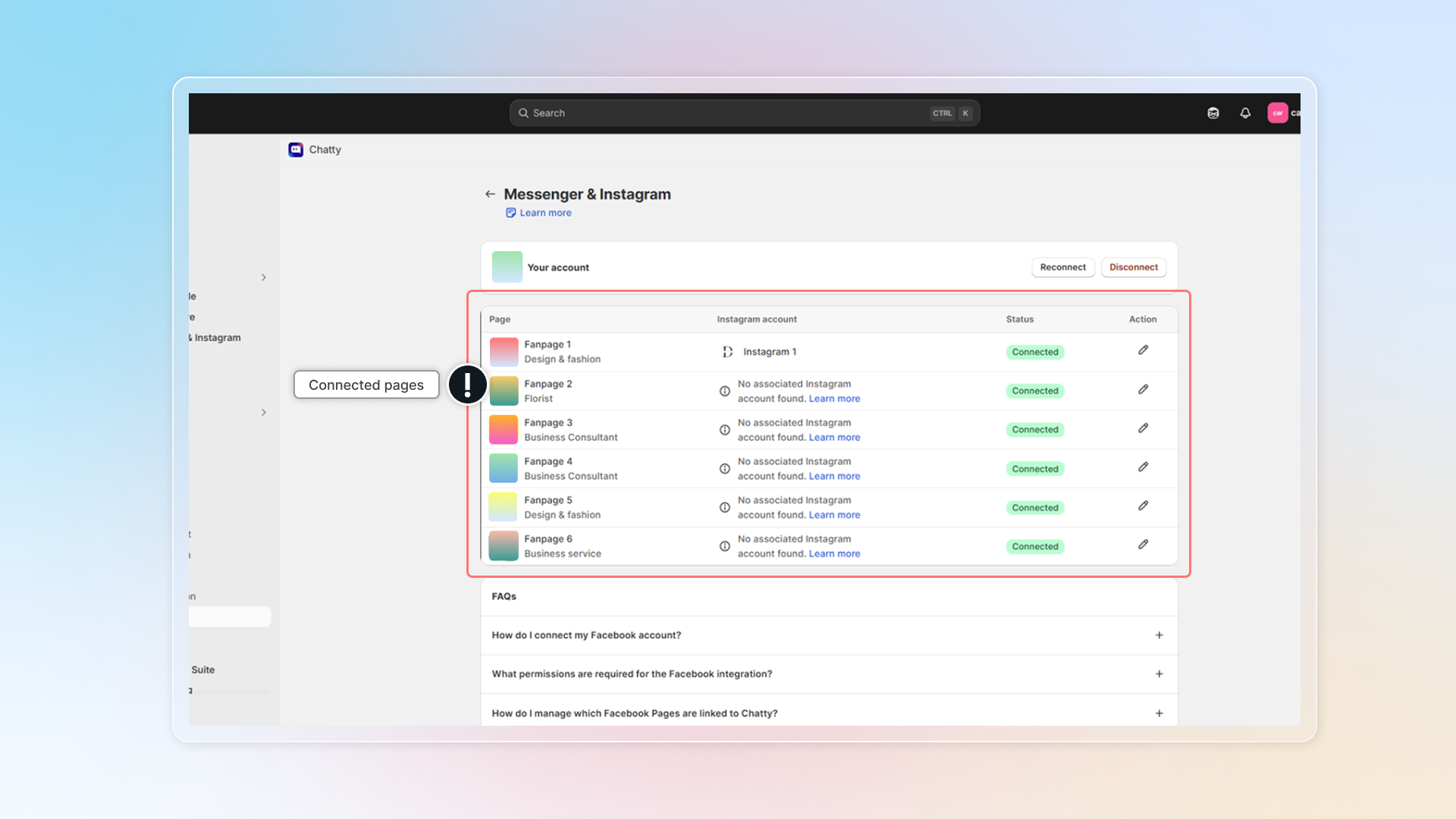
If "No associated Instagram account found" appears, you need to connect an Instagram business account to your Facebook Page first through Facebook's settings. Learn more. (opens in a new tab)
Add pages from the same Facebook account to Chatty
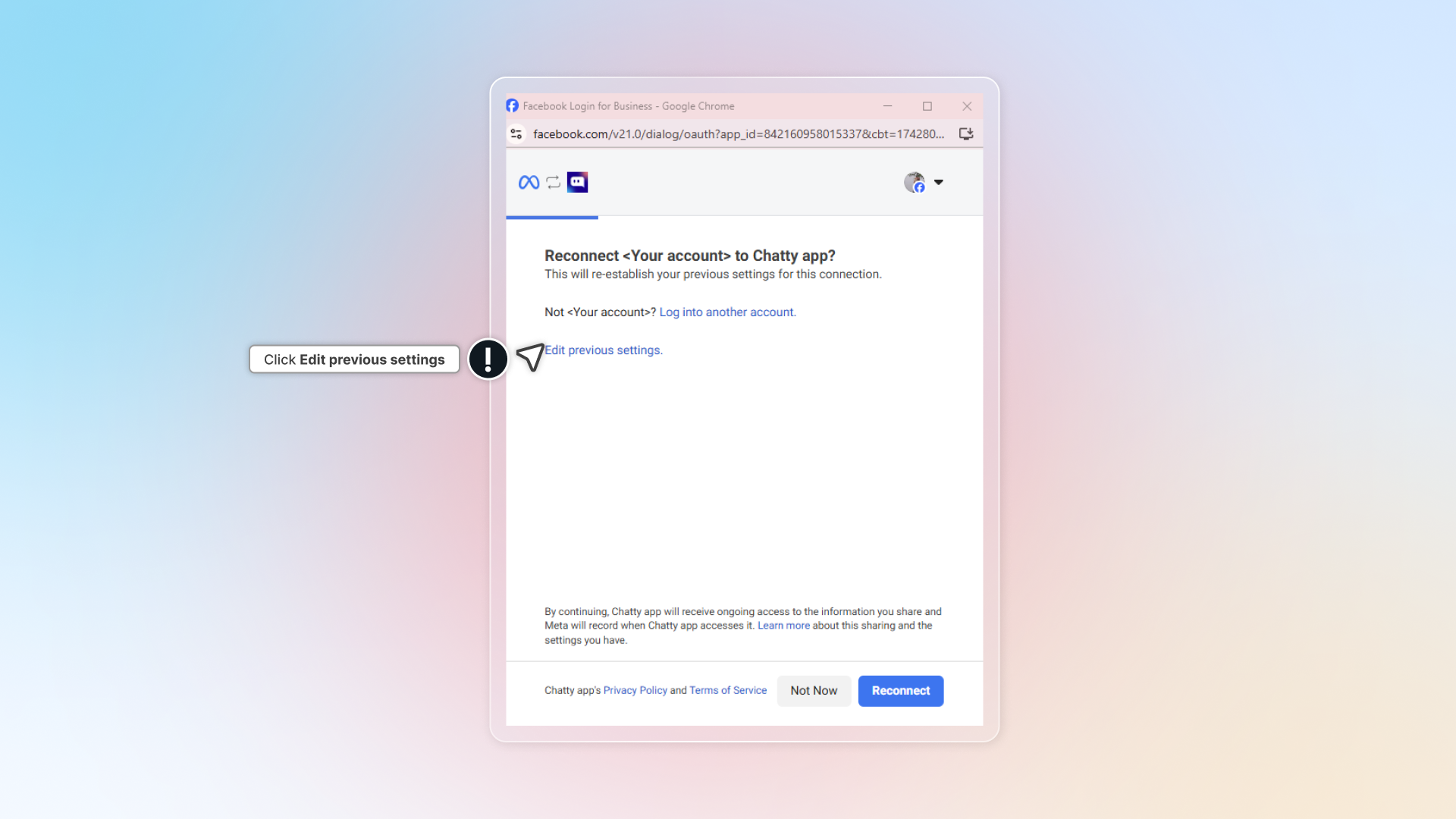
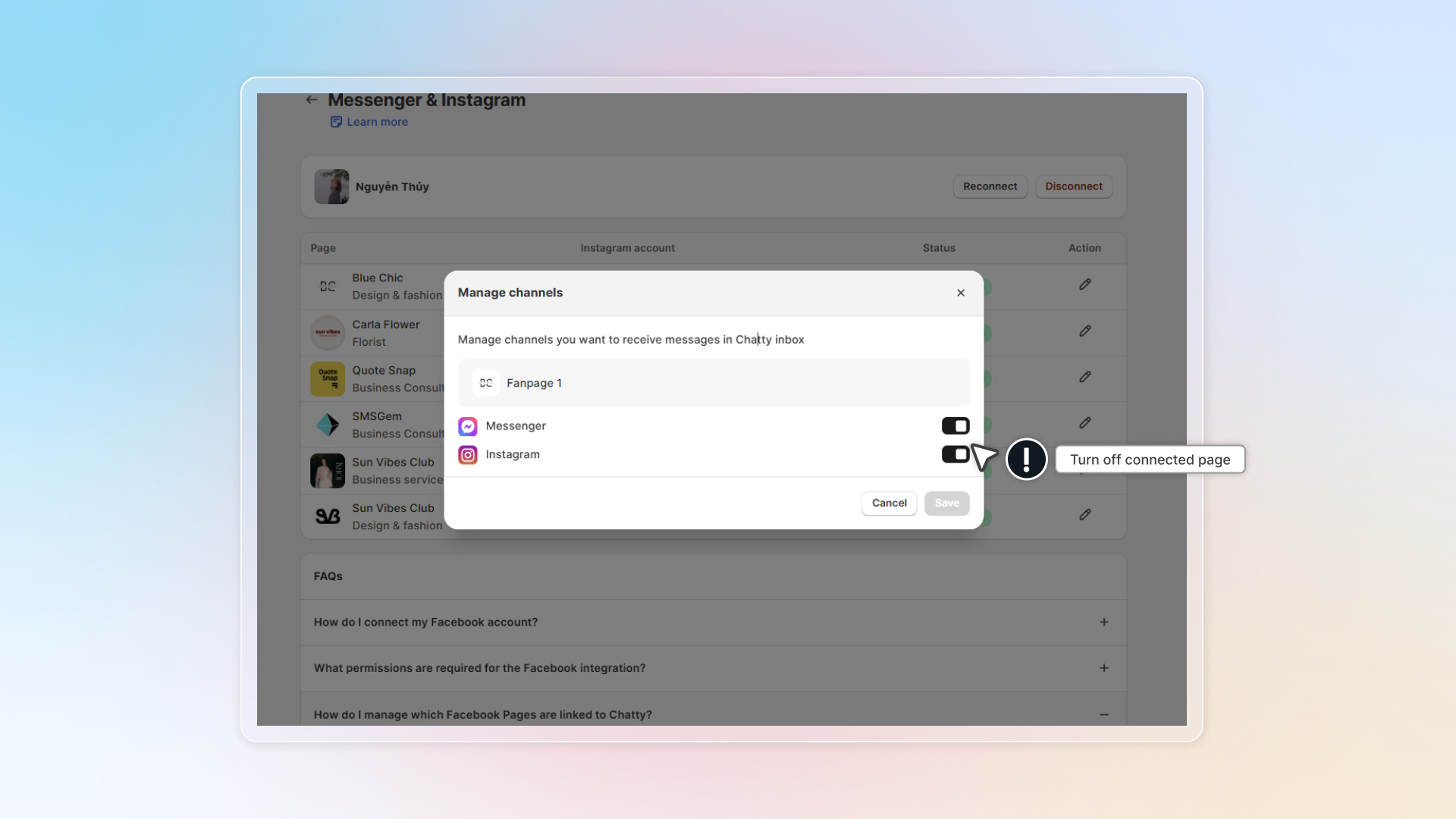
Remove connected pages from Chatty
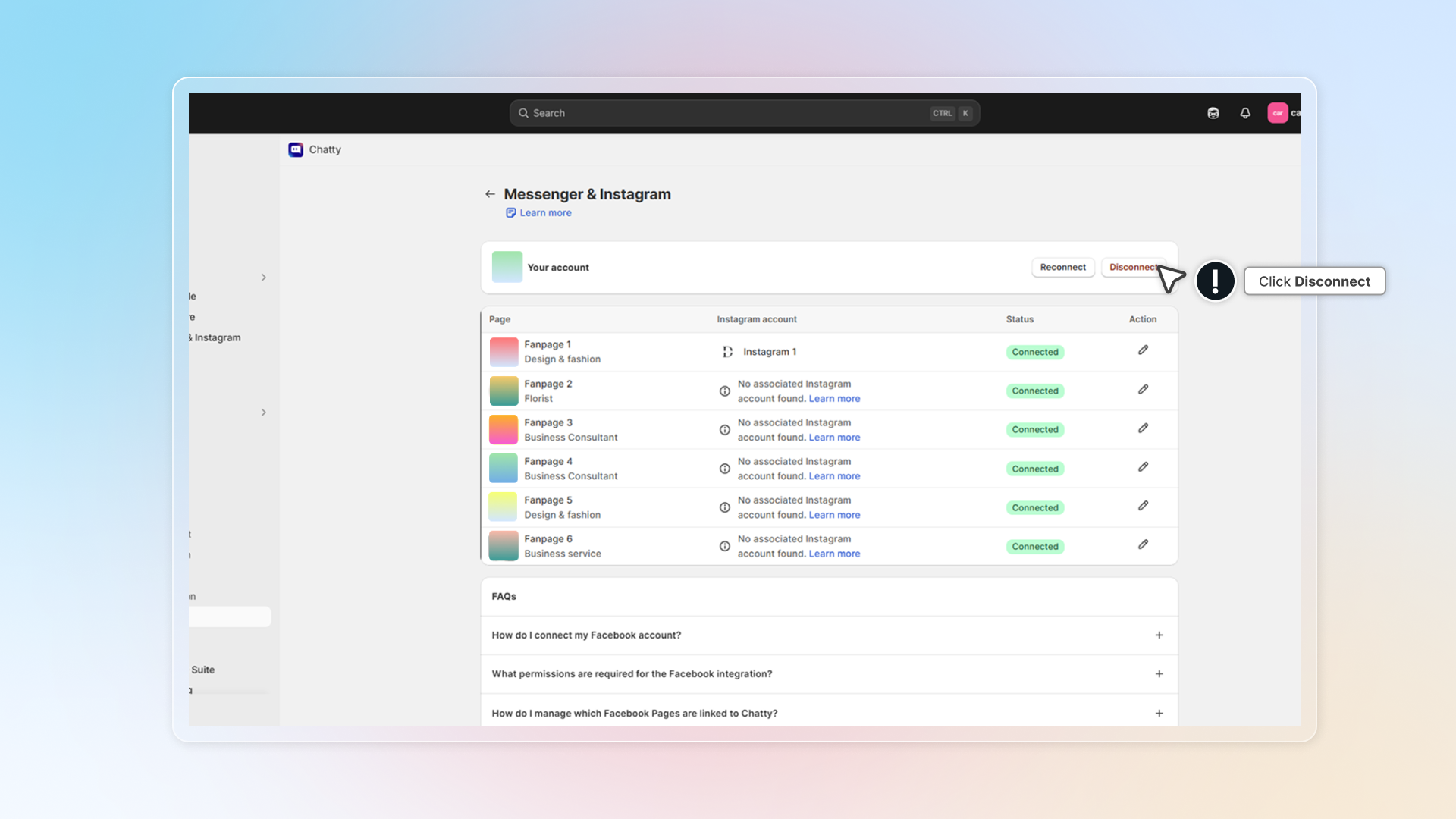
Connect other Facebook account
Messages from Facebook and Instagram
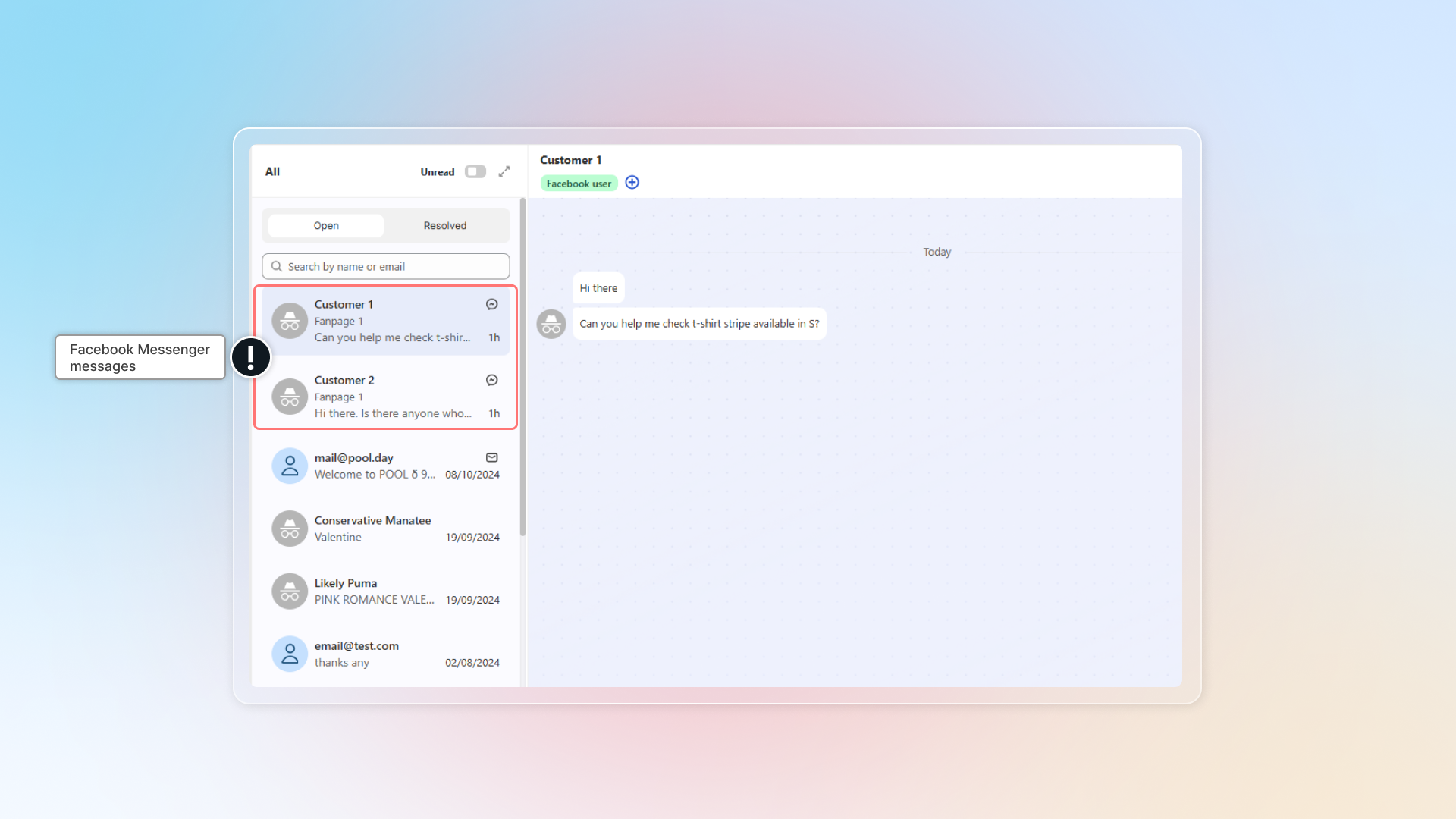
Messages from connected pages will be synced to Chatty inbox.
In Inbox, messages from Facebook/Instagram have Messenger/Instagram icon.
You can click Messenger in "Channel" to select all conversations from Facebook or Instagram.
Why does Chatty need access to my Facebook Page?
Chatty needs access to your Facebook Page to do the following:
- Show your Facebook messages in the Chatty app. This allows you to see and manage all your conversations in one place.
- Let you reply to messages directly from Chatty. This makes it more convenient to respond to people without switching apps.
- Organize your conversations and link messages to the correct Facebook Page. This helps keep your messages organized and easy to find.
What happens to existing conversations if I disconnect?
By disconnecting from Facebook pages, existing conversations will stay in Inbox without update.
Can I connect multiple Facebook accounts?
No. You can connect only one Facebook account to Chatty.
Can I connect multiple Facebook Pages?
Yes, you can connect multiple Facebook Pages to Chatty. Each connected page will have its associated Instagram account connected automatically (if applicable).
 Chatty Help Center