Shopify Flow
Who can use this feature?
- This feature is available for all users
What is Shopify Flow integration
Shopify Flow is Shopify's automation app. Chatty adds a trigger to Flow called Chatty: New customer submit chat. You can use it to start a workflow when a customer leaves their email in chat, for example in the pre-chat form. This helps you send new chat contacts to your marketing tools without copying them by hand.
What the Chatty trigger sends
The trigger runs when a chat contact with an email is created. It runs again when that contact's details change later.
Each run sends:
- The contact's email
- Whether the contact is new or updated
- The contact type: Customer, Lead, Anonymous, or Redacted
- Name, first name, last name, phone, and tags
How to set up a Chatty workflow in Shopify Flow
Before you start, make sure the Shopify Flow app is installed on your store.
-
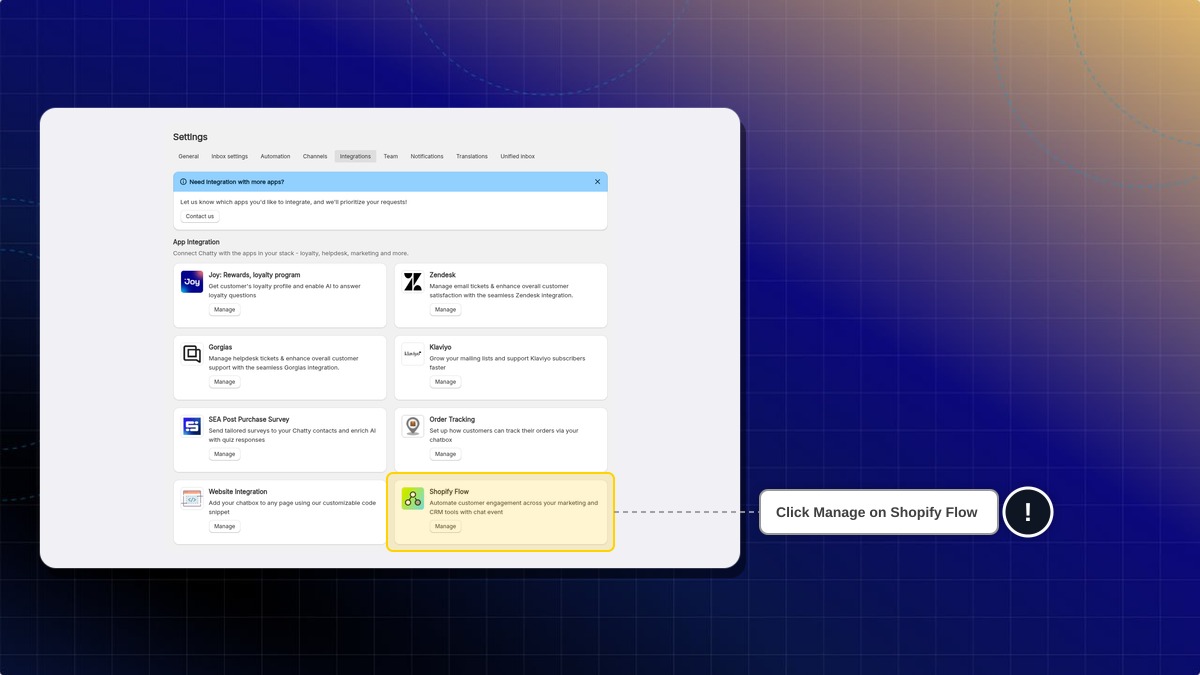
Go to Settings → Integrations.
-
Click Manage on the Shopify Flow card.
-
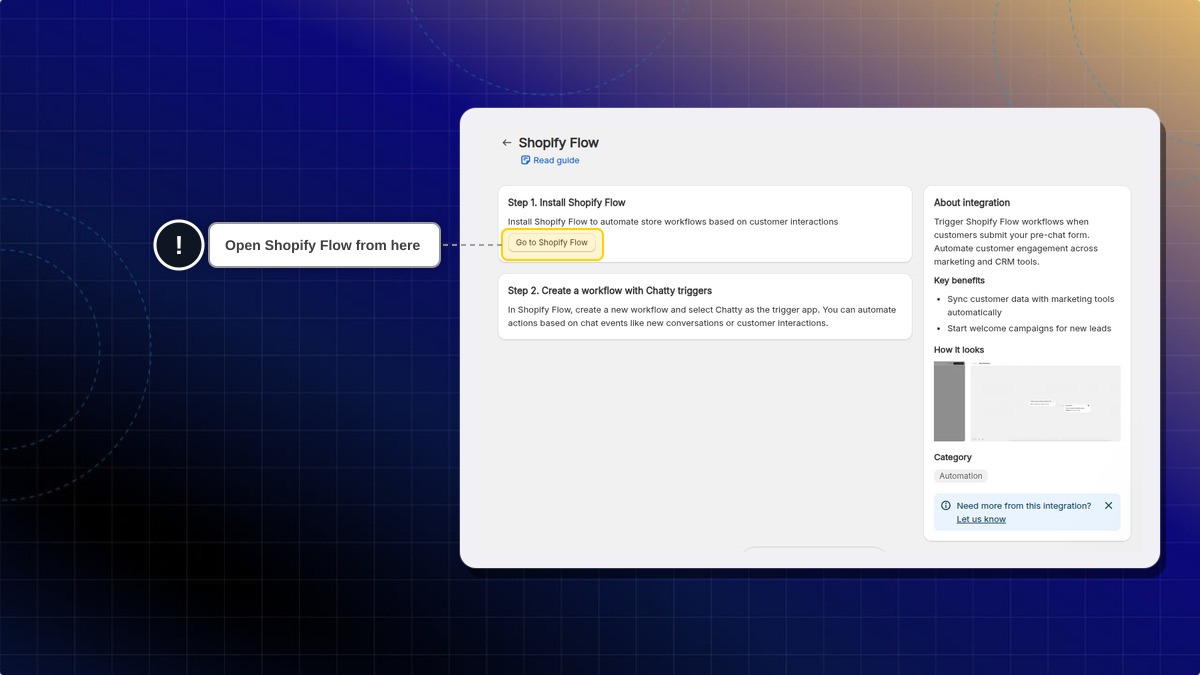
Click Go to Shopify Flow. If you have not installed Flow yet, do it from this step first.
-
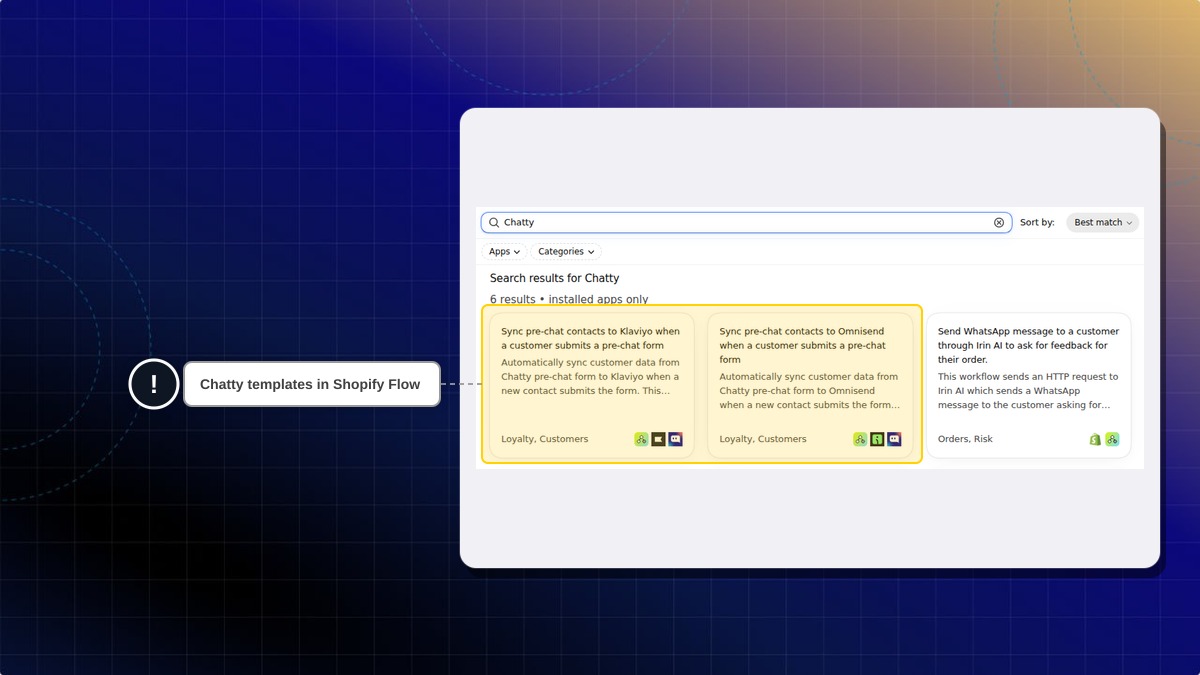
In Shopify Flow, click Browse templates.
-
Type
Chattyin the search box. -
Pick a template, for example Sync pre-chat contacts to Klaviyo when a customer submits a pre-chat form.
-
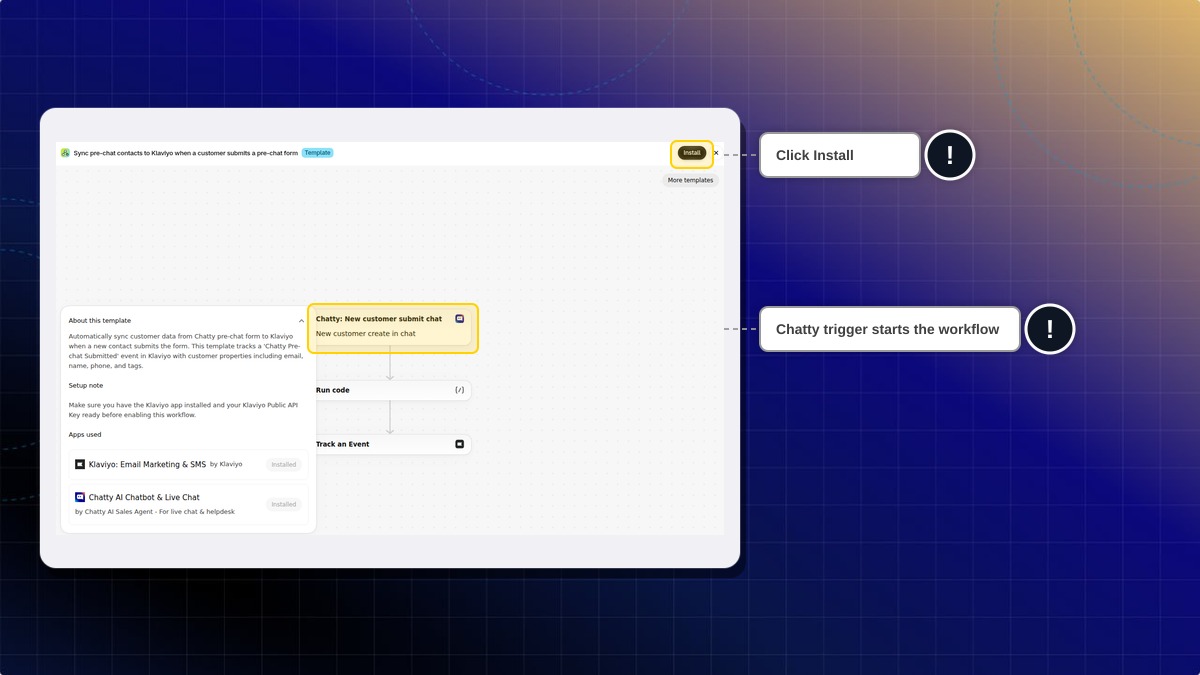
Read the Setup note, then click Install.
-
Finish the template steps in Flow and turn the workflow on.
Expected result: The next time a customer leaves their email in chat, Flow runs your workflow. You can see each run in Shopify Flow.
The Klaviyo template needs the Klaviyo app and your Klaviyo Public API Key. The Omnisend template needs the Omnisend app and your Omnisend API Key.
Does the trigger run for visitors who never leave an email?
No. Chatty only sends a contact to Flow once the contact has an email.
I turned my workflow off. Does Chatty still send data to Flow?
No. Chatty sends data only while at least one workflow using the Chatty trigger is turned on.
Can I build my own workflow instead of using a template?
Yes. Create a workflow in Shopify Flow and choose Chatty: New customer submit chat as the trigger.
 Chatty Help Center