Store availability
Who can use this feature?
- This feature is available for all users
What is store availability
Store availability lets your AI tell customers if a product is in stock at a specific store. It reads the stock Shopify reports for each of your locations.
This helps shoppers who want to buy in person know where to go before they leave home.
Store availability is off by default.
How to turn on store availability
-
Go to AI agent → Skills.
-
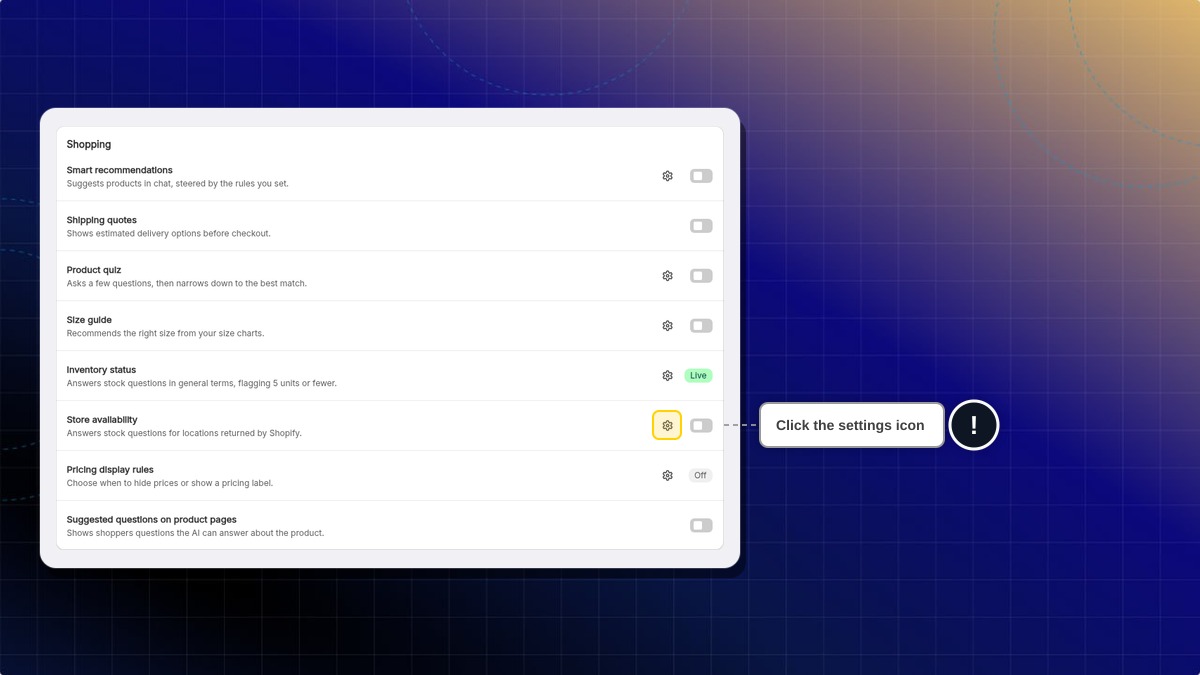
Under Shopping, find Store availability and click the settings icon.
-
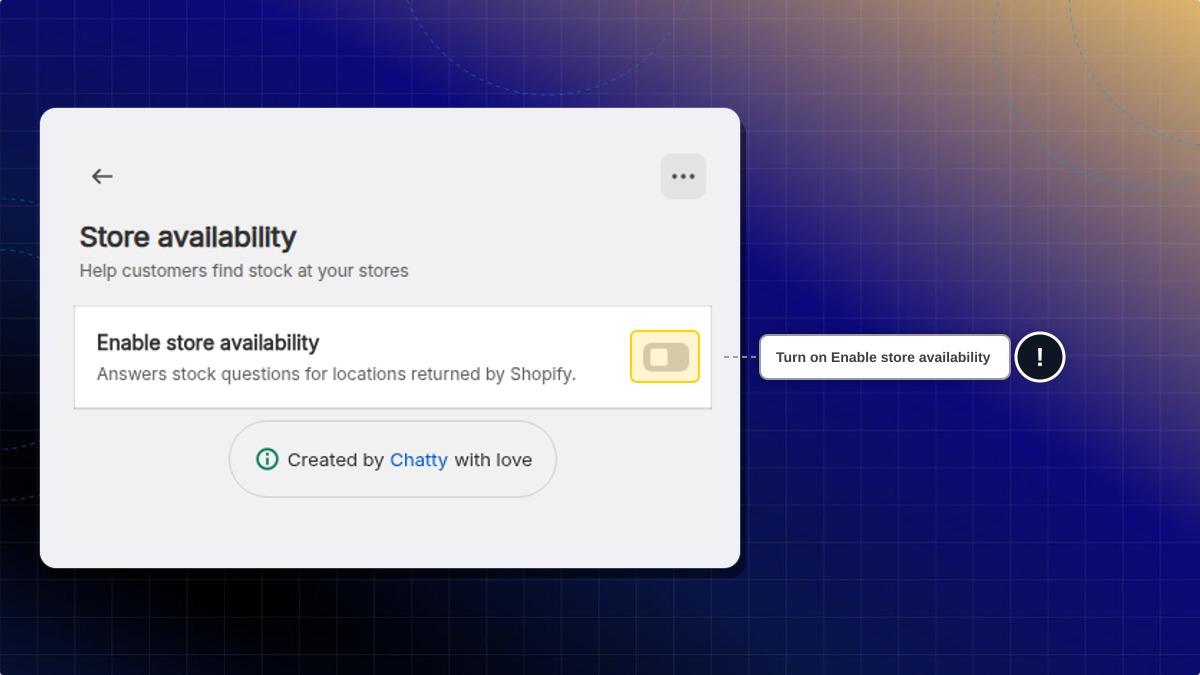
Turn on Enable store availability.
-
If Shopify asks you to let Chatty read your locations and inventory, approve the request.
-
Save your changes in the top bar.
You can also turn it on with the toggle on the Store availability row in Skills. Shopify asks for the same permission. Then save your changes in the top bar.
Expected result: The page lists your Shopify locations. Your AI now answers questions like "Do you have this in size M at the Brooklyn store?".
If you decline the Shopify request, the toggle stays off. Turn it on again when you are ready to approve.
Open Chatty from your Shopify admin to turn it on. Outside Shopify admin, Chatty shows a message asking you to open it there.
How to set the message for another location
When the store a customer asked about is out of stock, your AI follows your message. This happens when another location has stock, or when Shopify cannot confirm the stock at another location.
- After you turn on store availability, find the message box under your locations.
- Describe what customers can do next, in up to 200 characters. For example:
We can move stock from our warehouse to any store in 3 to 5 days. Ask the customer to call the store to arrange it. - Save your changes in the top bar.
Expected result: A customer asks about a store that is sold out. Your AI says so, then explains your option in the customer's language.
The message is an instruction for the AI, not a script it repeats word for word. If you leave the default, your AI says the store is out of stock and suggests contacting the store.
Your AI only offers a transfer when the location you name in your message has stock. It never says a transfer is done or an item is reserved.
What does my AI say when the product is sold out at every location?
If you set a Sold out instruction in inventory status, your AI follows it. If you leave it empty, your AI says the product is sold out at every store. Learn how to set instructions per availability status.
If Shopify cannot confirm the stock at one of your locations, your AI does not call the product sold out everywhere.
What if a customer names a store I don't have, or a city with two stores?
Your AI asks which store they mean. It does not guess the stock, and it does not say you have no physical stores.
The product is sold out online. Will my AI say every store is sold out?
No. For store questions, your AI checks each location. A product can be sold out online and still in stock at a store.
Why does my AI say it cannot confirm stock at a store?
Shopify did not return a quantity for that location. This happens when a product does not track inventory, or the check fails. Your AI then gives no number and does not call it sold out.
Does my AI reserve the item or promise pickup?
No. Your AI reports the stock Shopify shows. It does not hold the item or say it is ready to collect.
How fresh is the stock my AI reports?
Your AI checks Shopify each time a customer asks about a store. A result can be up to one minute old.
Do I need Local pickup turned on in Shopify?
No. Store availability reads stock at your active Shopify locations, with or without Local pickup.
 Chatty Help Center