💬Get free consultation
Who can use this feature?
- Helpdesk is in early access. Request early access (opens in a new tab) and we turn it on for your store.
- Once Helpdesk is on for your store, it works on every plan
- You see Helpdesk when your role can view tickets
Analytics
See support performance for Helpdesk.
What this is for
Analytics is the shared report of how support is going.
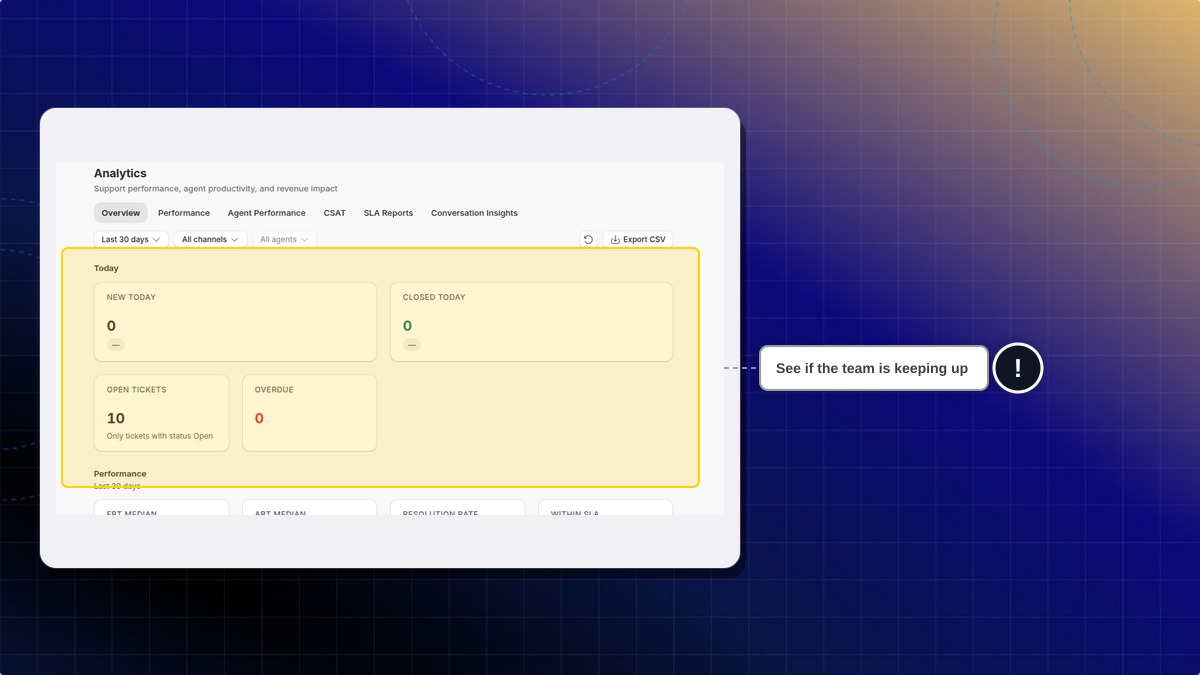
This helps you see whether the team is keeping up today, and over the range you pick.
The cards use your store's own counts. A dash means Helpdesk has no value for that card yet.
Export CSV downloads this view. The tickets themselves, including messages, are a separate export.
How to open analytics
- In Helpdesk, click Analytics.
- Stay on Overview, or open another tab: Performance, Agent Performance, CSAT, SLA Reports, or Conversation Insights.
- Keep Last 30 days, or change the range, channels, and agents.
Expected result: The cards show your store's counts for today and for the range you picked. A dash means Helpdesk has no value for that card yet.
How to download the view
- Click Export CSV.
Expected result: Your browser downloads a CSV of the current view.
Where do I export the tickets themselves?
Ticket files, including messages, are in Export. This button exports the analytics view.
 Chatty Help Center