Markets
Who can use this feature?
- This feature is available for all users
If you sell in 2 or more markets with Shopify Markets, Chatty keeps each customer on the storefront they are browsing.
What Chatty does for multiple markets
When your AI shares a link to your store, Chatty points it to the same storefront the customer is browsing. The link uses that market's domain and path, instead of your primary domain.
This helps customers stay where prices, currency, and language match their market.
How to turn on Markets & currencies
Markets & currencies lets your AI answer with prices in the customer's local currency and market-specific details. It is off by default and available on Pro and Plus plans.
-
Go to AI agent → Training data → Markets.
-
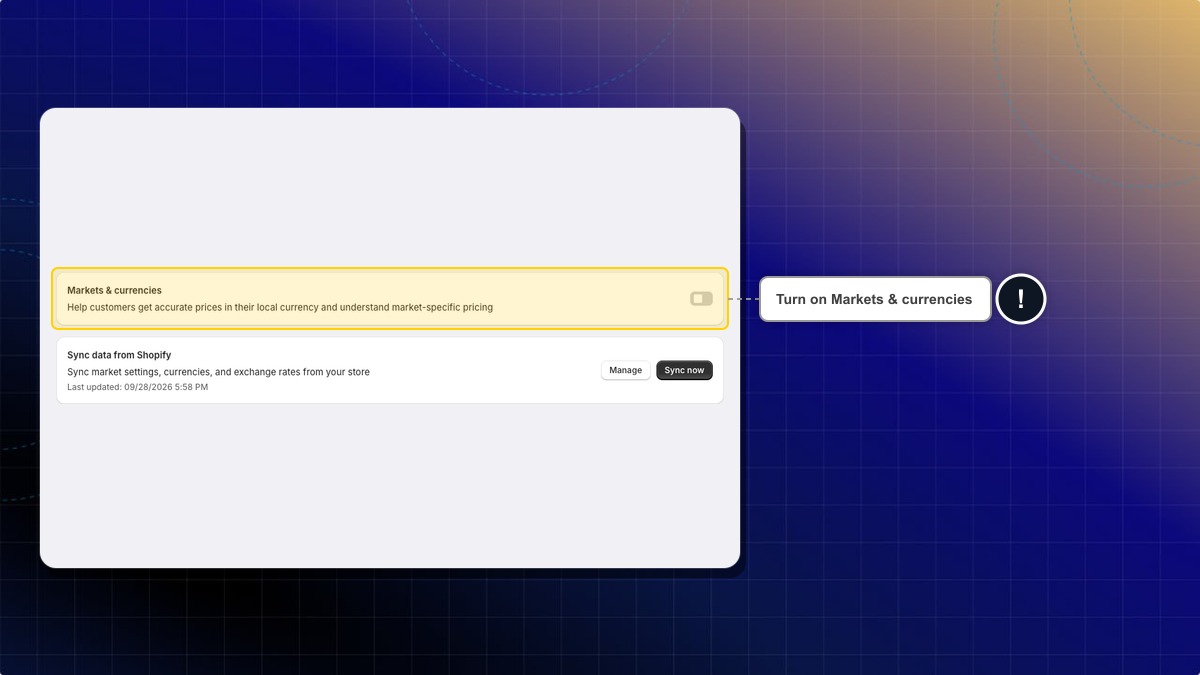
Turn on Markets & currencies.
-
Click Sync now in Sync data from Shopify to pull your latest market settings, currencies, and exchange rates. Click Manage to open your markets in Shopify.
Expected result: The Last updated time under Sync data from Shopify changes, and your AI uses the synced market data in its answers.
Do I need to turn anything on?
No. There is no setting to enable. Chatty reads your markets from Shopify when you install the app. It works when 2 or more of them have their own storefront URL.
If you add a market later, sync again from Sync data from Shopify in the Markets tab of Training data. Syncing there is available on Pro and Plus plans.
What if I only sell in one market?
Your AI does not add market paths. If your Shopify primary domain is still your myshopify.com address and your storefront runs on one other connected domain, links move to that domain.
 Chatty Help Center