💬Get free consultation
From a conversation
Who can use this feature?
- Helpdesk is available on every plan
- You see Helpdesk when your role can view tickets
On desktop, the conversation header has a vertical menu. The same menu lists Send transcript, Export transcript, and Set subject.
How to turn a conversation into a ticket
- Open the conversation in Inbox.
- Click the vertical menu on the conversation header.
- Click Convert to ticket.
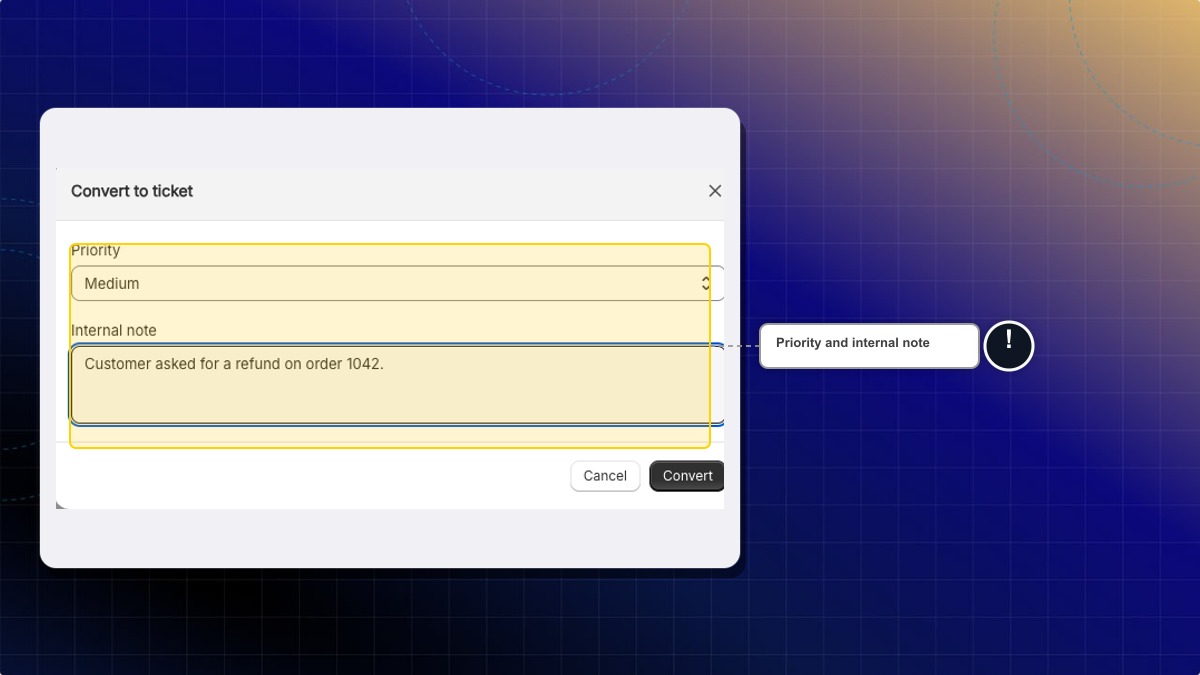
- Set Priority. Medium is already selected. The choices are Low, Medium, High, and Urgent.
- Fill Internal note if your team needs context. Example:
Customer asked for a refund on order 1042.Leave it empty if you have nothing to add. - Click Convert.
Expected result: A banner reads "This conversation has been converted to a ticket. Replies are handled in Helpdesk." The button is View ticket plus the ticket number. The reply box in Inbox closes, and the menu item becomes View ticket. A reply you write on that ticket still reaches the customer.
Why does the ticket say Critical?
Urgent in this window shows as Critical on the Helpdesk ticket. It is the same priority.
Can I convert from the phone app?
No. The vertical menu with Convert to ticket is on the desktop conversation header.
What if this store has never opened Helpdesk?
Convert to ticket still works. Chatty opens Helpdesk for this store and creates the ticket.
 Chatty Help Center