💬Get free consultation
Who can use this feature?
- Helpdesk is in early access. Request early access (opens in a new tab) and we turn it on for your store.
- Once Helpdesk is on for your store, it works on every plan
- You see Helpdesk when your role can view tickets
Integrations
Connect tools that should see Helpdesk tickets.
What this is for
Integrations connect Helpdesk to a tool you already use.
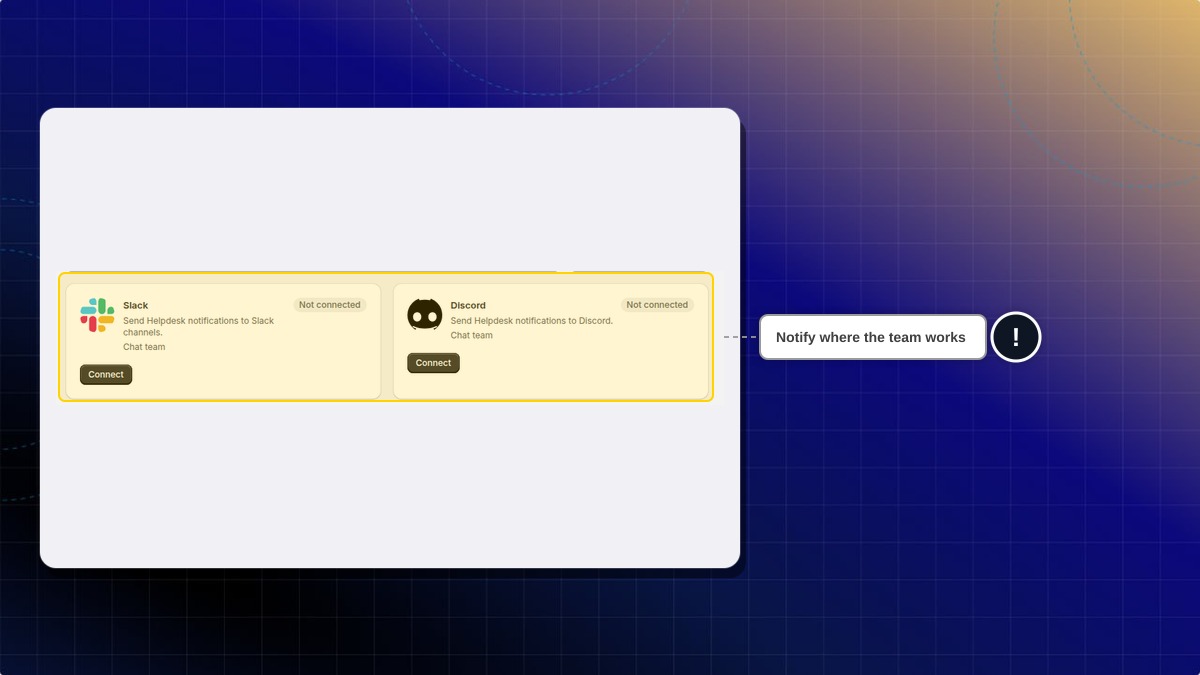
This helps you land a notification in Slack or Discord, or show customer context from a tool you already connected in Chatty.
Connect on this page starts Slack and Discord. Zendesk, Gorgias, Klaviyo, Joy, Shopify Flow, and Freshdesk say Managed in Chatty, so you finish those in Chatty.
How to open integrations
- In Helpdesk, open settings, then open Integrations.
- Search, or filter by group.
- Open the tool you want.
Expected result: You see whether that tool is connected, and where to finish the setup.
| Tool | What you can do |
|---|---|
| Slack | Send Helpdesk notifications. Use Connect on this page |
| Discord | Send Helpdesk notifications. Use Connect on this page |
| Zendesk | Show customer context, and import old tickets. Managed in Chatty |
| Gorgias | Show customer context, and import old tickets. Managed in Chatty |
| Klaviyo | Show customer context. Managed in Chatty |
| Joy | Show customer context. Managed in Chatty |
| Shopify Flow | Send ticket events to a workflow. Managed in Chatty |
| Freshdesk | Import old tickets. Managed in Chatty |
Does Connect finish the setup by itself?
Connect starts it. Zendesk, Gorgias, Klaviyo, Joy, Shopify Flow, and Freshdesk say Managed in Chatty, so you finish those in Chatty.
 Chatty Help Center