Who can use this feature?
- Helpdesk is in early access. Request early access (opens in a new tab) and we turn it on for your store.
- Once Helpdesk is on for your store, it works on every plan
- You see Helpdesk when your role can view tickets
Agents
Agents are assistants you add for Helpdesk. You can add more than one.
What this is for
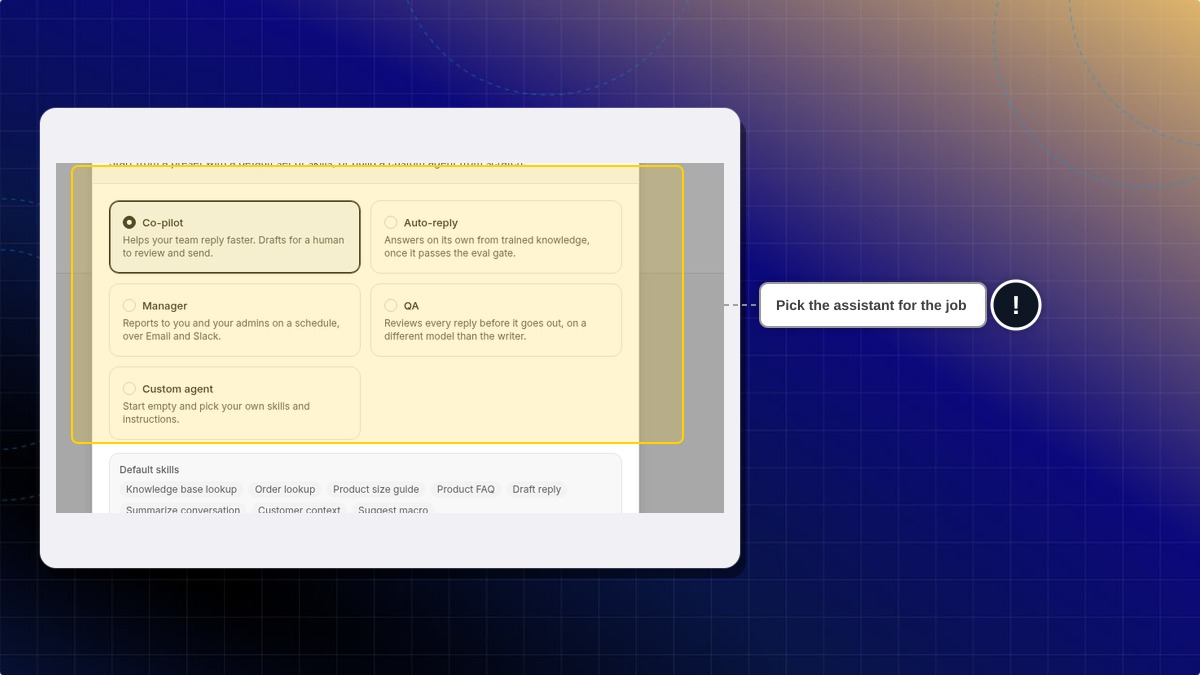
An agent is an assistant you add for Helpdesk. You can add more than one.
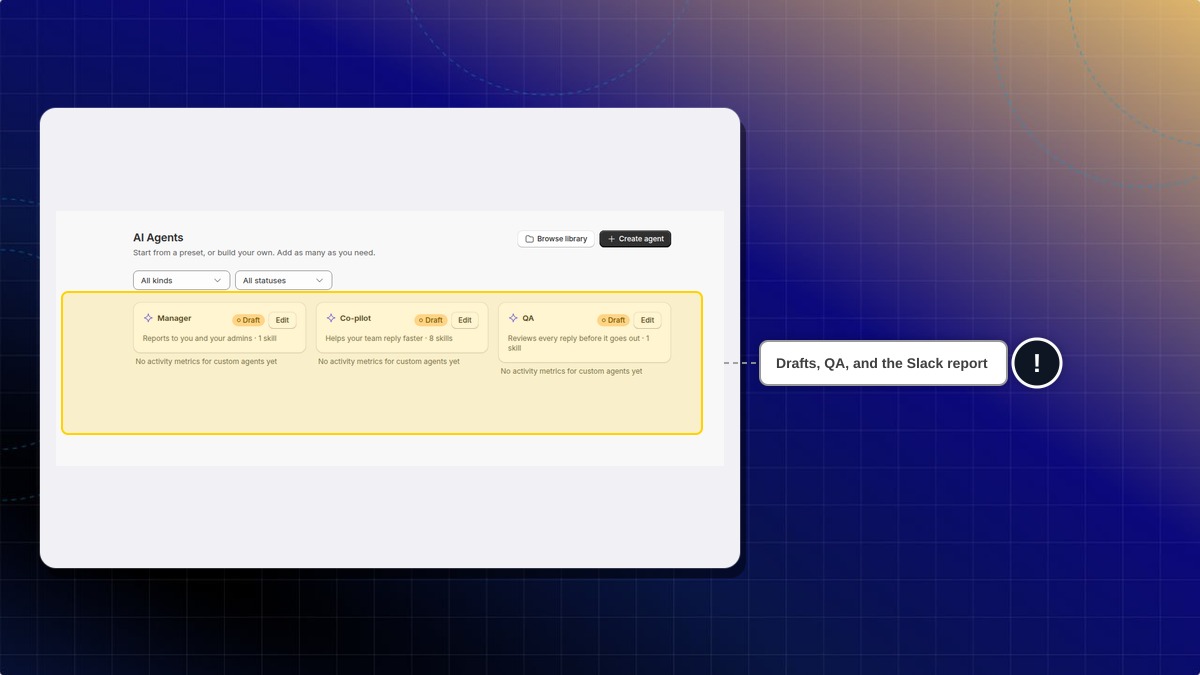
This helps you split the work: a co-pilot for drafts, a manager for the Slack report, or a QA check. Auto-reply can answer customers once it passes its own check, so leave it off until you want that.
A new agent is listed as Draft. Draft is not answering customers yet.
Reports stays blocked until a Manager agent exists. A Draft Manager is enough to open the report form.
How to create an agent
- In Helpdesk, open AI Agents.
- Click Create agent.
- Pick Co-pilot, Auto-reply, Manager, QA, or Custom agent.
- Click Create agent.
Expected result: The agent is listed with a Draft badge. On a test store, Manager, Co-pilot, and QA were added this way. Auto-reply can answer customers once it passes its own check, so it was left off.
Do I need an agent before reports?
Yes. Reports stays blocked until a Manager agent exists. A Draft Manager is enough to open the report form.
 Chatty Help Center