Shipping quotes
Who can use this feature?
- This feature is available for all users
What is shipping quotes
Shipping quotes lets your AI tell customers what shipping costs before they check out. It uses the shipping rates you set up in Shopify, including rates calculated by carriers.
This helps shoppers see the full cost of their order before they reach checkout.
Shipping quotes is off by default.
How to turn on shipping quotes
Before you start, turn on Smart recommendations in the same Shopping group. Your AI needs it to find the product the customer asks about. Learn more about Smart recommendations.
If Smart recommendations is off, your AI can only quote what is already in the customer's cart.
-
Go to AI agent → Skills.
-
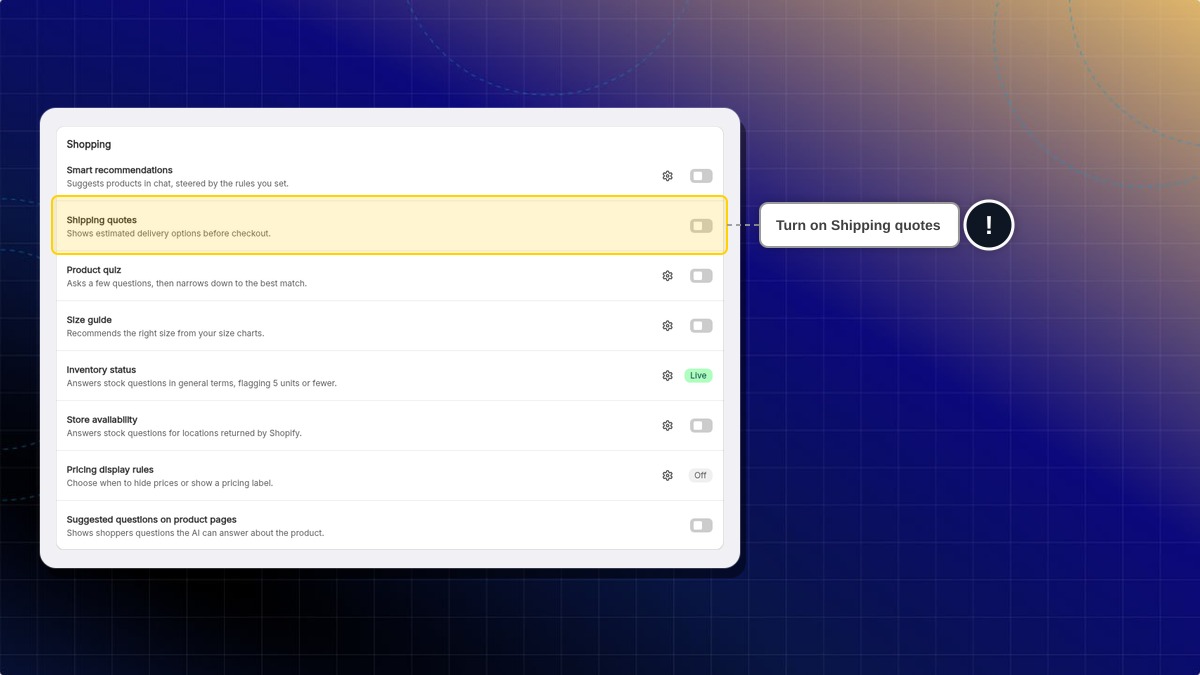
Under Shopping, turn on Shipping quotes.
-
Click Save in the top bar.
Expected result: A customer asks "How much is shipping to Texas for 2 of these?". Your AI lists the delivery options and their prices for that address.
What your AI tells the customer
- Prices are estimates. Your AI says the price is an estimate at the time of asking. The final price is confirmed at checkout.
- The quote covers the whole cart. Shipping is priced per order. If the customer already has items in their cart, the quote covers the cart plus the product they asked about. Your AI says so.
- The unit count is named. Your AI says how many items the price is for, so the customer can correct it.
- Currency follows the country. Prices show in the currency of the market for the delivery country.
Your AI needs the country and either a state or a postal code. If something is missing, your AI asks for it. If it is not clear which product the customer means, your AI asks instead of guessing.
What happens if Chatty cannot get a shipping price?
Your AI tells the customer it cannot get the price right now and answers from your shipping policy instead. This happens when:
- Shopify returns no delivery options for the address.
- Shopify splits the cart into more than one shipment, each with its own rate.
- Shopify rejects the products or the address.
- Chatty cannot read the customer's cart.
- Chatty cannot reach Shopify, or Shopify does not answer in time.
Add your shipping policy to your training data so this answer is accurate.
What if a carrier is slow to return its rate?
Your AI shares the flat rates it already has and tells the customer that carrier rates are still pending.
If you have no flat rate for that address, your AI cannot give a price. It answers from your shipping policy instead.
Does shipping quotes change the customer's cart?
No. Chatty prices a copy of the order. The customer's cart stays the same.
Can my AI quote shipping for an order that is already placed?
No. If order tracking is on, questions about an order that is already placed go there instead.
 Chatty Help Center