Who can use this feature?
- Helpdesk is in early access. Request early access (opens in a new tab) and we turn it on for your store.
- Once Helpdesk is on for your store, it works on every plan
- You see Helpdesk when your role can view tickets
AI Helpdesk
Helpdesk AI can suggest a reply and summarize a ticket. You still send the reply yourself.
What this is for
Helpdesk AI suggests a reply and can summarize a ticket. You still send the reply yourself.
This helps you start from a draft instead of a blank box, and see which hand-written replies may be off policy.
Enable Helpdesk AI turns on reply suggestions, conversation summaries, and AI quality reports for this workspace.
Human review has three levels. Off skips QA on replies a teammate types. Commitments only warns when a hand-written reply promises a refund, a discount, or a delivery date. Full review scores every hand-written reply. The check is a warning after the fact. It does not stop the send.
How to turn on Helpdesk AI
- In Helpdesk, open settings, then open AI Training.
- Turn on Enable Helpdesk AI.
Expected result: Reply suggestions, conversation summaries, and AI quality reports turn on for this workspace.
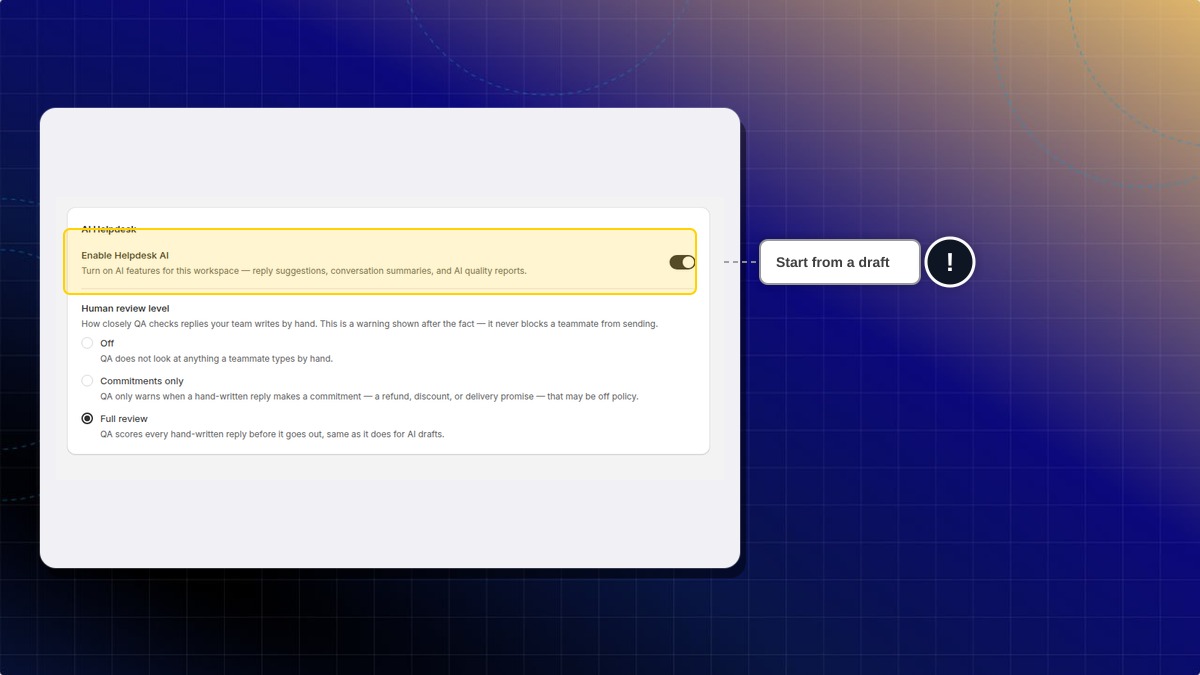
The same page has General, Instruction, Support answers, Training data, and Quality. Use them to tell the assistant how to answer.
| Human review | What you get |
|---|---|
| Off | QA does not look at replies a teammate types by hand |
| Commitments only | QA warns when a hand-written reply promises a refund, a discount, or a delivery date that may be off policy |
| Full review | QA scores every hand-written reply before it goes out, the same way it scores AI drafts |
Can review block a teammate from sending?
No. The check is a warning after the fact. It does not stop the send.
 Chatty Help Center