💬無料相談を予約
General settings
Setting Store name and avatar
-
Go to Settings
-
In General, click Manage
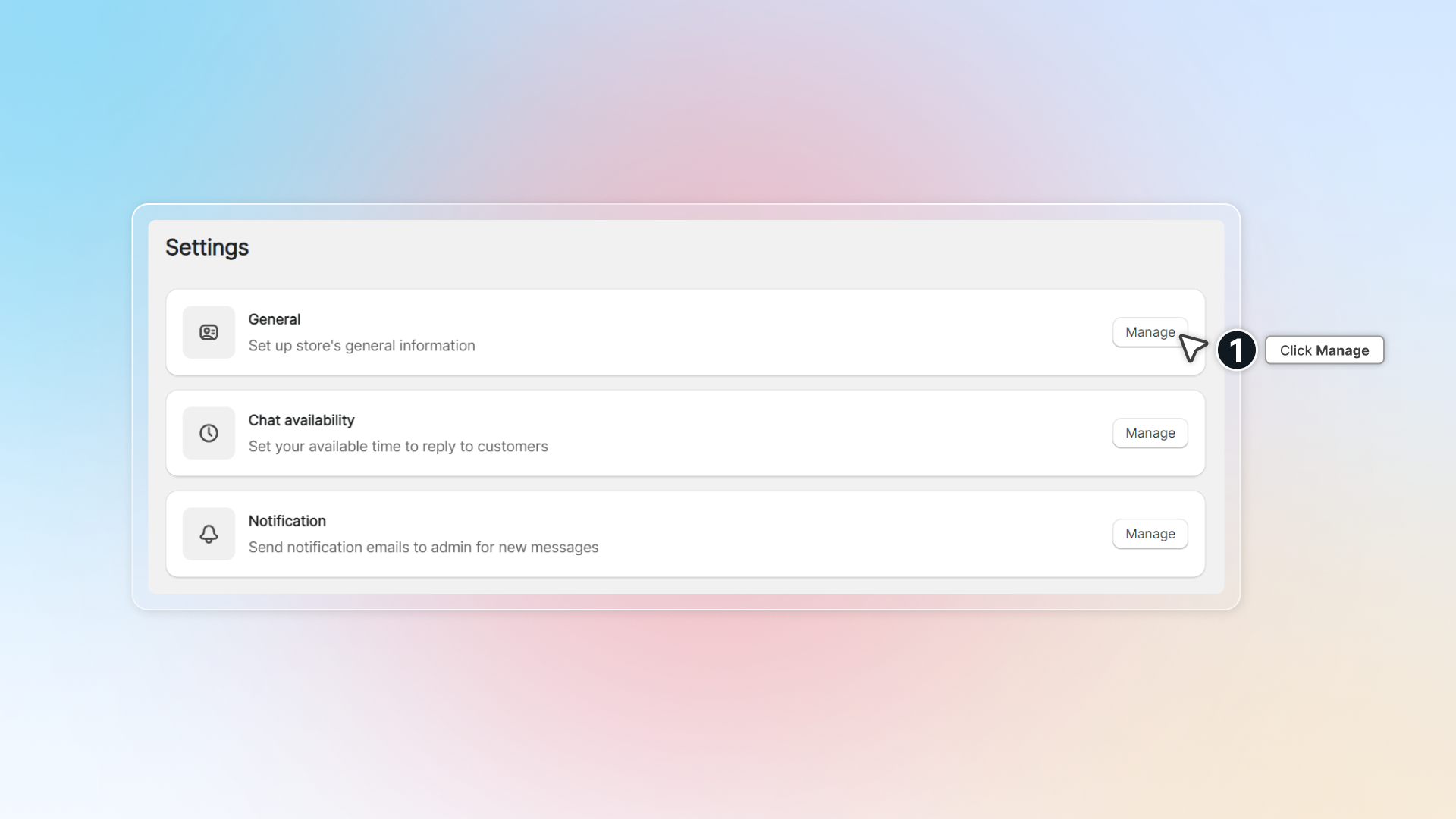
-
Change store name and avatar
-
Click Save
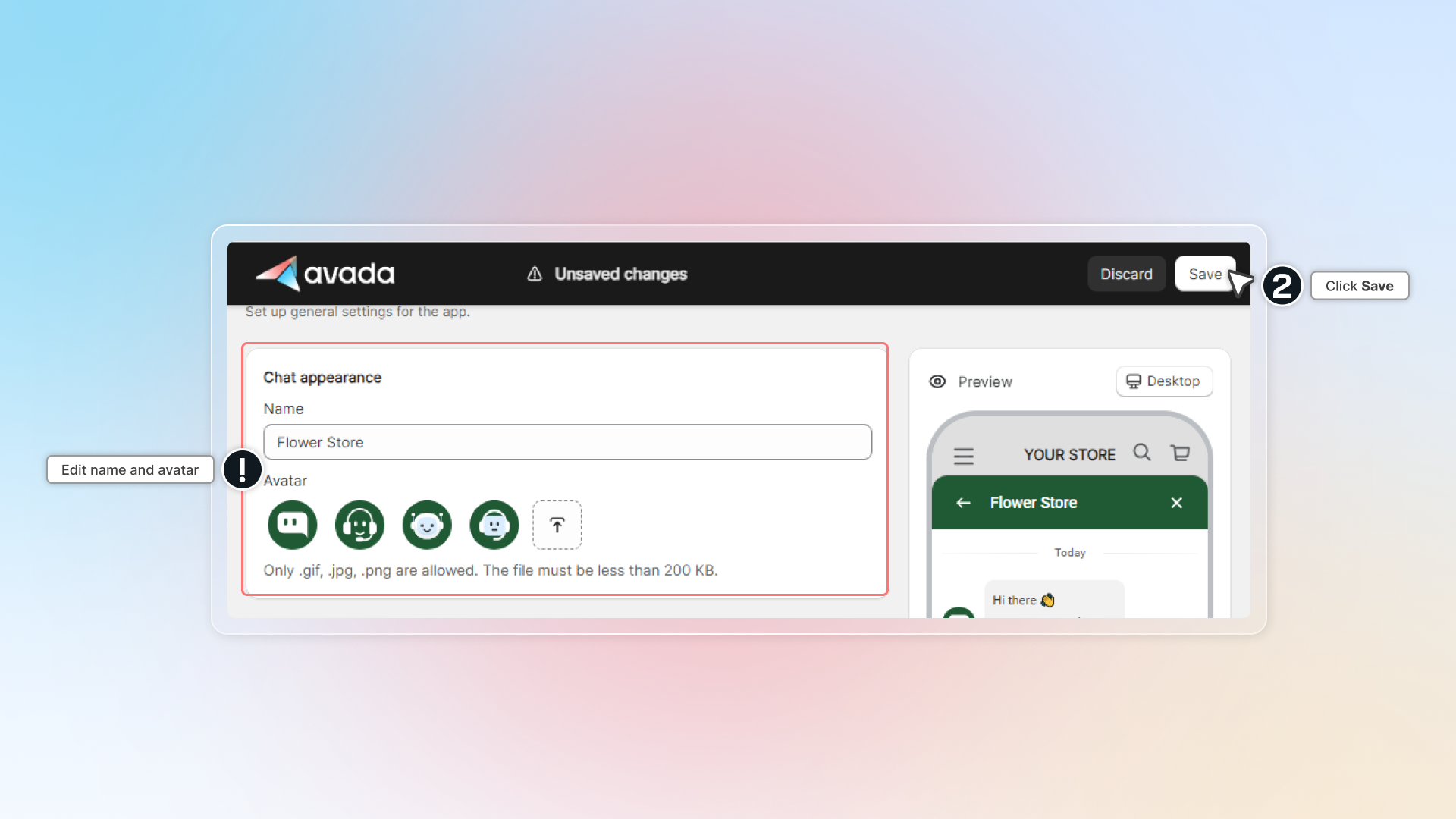
You can upload your own image as avatar. Make sure your image in right format (.gif, .jpg, .png) and size less than 200 KB.
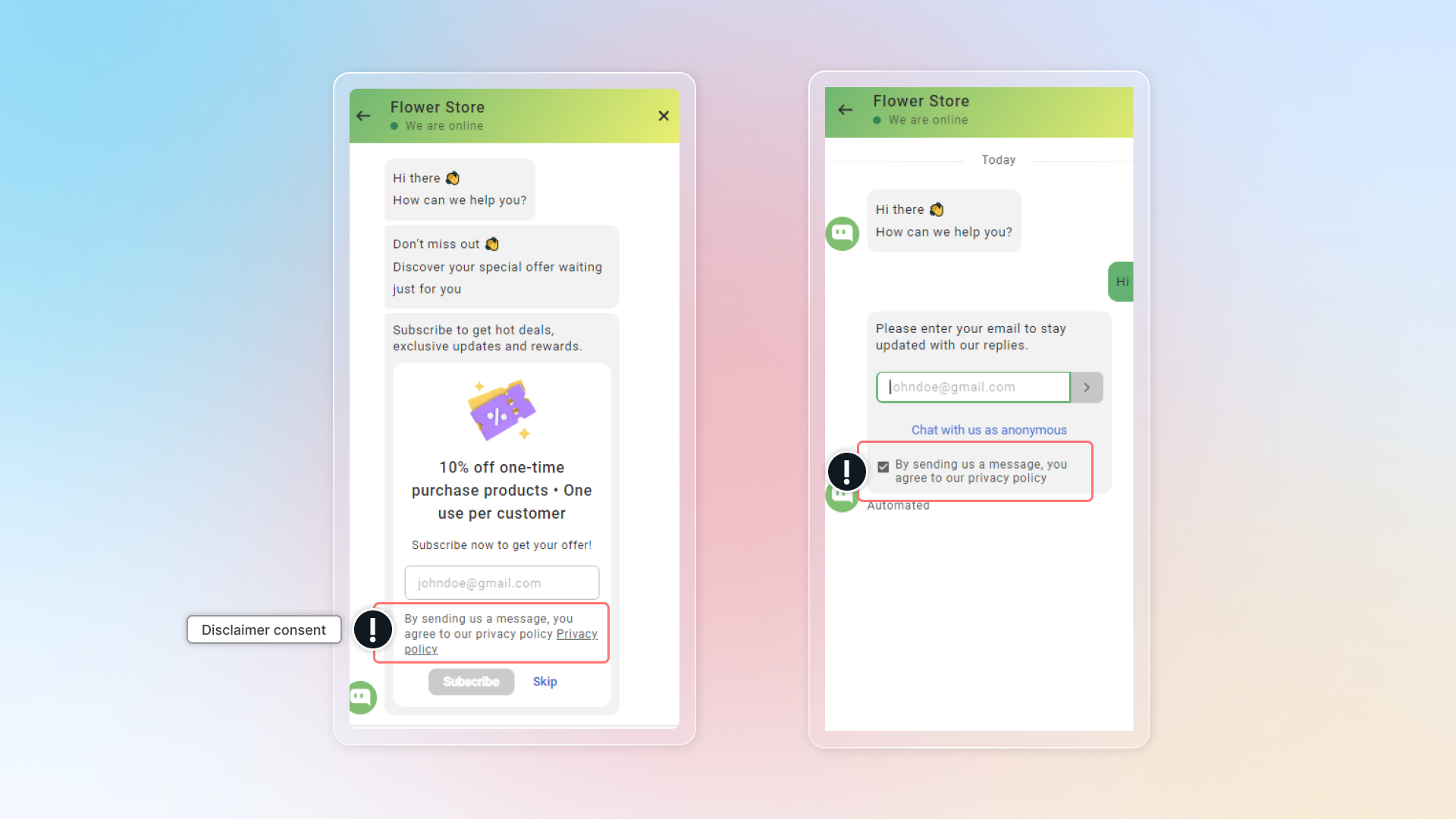
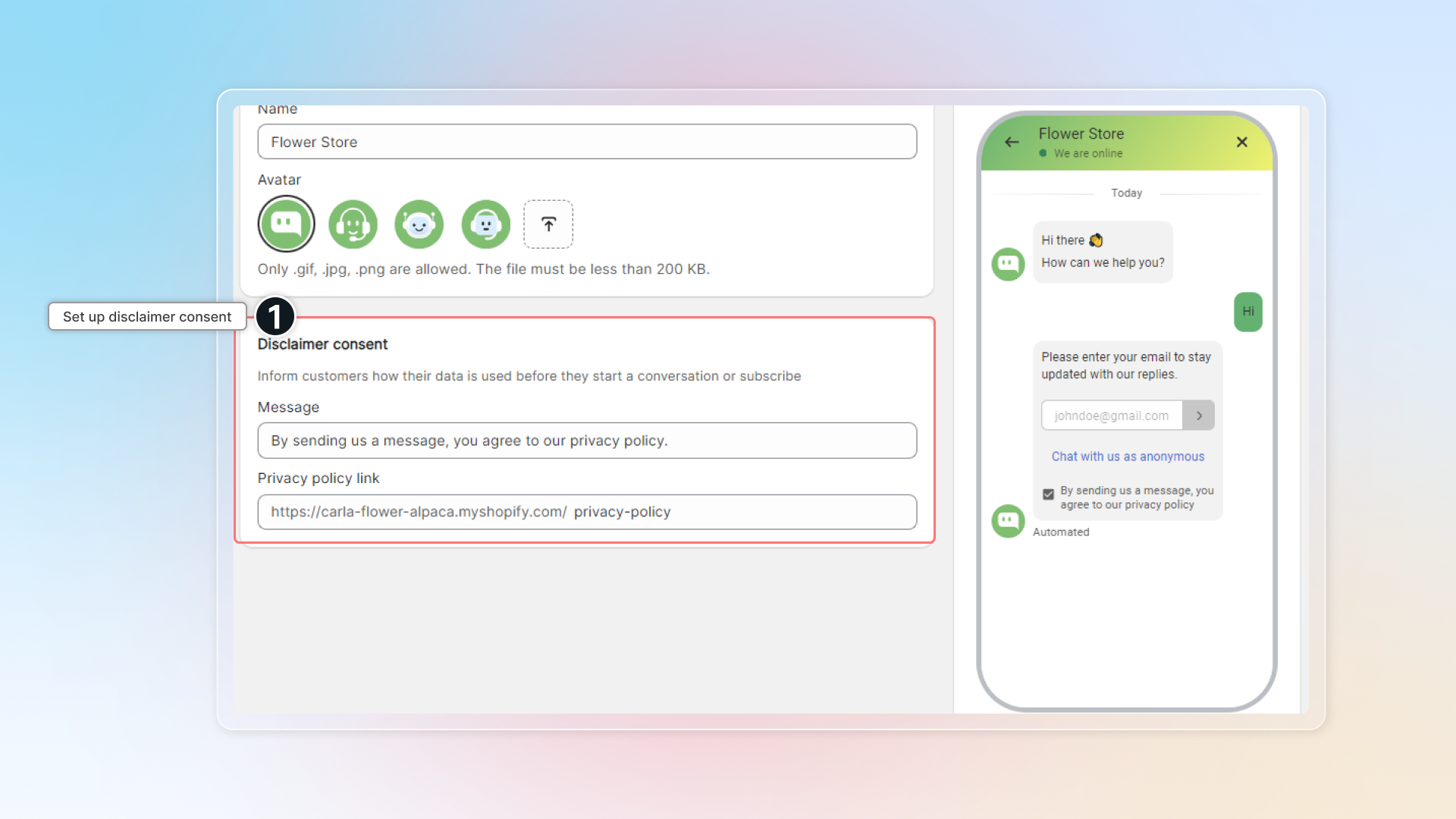
Disclaimer consent
Disclaimer consent helps you to set up your privacy policy link under the email collection form in the conversation.
This informs your customers how their data is used before they start a conversation or subscribe.
-
Go to Settings
-
In General, click Manage
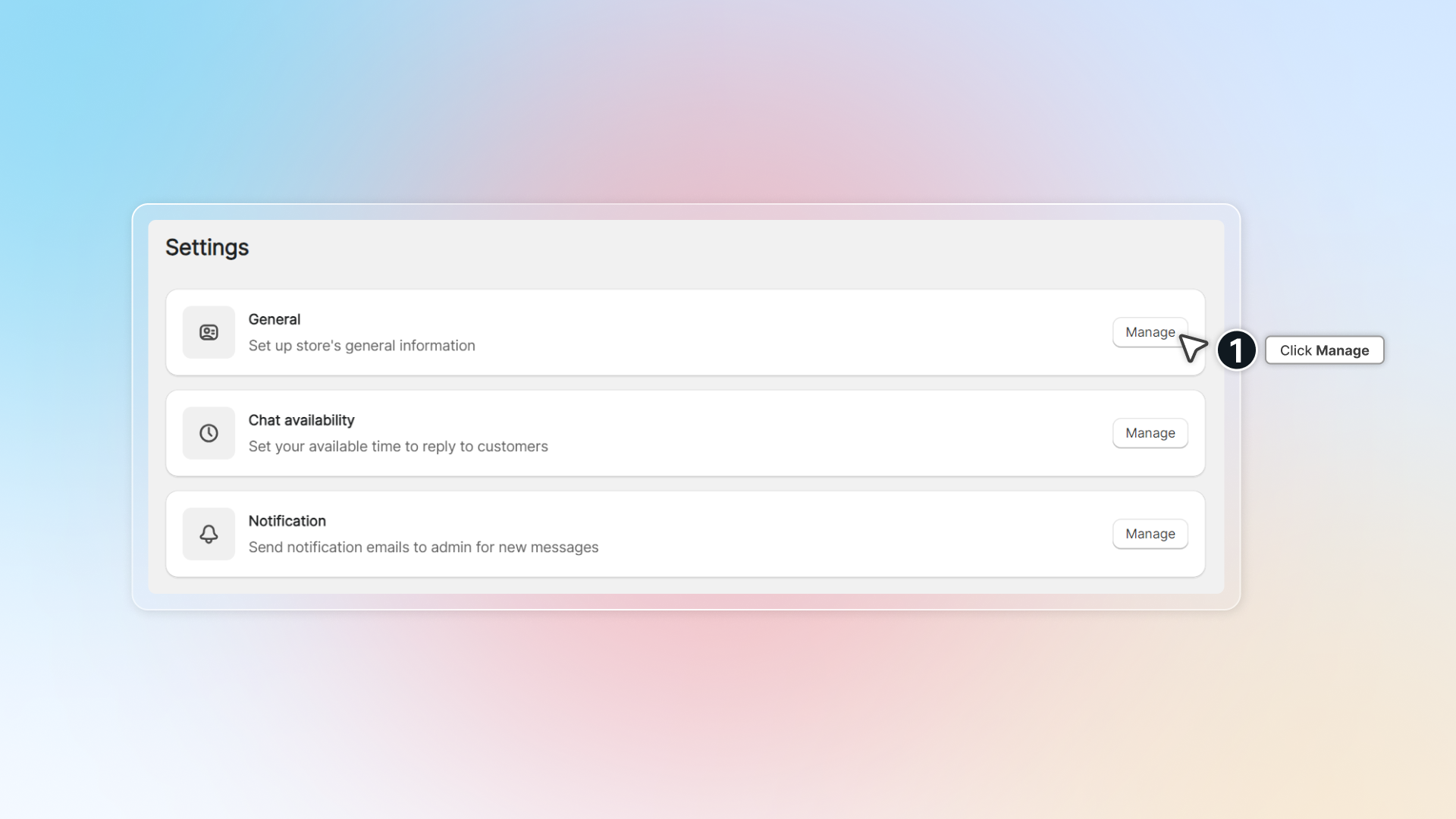
-
Set up disclaimer consent message and privacy policy link.
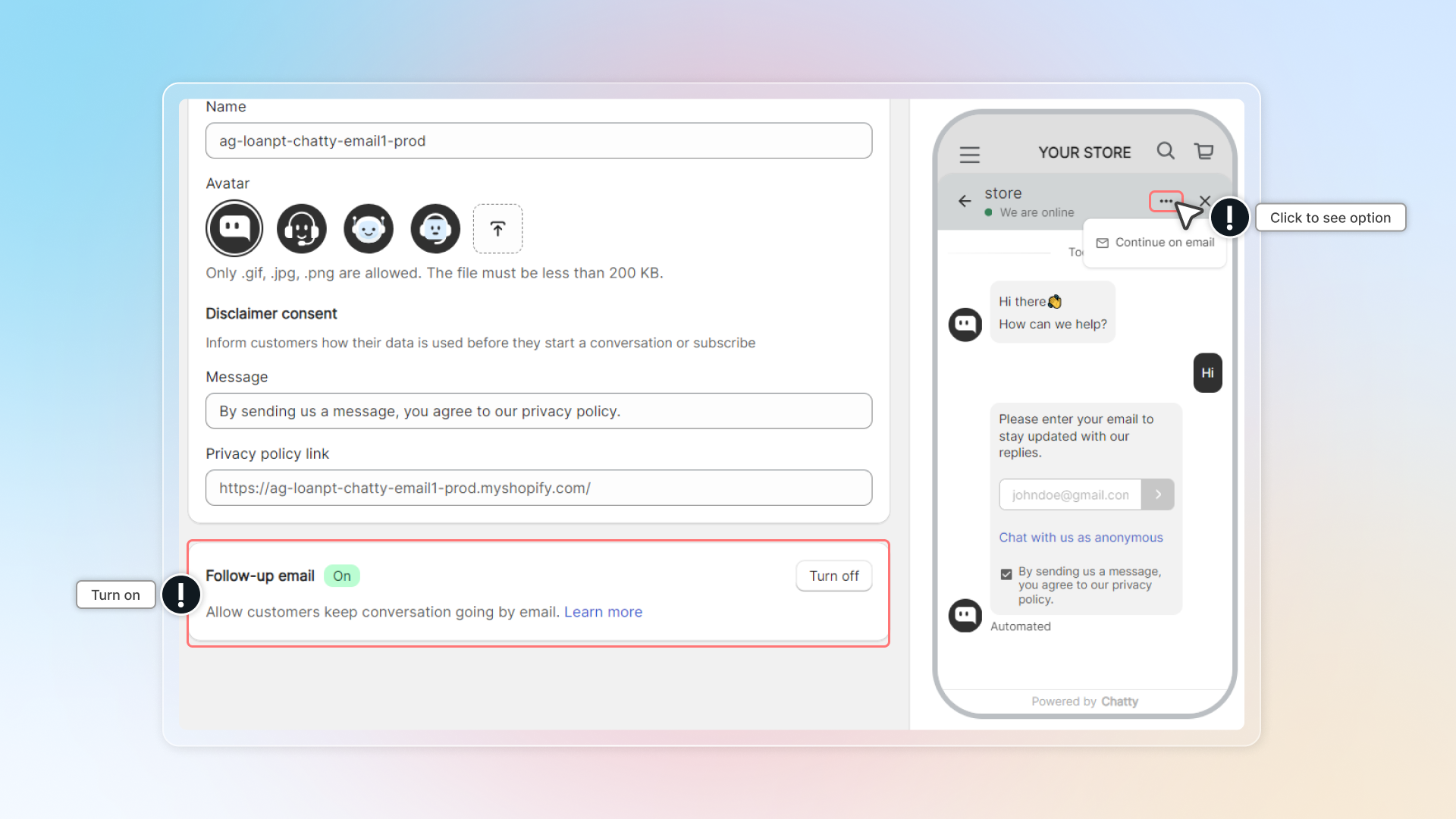
Follow-up email
This helps customers keep their conversation going by email instead of live chat.
Click to turn on. In chatbox, customers can select Continue on email to keep the conversation going by their email.
 Chatty Help Center