💬Get free consultation
Who can use this feature?
- Helpdesk is in early access. Request early access (opens in a new tab) and we turn it on for your store.
- Once Helpdesk is on for your store, it works on every plan
- You see Helpdesk when your role can view tickets
Tags
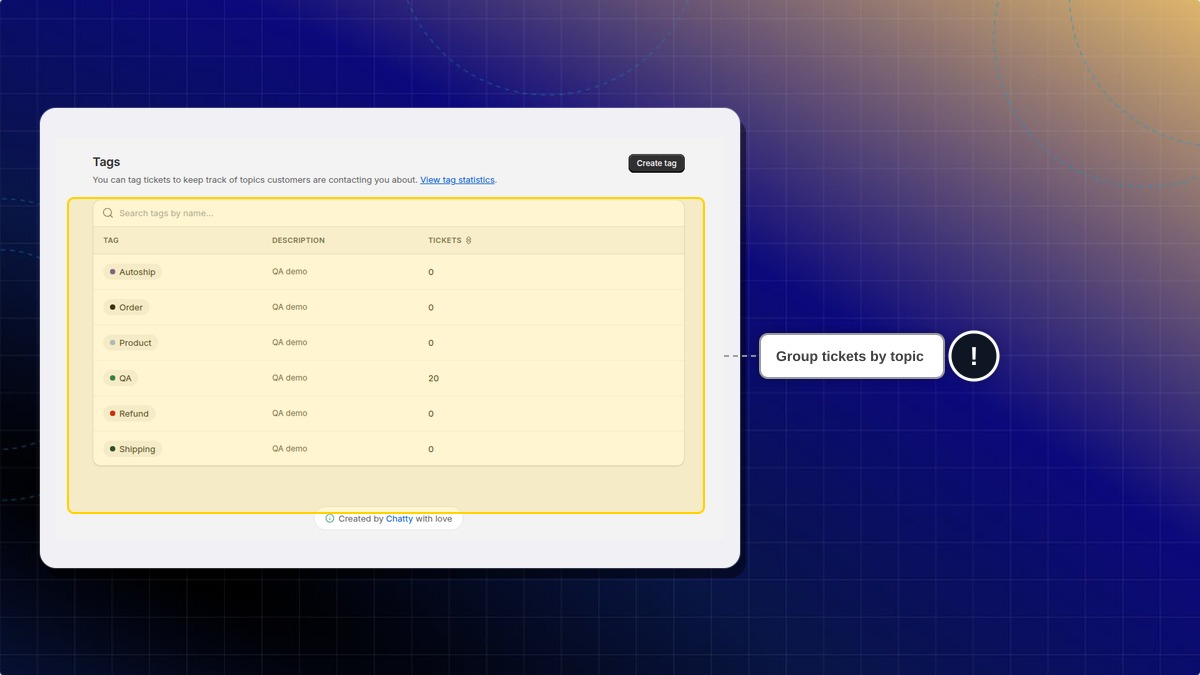
Tags group tickets by topic, such as shipping or refunds.
What this is for
A tag is a label you put on tickets that share a topic, such as shipping or a refund.
This helps you filter the queue and see how many tickets share that topic.
Names already on a store were added there. A new store can start with an empty list.
How to create a tag
- In Helpdesk, open settings, then click Tags.
- Click Create tag.
- Name the tag and save it.
Expected result: The tag appears in the list. The list can show how many tickets use it.
How to add a tag on a ticket
- Open the ticket.
- Click Add tag.
- Pick the tag.
Expected result: The tag shows on that ticket.
Are the tags I already see the product defaults?
No. Names already on a store were added there. A new store can have an empty tag list.
 Chatty Help Center