Contact button
You can add contact button on your site to provide instant support and improve customer satisfaction.
You can add the contact button to your product pages, cart page, home page, and standard pages. It isn't available on collection or blog pages.
-
Go to Chatbox
-
Click Turn on Contact button
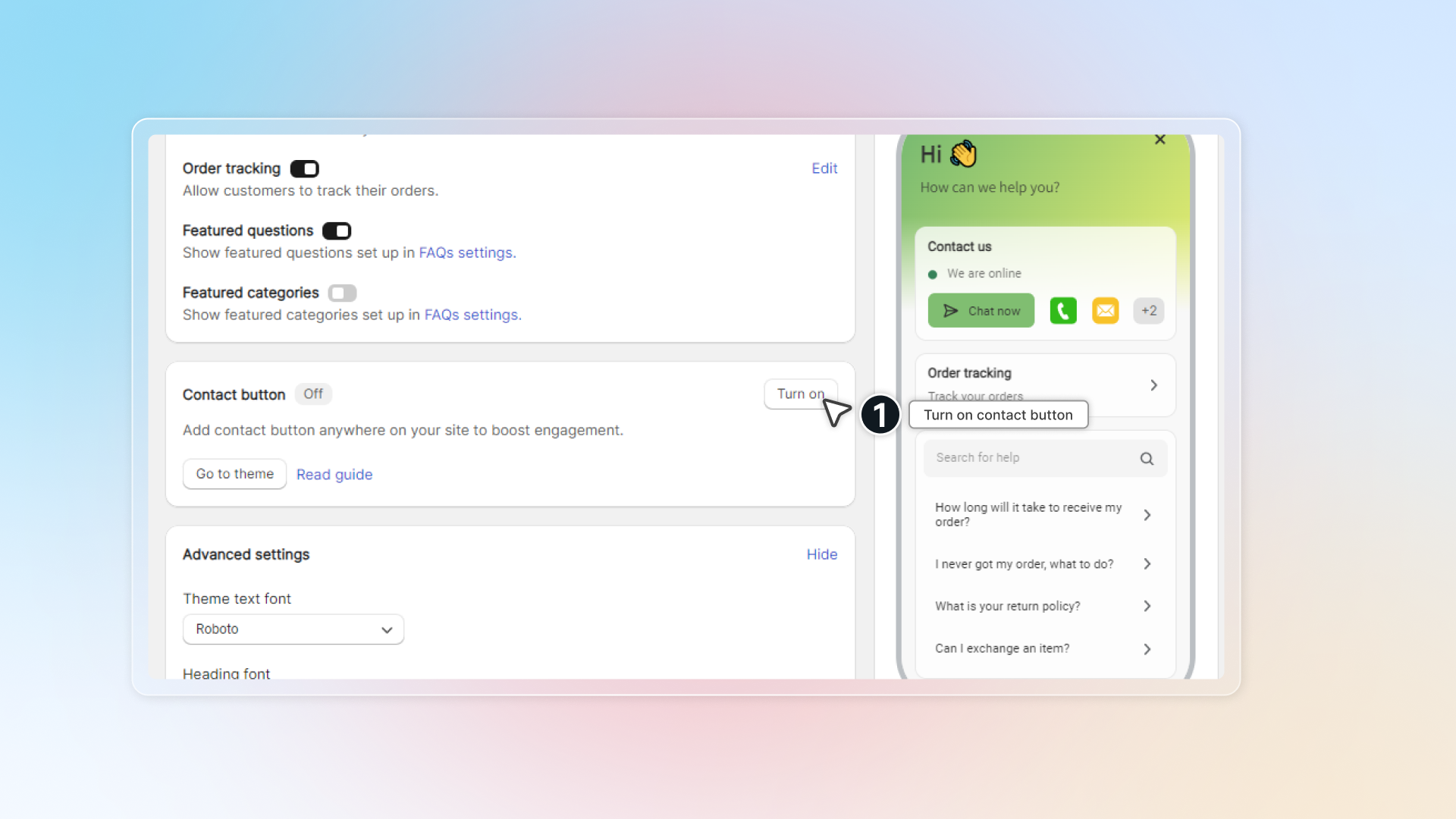
-
Click Go to theme to add contact button to your theme
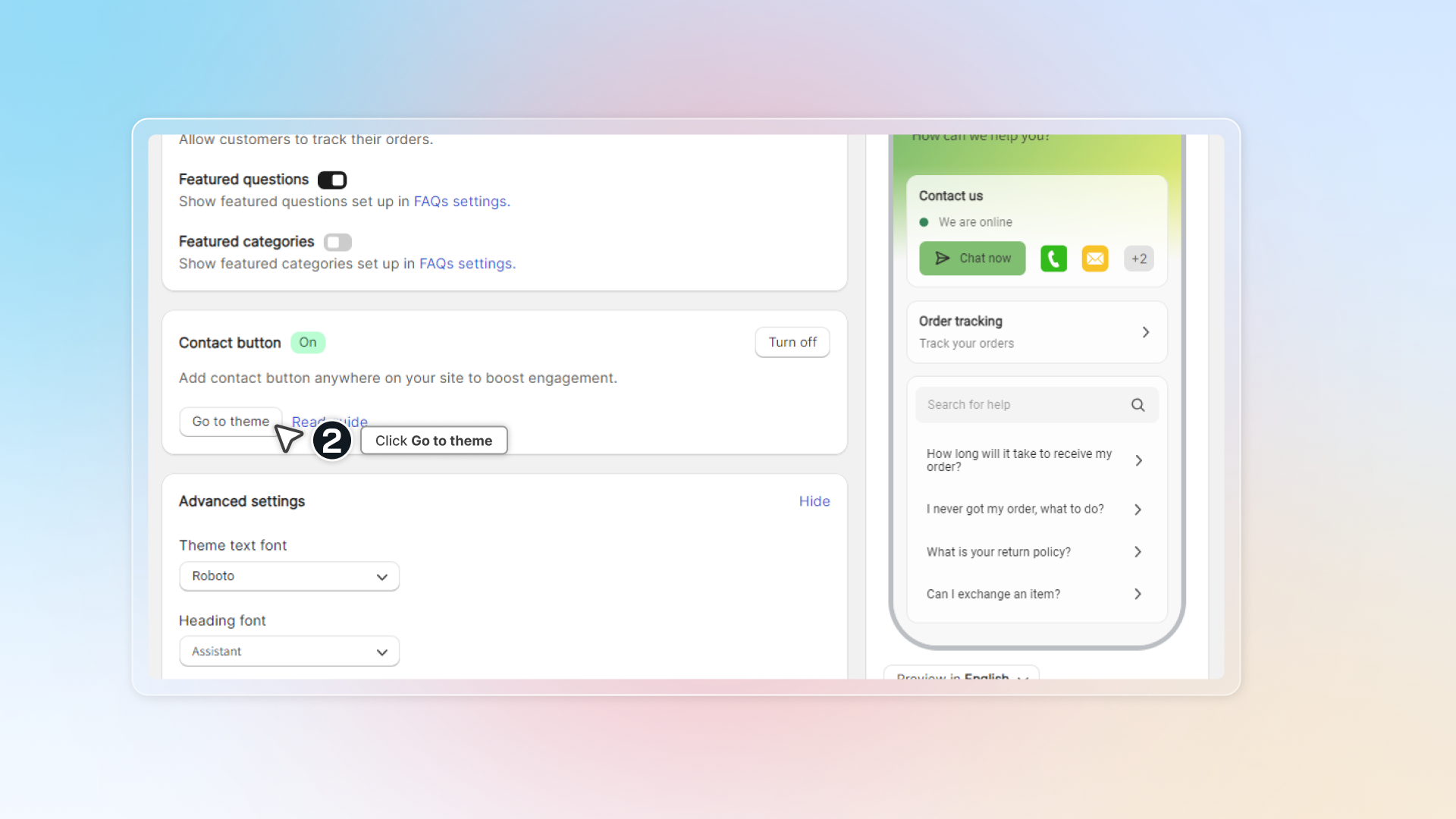
-
In theme editor, select position you want to add contact button -> Click Add block
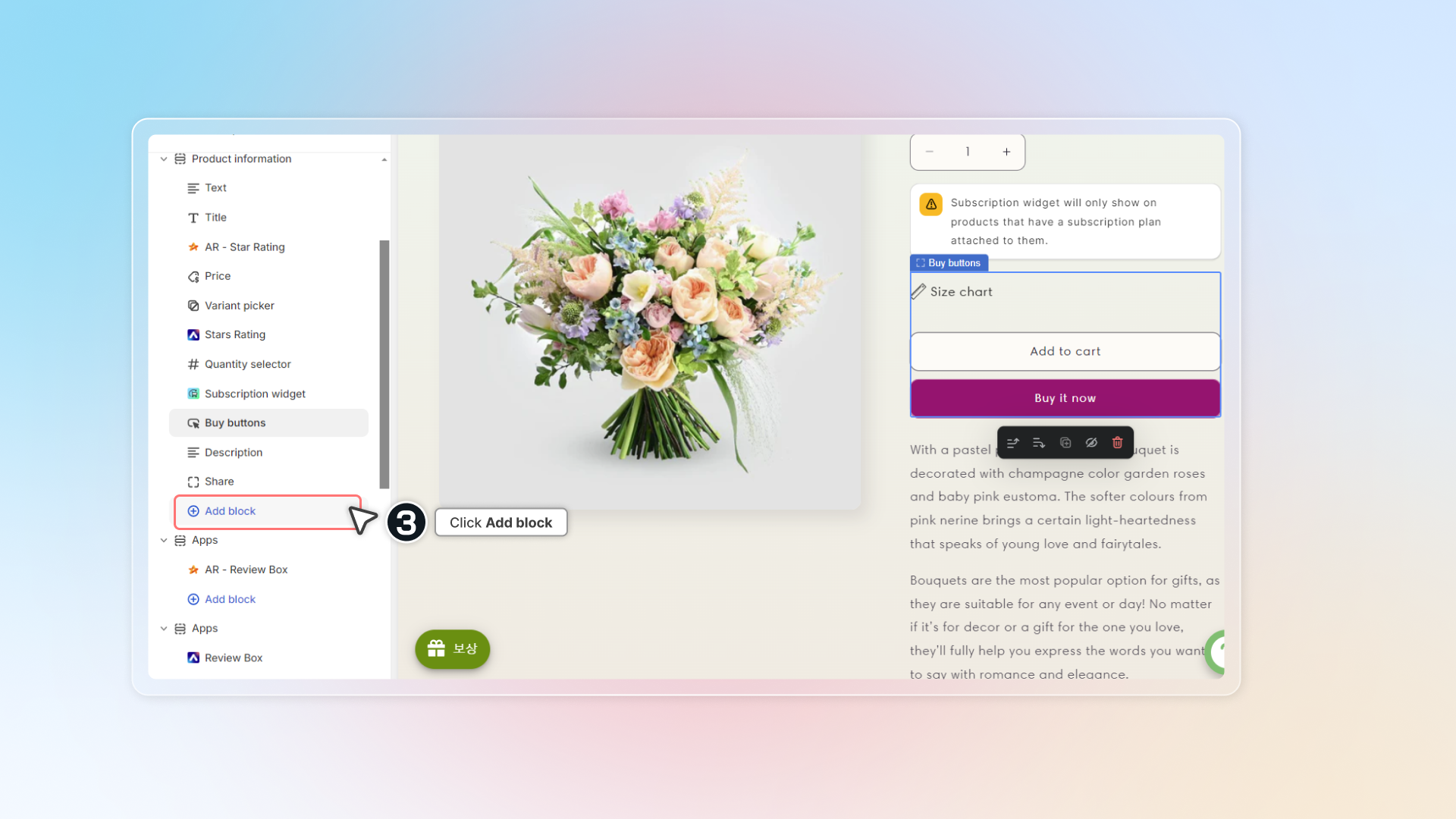
-
Under Apps, select Contact button by Chatty
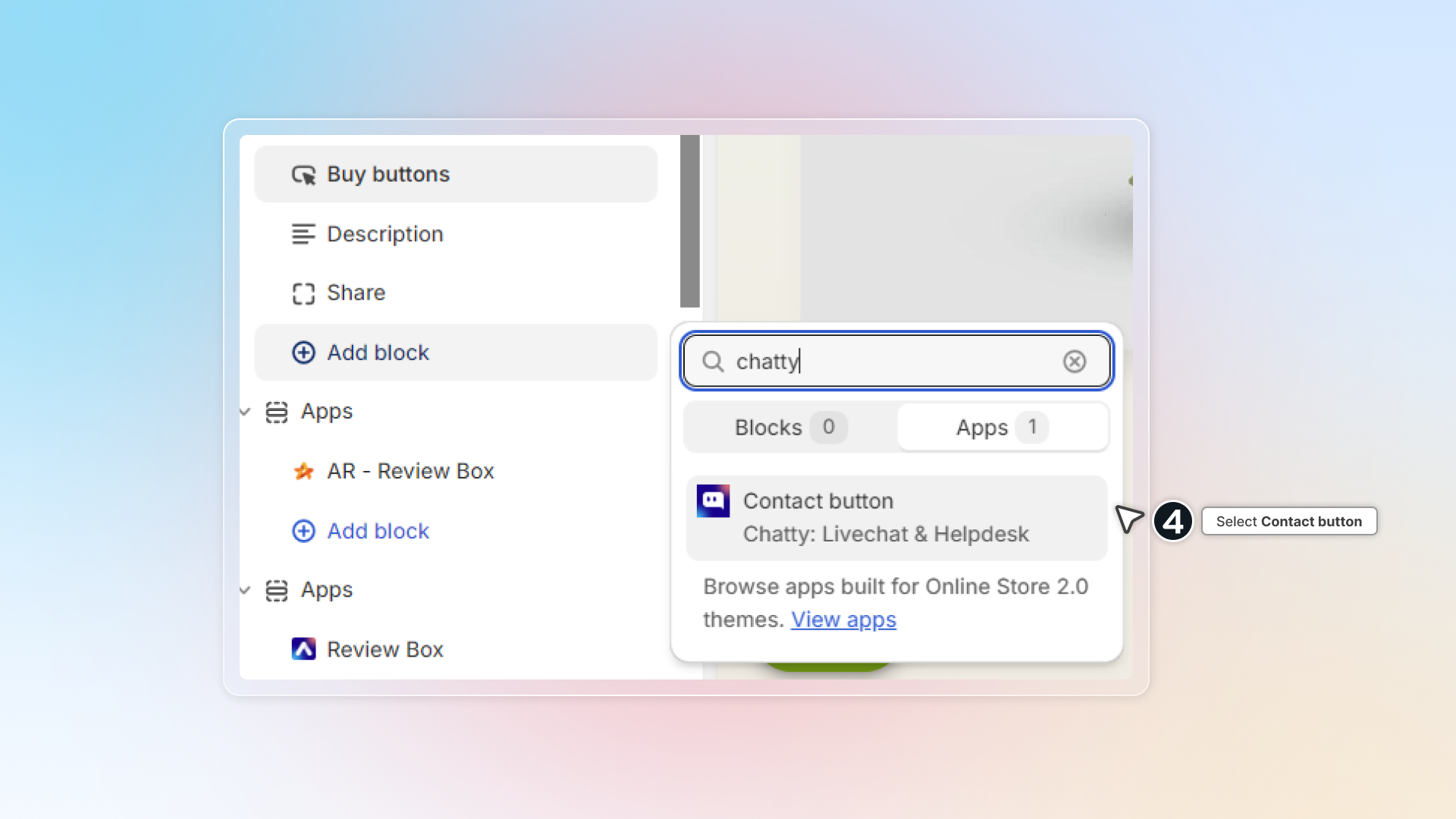
-
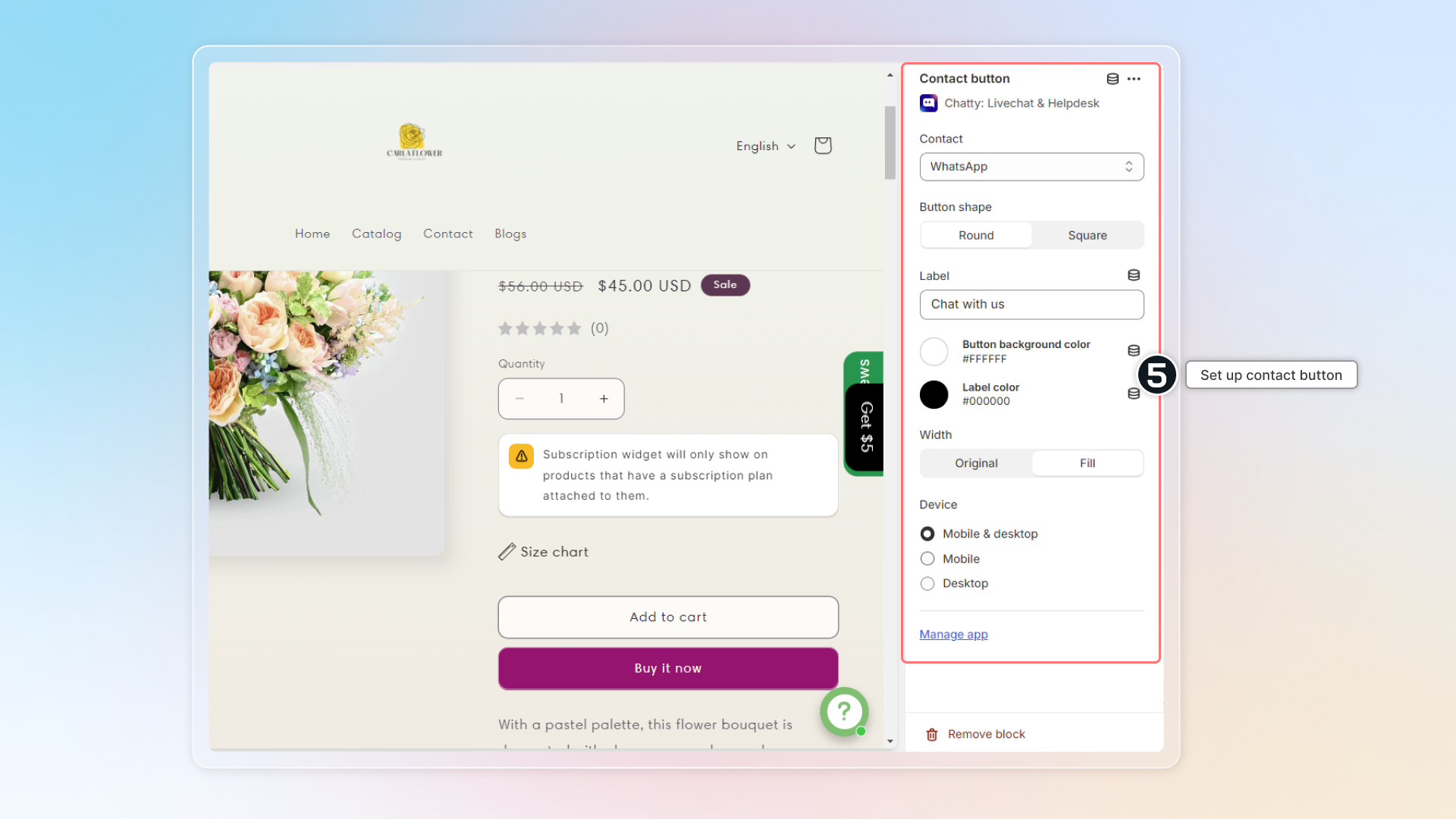
Set up contact button on the right panel.
You can only set up contact button with active contact methods. Active contact methods are those you set up in chatbox blocks. If no contact method is on, the Contact button block doesn't show up in the theme editor at all.
The panel has these settings:
| Setting | Options |
|---|---|
| Contact | WhatsApp, Messenger, Phone call, Email, Instagram, Telegram, Skype, Line, Chatbox, Zalo, SMS, TikTok |
| Button shape | Round, Square |
| Label | Your own text, Chat with us by default |
| Button background color, Label color | Any color |
| Width | Original, Fill |
| Device | Mobile & desktop, Mobile, Desktop |
Remove contact button
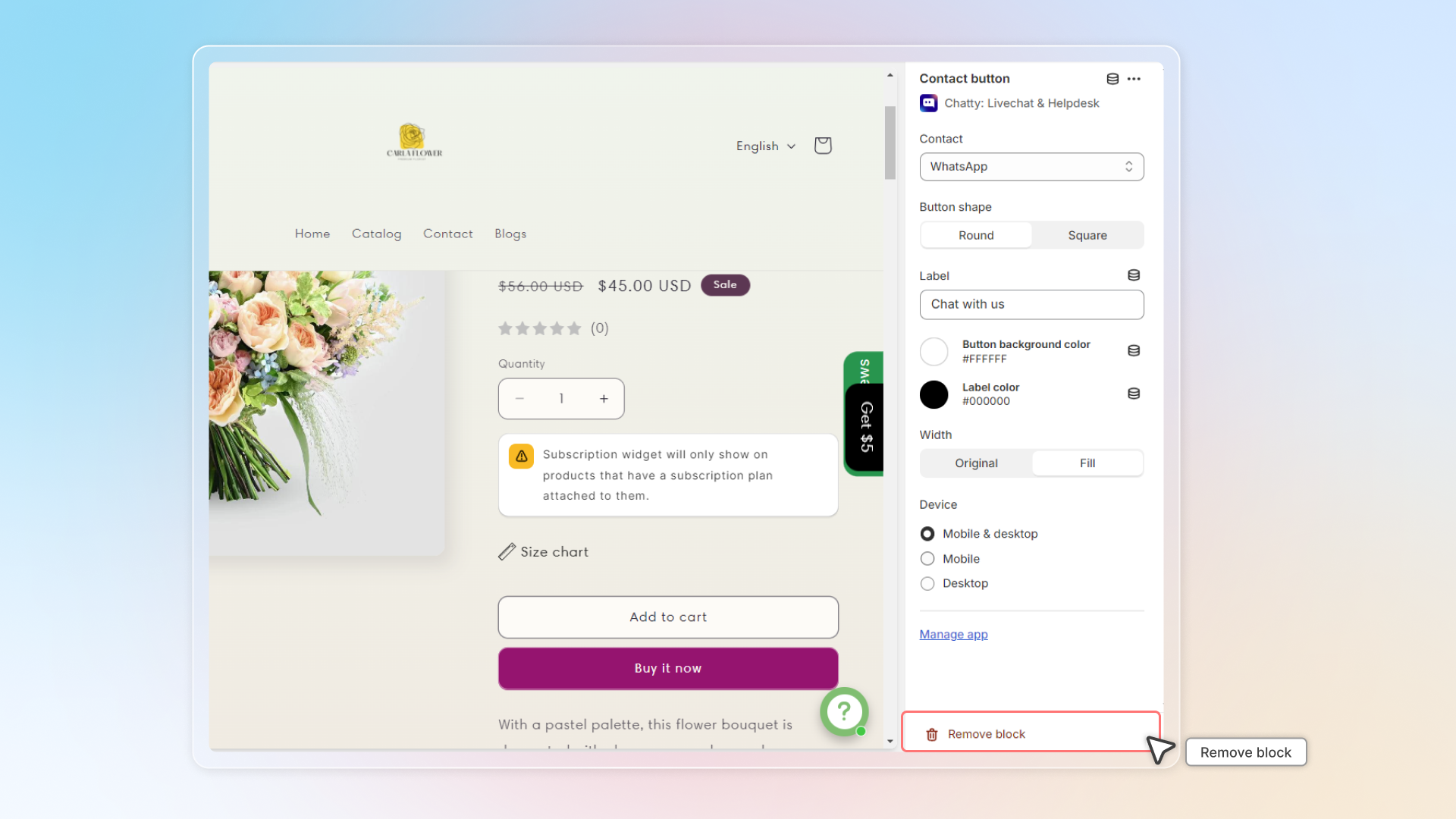
To remove contact button, go to theme editor, click on the Contact button block and click Remove block.
If you delete contact method in Chatty, contact button won't be deleted. Go to theme editor and delete that block.
 Chatty Help Center