💬Get free consultation
Embedded chatbox
What is embedded chatbox?
Embedded chatbox lets you add your complete chatbox directly into any page on your store as a full-width section.
Unlike the floating chatbox button, this embeds the entire chat interface seamlessly into your page layout.
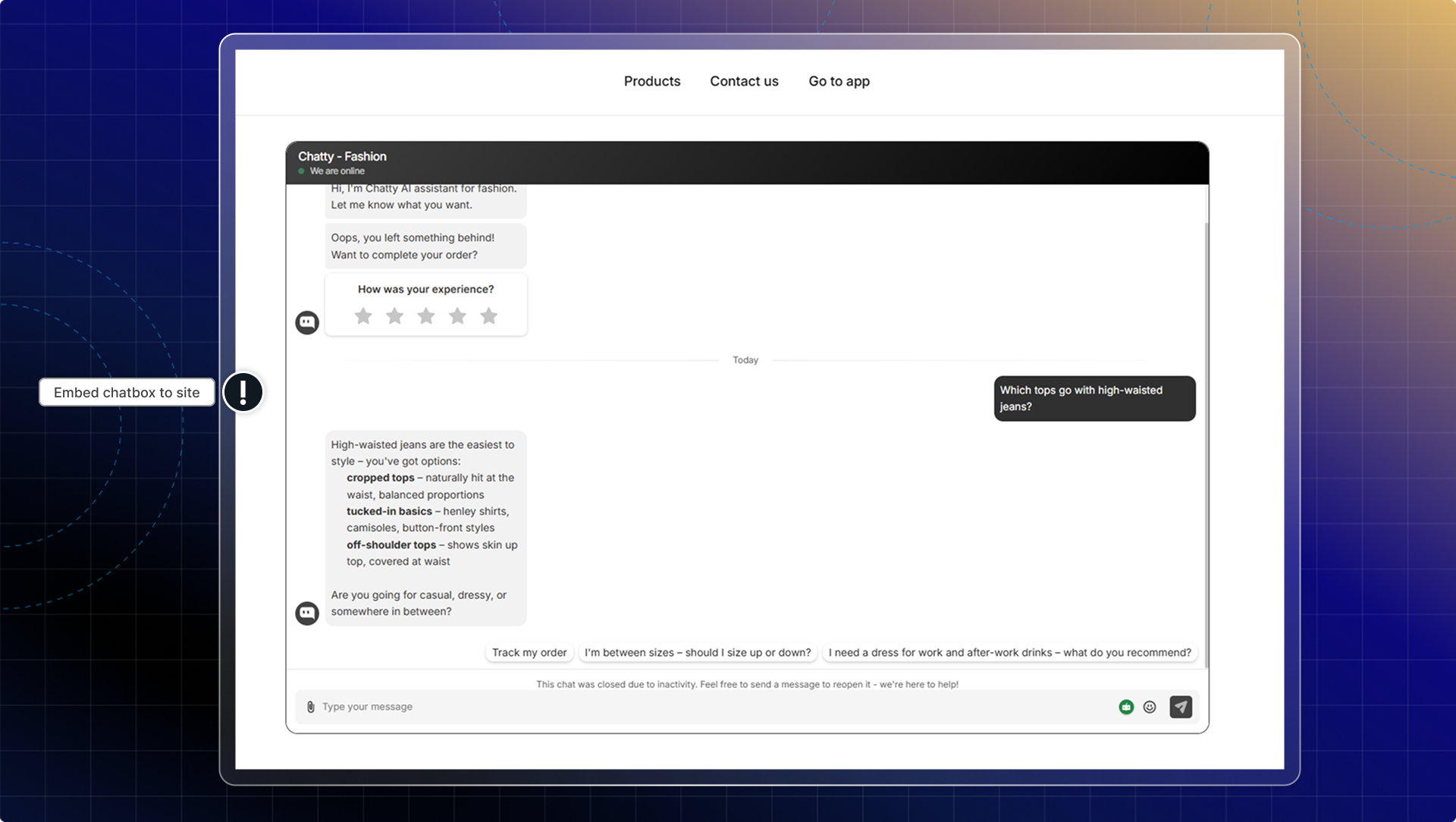
You can embed the full chatbox experience directly into specific pages like:
- Dedicated support or contact pages
- Product information pages
- FAQ pages with live support access
| Floating chatbox | Embedded chatbox | |
|---|---|---|
| Display | Button that opens overlay | Full interface built into page |
| Visibility | Available on all pages | Only on pages where you add it |
| Space usage | Floats over content | Takes up section space on page |
| Best for | Store-wide availability | Dedicated support pages |
You can use both embedded and floating chatbox together. For example, have floating chat available everywhere, plus embedded one on your contact page.
How to add embedded chatbox to your page
Go to Chatbox
In the Advanced tab, find Embedded chatbox
Click Go to theme
You'll land in your theme editor on the product template. Switch to the page you want first if you're adding the chatbox somewhere else.
Click Add section, open Apps, and pick Embedded chatbox
Set up the section on the right panel
Click Save
The section panel has these settings:
| Setting | What it does |
|---|---|
| Width size | Chatbox width in pixels. Ignored while Fill is on. |
| Fill | Stretches the chatbox to the full width of the section. On by default. |
| Widget style | Border or Shadow around the chatbox. Border by default. |
| Widget border color | Border color, used when the style is Border. |
| Online status | Shows or hides your online status inside the embedded chatbox. |
| Widget radius | Corner rounding in pixels. 0 by default. |
| Device | Show on All, Desktop only, or Mobile only. |
 Chatty Help Center