Product FAQs
Who can use this feature?
- This feature is available for all users.
What are product FAQs
Product FAQs are questions and answers attached to one product. Your AI uses them when a customer asks about that product.
Use them for details that live nowhere else in your catalog, such as warranty terms, care instructions, or assembly steps. You can also note what is in the box.
How to open the FAQs of a product
- Go to AI agent → Training data → Products.
- Find the product you want.
- Open the three dots menu on that row, then click Manage FAQs.
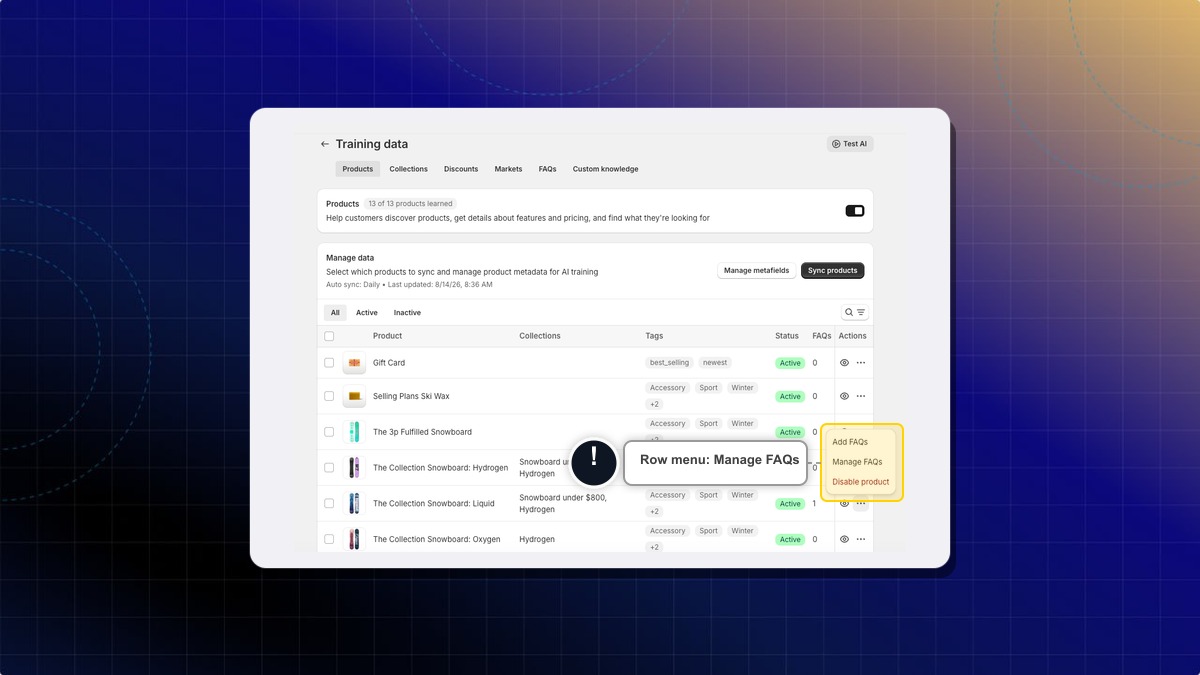
Expected result: The Product FAQs page opens with that product at the top and its saved FAQs below.
Add FAQs in the same menu writes a single question and takes you straight to the form. Manage FAQs opens the page where you add, edit and delete all FAQs for that product.
How to add a product FAQ
- On the Product FAQs page, click Add FAQ.
- In Category, type one of your existing FAQ categories. For example,
Material & Features. - In Question, write it the way a customer would ask. For example,
What type of terrain is this board best suited for? - In Answer, write the reply. Keep it specific. For example,
The Liquid Snowboard is designed for all-mountain performance, making it great for groomers, powder, and terrain parks. - Click Save.
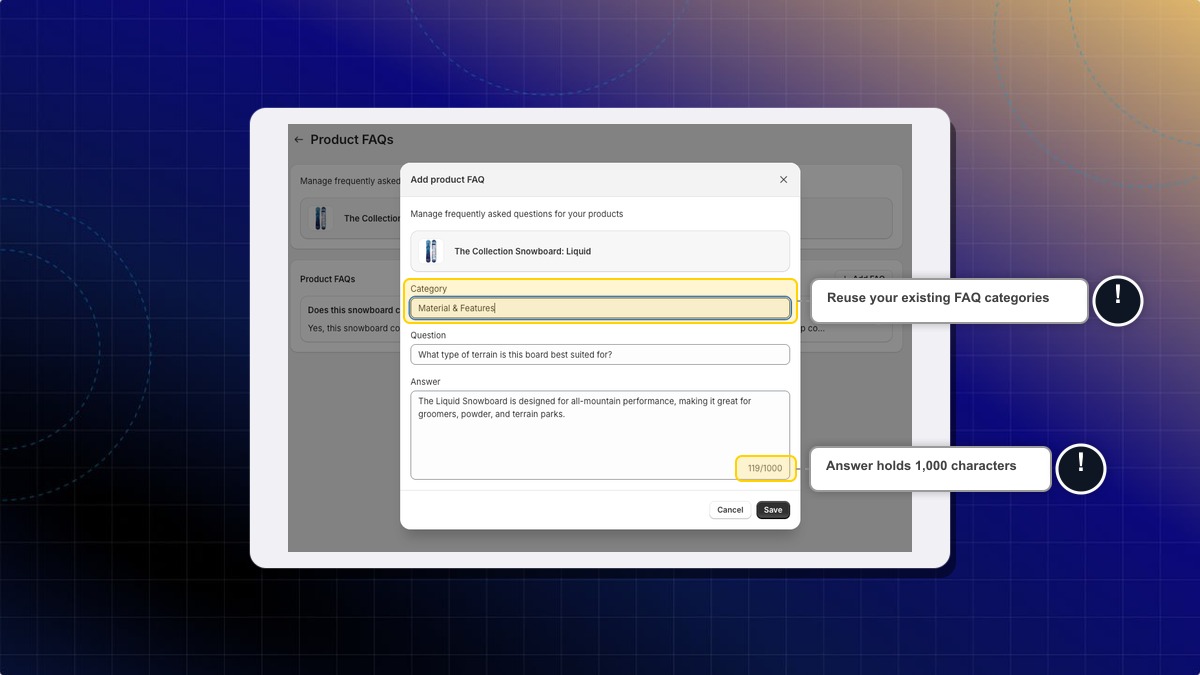
Expected result: The FAQ appears in the list on that product.
A new FAQ is not live right away. Your AI uses it after the next training sync. The auto sync runs daily, or click Sync products on the Products tab to run it now.
Category and Question hold up to 100 characters each. Answer holds up to 1,000 characters, with a counter under the field.
How to edit or delete a product FAQ
- Open the Product FAQs page of the product.
- Find the FAQ in the list.
- Click the pencil icon to change it, or the bin icon to remove it.
- For an edit, change the text and click Save.
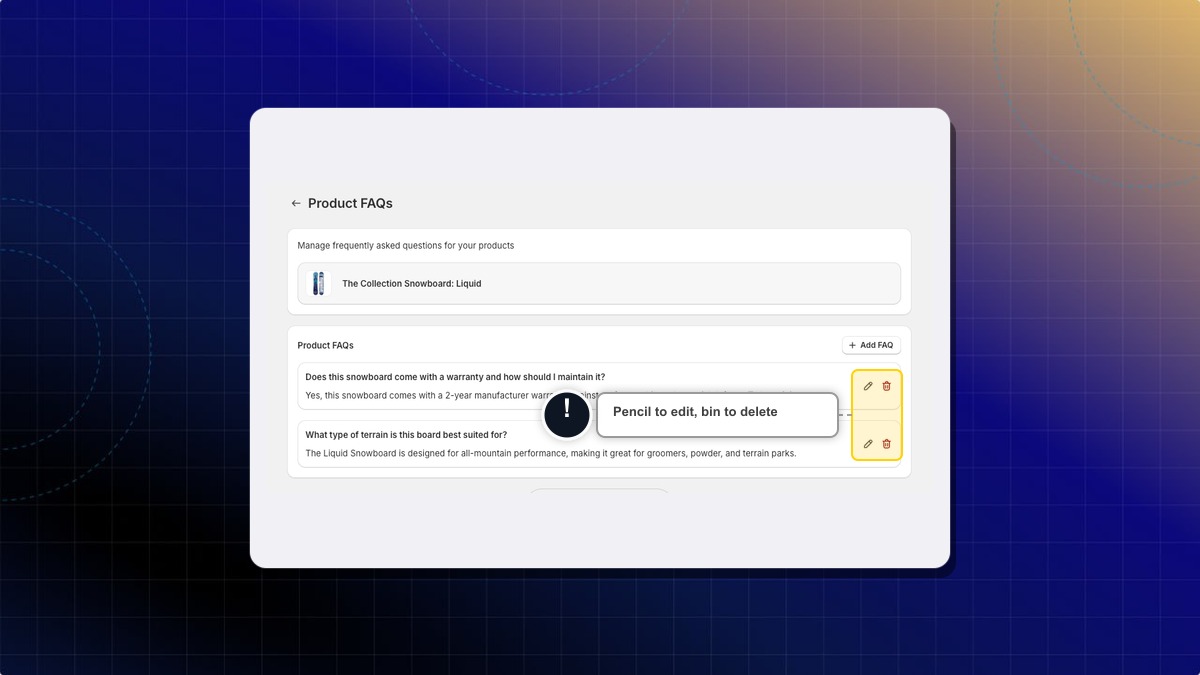
Expected result: The list updates right away. A delete removes the FAQ from that product only.
How to check which products have FAQs
The FAQs column on the Products tab shows how many FAQs each product has. Use it to spot the products you still need to cover.
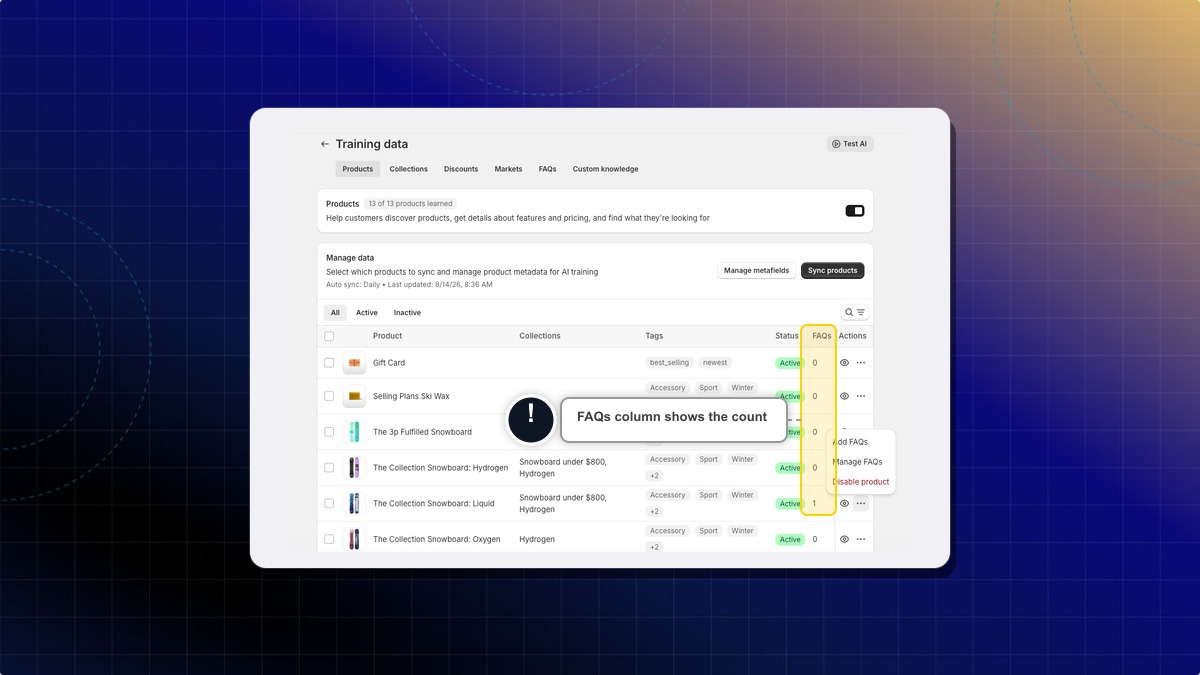
Expected result: A product with no FAQs shows 0. The count goes up as soon as you save a new FAQ.
Disable product in the row menu removes that product from your AI agent. Its FAQs stay saved, but your AI stops using them until you enable the product again.
What is the difference between product FAQs and my normal FAQs?
Normal FAQs answer store-wide questions, such as shipping or returns. Product FAQs answer questions about one product, so your AI does not apply them to the rest of your catalog.
Do I need a product FAQ for every product?
No. Add them where your product description falls short. Your AI already reads your catalog data for the basics.
What should I write in Category?
Use one of the categories you already have in your store FAQs, such as Warranty & Care or Material & Features. Reusing the same names keeps related questions grouped together.
 Chatty Help Center